
ESP32 C3 Super Mini - Light Sensor
Learn how to connect a light sensor (photoresistor/LDR) to your ESP32 C3 Super Mini and read light levels in your Arduino projects. This beginner-friendly guide covers everything from wiring to code.
In this tutorial, you'll learn:
- What a light sensor is and how it detects light intensity
- How to wire a photoresistor to ESP32 C3 Super Mini
- How to program the ESP32 to read analog values from the light sensor
- How to interpret light levels and control LEDs based on brightness
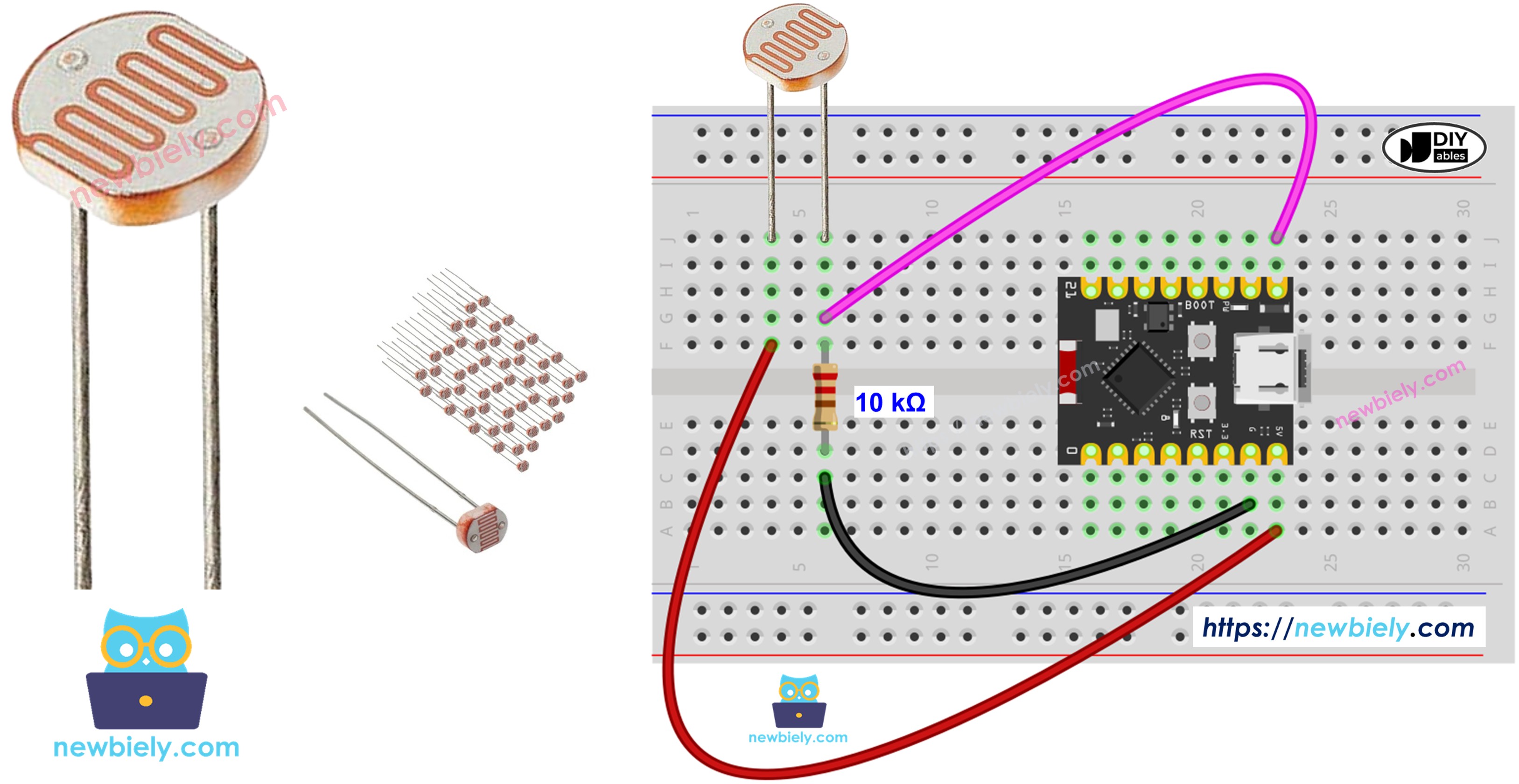
Hardware Preparation
| 1 | × | ESP32 C3 Super Mini | |
| 1 | × | USB Cable Type-A to Type-C (for USB-A PC) | |
| 1 | × | USB Cable Type-C to Type-C (for USB-C PC) | |
| 1 | × | Light Sensor | |
| 1 | × | 10 kΩ Resistor | |
| 1 | × | Breadboard | |
| 1 | × | Jumper Wires | |
| 1 | × | Optionally, DC Power Jack |
Or you can buy the following kits:
| 1 | × | DIYables Sensor Kit (18 sensors/displays) |
Additionally, some of these links are for products from our own brand, DIYables .
Component Options:
The LDR light sensor is very affordable, but it requires a resistor for wiring, which can make the setup more complex. To simplify the wiring, you can use an LDR light sensor module as an alternative.
Overview of Light Sensor
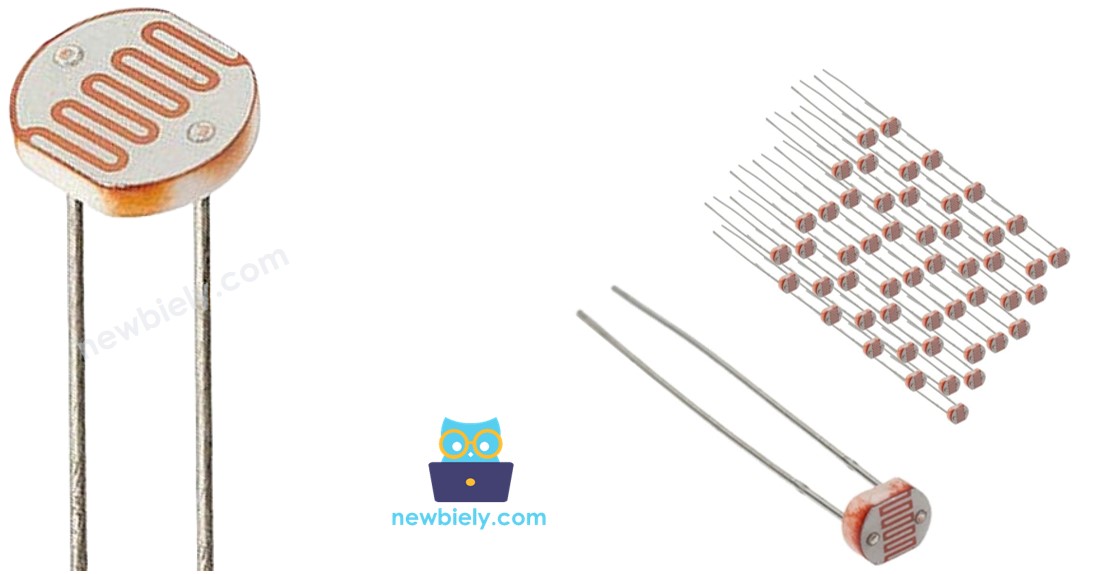
A light sensor (photoresistor) is an analog component that changes its resistance based on the amount of light hitting its surface.
Key Features:
- Also called photocell, light-dependent resistor (LDR)
- Detects presence and brightness of ambient light
- Resistance decreases when exposed to more light
- Resistance increases in darker conditions
- Affordable and easy to use for beginners
- Perfect for automatic lighting projects and light-level monitoring
Technical Specifications:
- Analog output (variable resistance)
- Typical resistance range: 200Ω (bright light) to 10MΩ (darkness)
- Response time: 20-30ms
- Works with voltage divider circuits
Light Sensor Pinout
The photoresistor has two non-polarized pins.
- Pin 1: Connect to either voltage divider side
- Pin 2: Connect to either voltage divider side
Note: Unlike LEDs or diodes, light sensor pins are interchangeable—you don't need to worry about polarity.
How Light Sensor Works
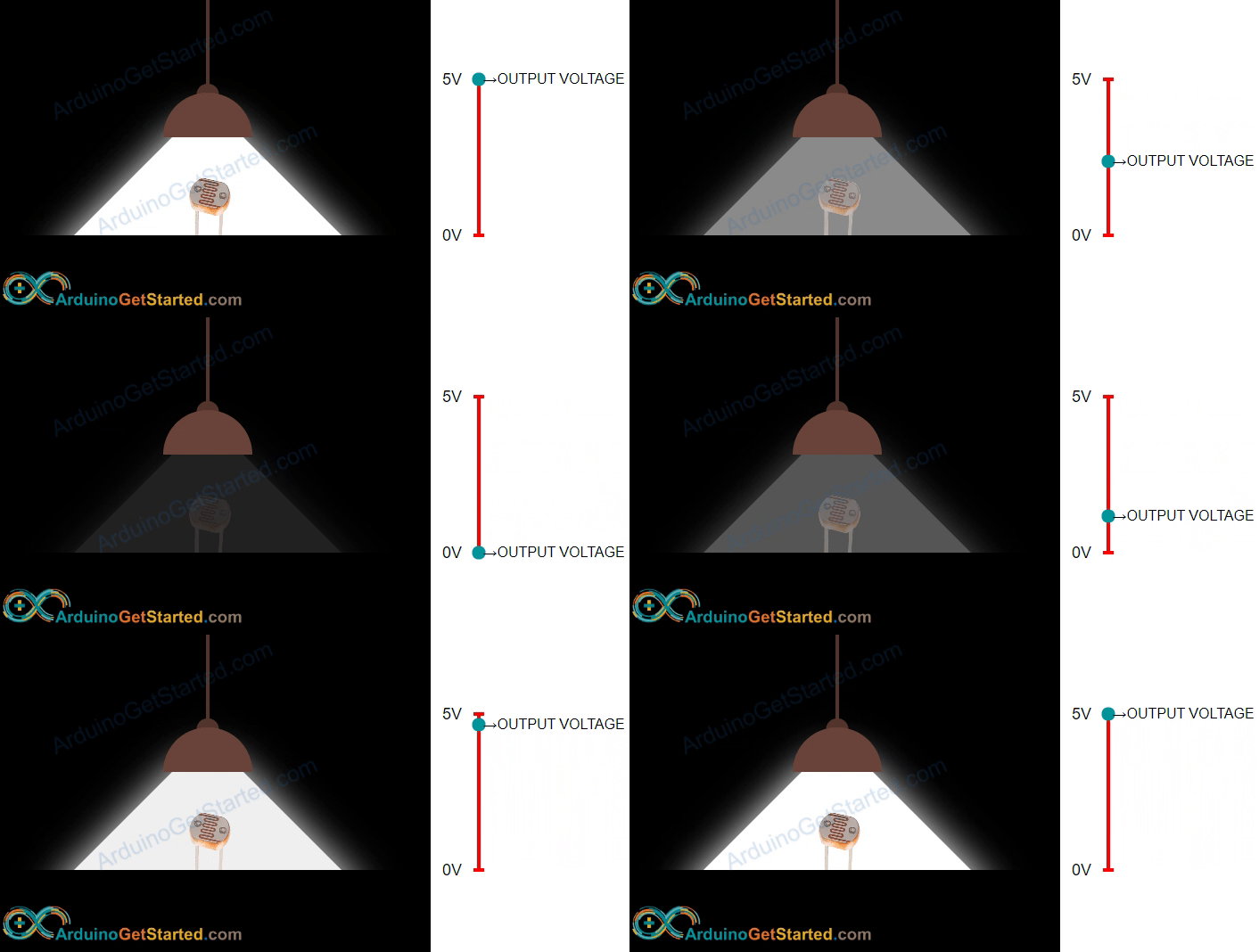
The photoresistor's resistance changes inversely with light intensity—more light means less resistance.
Operating Principle:
- Bright light → Low resistance → Higher voltage at ESP32 analog pin
- Dim light → High resistance → Lower voltage at ESP32 analog pin
- ESP32 reads voltage and converts it to a digital value (0-4095)
- Higher analog values indicate brighter conditions
WARNING
The value measured by photoresistor reflects the approximated tendency of the light's intensity, it does NOT represent exactly the luminous flux. Therefore, the photoresistor should not be used in an application that requires high accuracy. calibration is also required for some kind application.
ESP32 C3 Super Mini - Light Sensor
The ESP32 C3 Super Mini reads light sensor values through its analog input pins.
How It Works:
- ESP32 analog pins convert voltage (0V to 3.3V) into integer values (0 to 4095)
- This digital value is called the ADC (Analog-to-Digital Converter) value
- Use the analogRead() function to read the sensor value
- Higher ADC values = brighter light conditions
- Lower ADC values = darker conditions
Wiring Diagram between Light Sensor and ESP32 C3 Super Mini
Connect the light sensor to your ESP32 C3 Super Mini using a voltage divider circuit with a 10kΩ resistor.
Safety Notes:
- Note: Double-check connections before powering on
- Note: Ensure the resistor is 10kΩ for proper voltage division
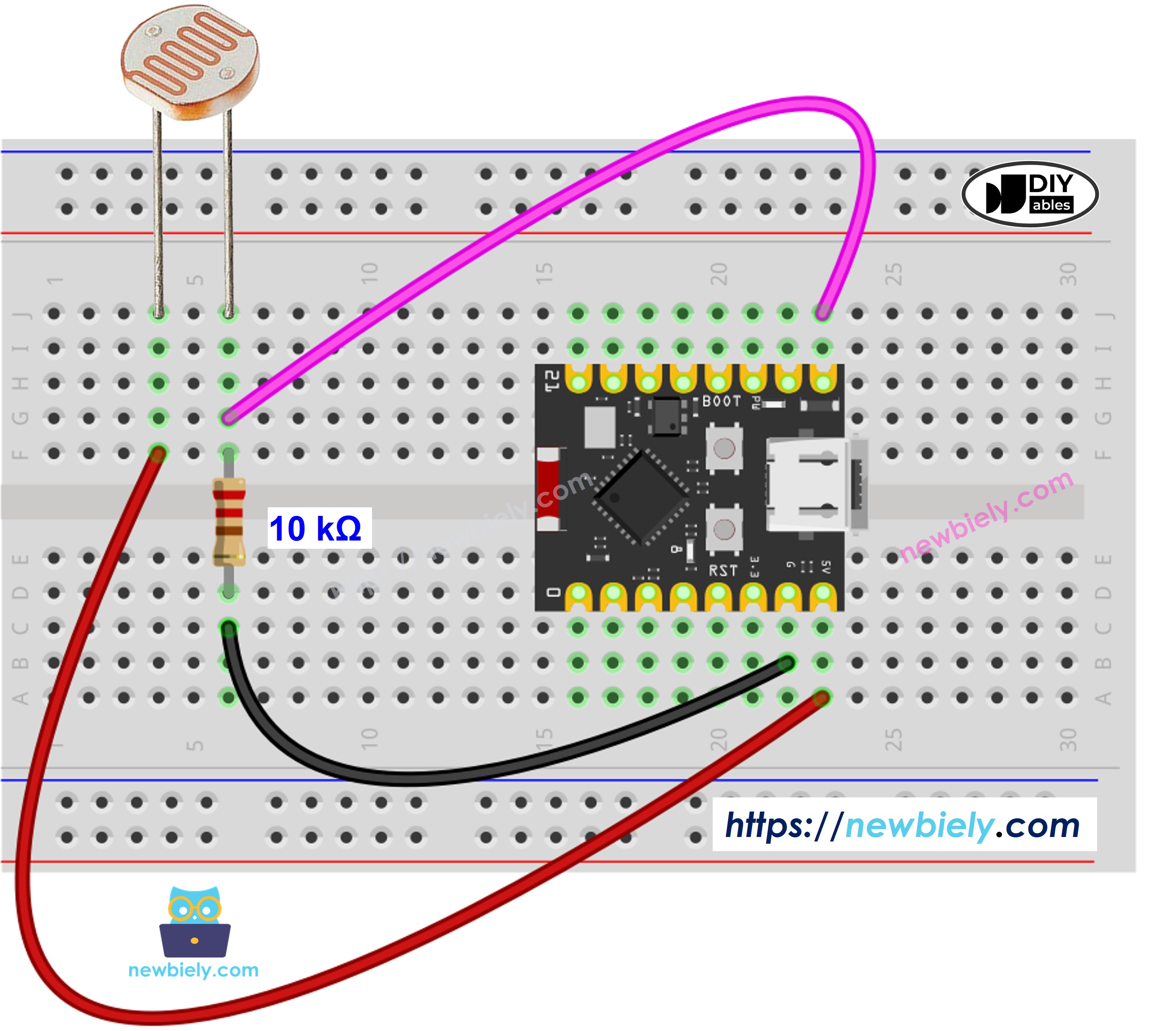
This image is created using Fritzing. Click to enlarge image
Wiring Connections:
| Light Sensor Pin 1 | 3.3V |
|---|---|
| Light Sensor Pin 2 | GPIO4 (Analog Pin) + 10kΩ Resistor |
| 10kΩ Resistor (Other End) | GND |
ESP32 C3 Super Mini Code
Here's how to program your ESP32 C3 Super Mini to read light sensor values and determine brightness levels.
What This Code Does:
- Reads analog values from the light sensor on GPIO4
- Converts ADC values into brightness categories
- Displays light level on Serial Monitor
- Updates readings every 500 milliseconds
- Categorizes light as: Dark, Dim, Medium, or Very Bright
Detailed Instructions
- New to ESP32 C3 Mini? Complete our Getting Started with ESP32 C3 Mini tutorial first to set up your development environment.
- Copy the Code: Copy the code above and paste it into Arduino IDE.
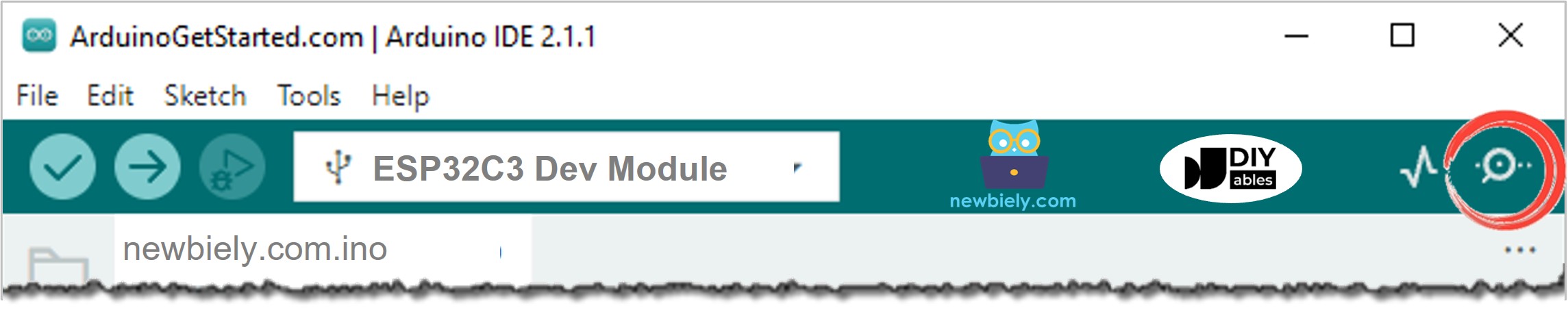
- Select Board: Make sure ESP32 C3 Super Mini is selected in Tools > Board.
- Connect ESP32: Plug your ESP32 C3 Super Mini into your computer via USB Type-C cable.
- Upload Code: Click the Upload button in Arduino IDE.
- Open Serial Monitor: Click the Serial Monitor icon or press Ctrl+Shift+M.
- Set Baud Rate: Set Serial Monitor to 115200 baud.
- Test the Sensor: Cover the light sensor with your hand, then expose it to bright light.
- Observe Results: Watch the analog values and light level descriptions change in real-time.
- Pro Tip: The threshold values (1000, 2000, 3000) can be adjusted based on your ambient light conditions for more accurate readings.
Expected Serial Monitor Output:
Light Sensor and LED
Now let's create an automatic lighting system that turns on an LED when it gets dark.
Wiring Diagram
Add an LED to your circuit to create a light-activated switch.
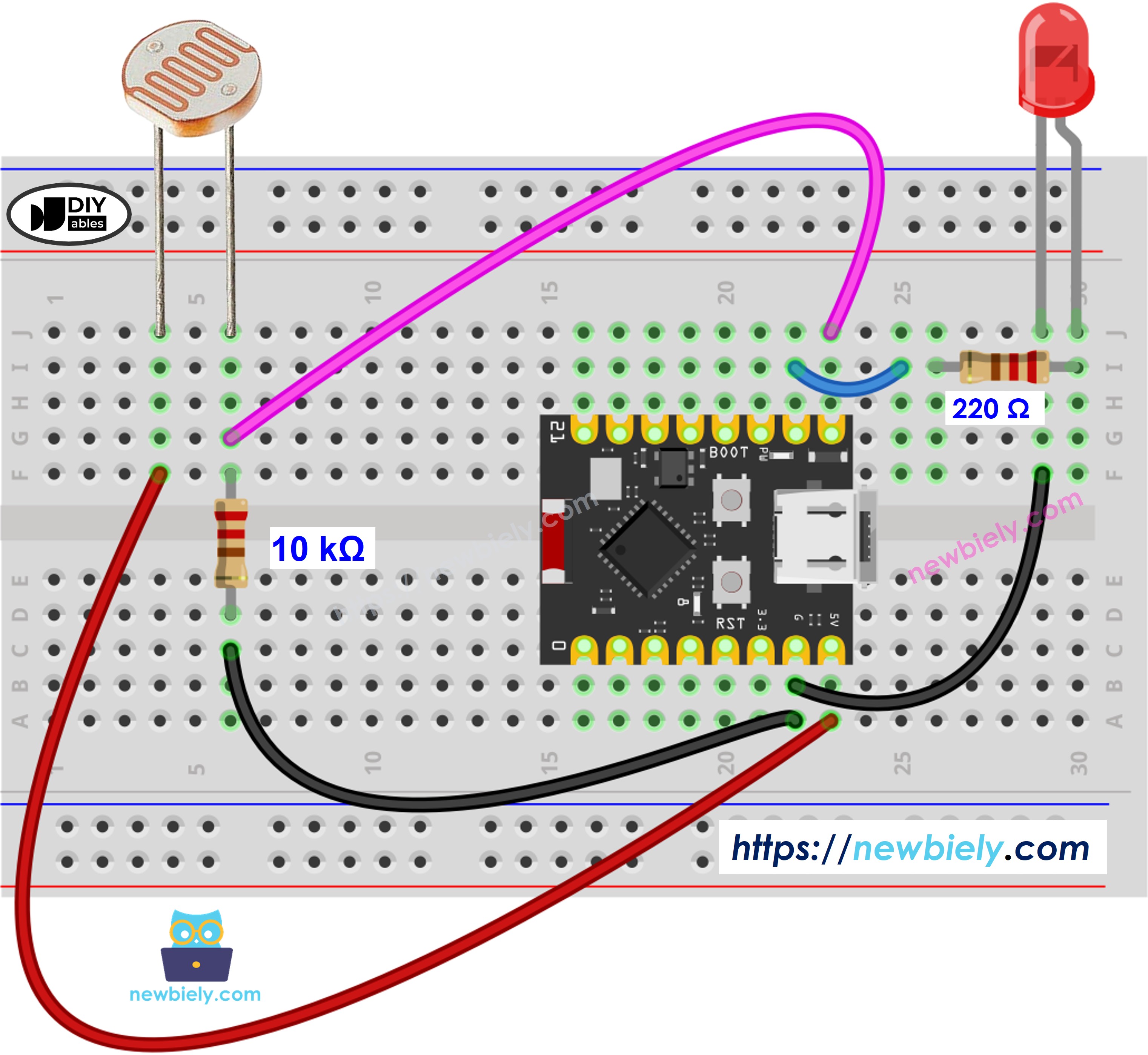
This image is created using Fritzing. Click to enlarge image
Additional Connections:
| LED Anode (Long Leg) | GPIO8 (through 220Ω resistor) |
|---|---|
| LED Cathode (Short Leg) | GND |
ESP32 C3 Super Mini Code
This code automatically controls an LED based on ambient light levels—perfect for automatic night lights.
What This Code Does:
- Reads light sensor values continuously
- Compares readings to a threshold value (1000)
- Turns LED ON when it's dark (value < 1000)
- Turns LED OFF when it's bright (value ≥ 1000)
- Creates an automatic lighting system
※ NOTE THAT:
This tutorial uses the analogRead() function to read values from an ADC (Analog-to-Digital Converter) connected to a sensor or component. The ESP32 C3 Super Mini's ADC is suitable for projects that do not require high accuracy. However, for projects needing precise measurements, keep the following in mind:
- The ESP32 C3 Super Mini's ADC is not perfectly accurate and might require calibration for correct results. Each ESP32 C3 Super Mini board can vary slightly, so calibration is necessary for each individual board.
- Calibration can be challenging, especially for beginners, and might not always yield the exact results you want.
For projects requiring high precision, consider using an external ADC (e.g ADS1115) with the ESP32 C3 Super Mini or using another Arduino, such as the Arduino Uno R4 WiFi, which has a more reliable ADC. If you still want to calibrate the ESP32 C3 Super Mini's ADC, refer to the ESP32 ADC Calibration Driver.
Application and Project Ideas
Now that you know how to use a light sensor with ESP32 C3 Super Mini, here are some practical project ideas:
- Automatic Night Light: LED turns on automatically when room gets dark
- Smart Plant Monitor: Track sunlight exposure for your indoor plants
- Security System: Detect when lights turn on/off in a room
- Weather Station: Monitor daylight hours and cloud coverage
- Energy Saver: Automatically control window blinds based on sunlight
- Photography Light Meter: Measure ambient light for camera settings
Video Tutorial
Watch the video below for a visual walkthrough of this project.
Challenge Yourself
Take your light sensor skills to the next level with these challenges:
- Easy: Add a buzzer that beeps when light level changes from bright to dark
- Easy: Display "Good morning!" when light is detected and "Good night!" when it's dark
- Medium: Create a data logger that records light levels every minute to an SD card
- Medium: Build a smart curtain controller that opens/closes based on sunrise and sunset
- Advanced: Implement a solar panel tracker that monitors light intensity from multiple sensors
- Advanced: Create a greenhouse automation system with light-based watering and ventilation control