
ESP32 C3 Super Mini - Button - Long Press Short Press
Learn how to program your ESP32 C3 Super Mini to detect both button long press and short press events. This tutorial covers everything from basic wiring to advanced debouncing techniques for reliable button input detection.
In this tutorial, you'll learn:
- How to detect short press button events on ESP32 C3 Super Mini
- How to detect long press button events (two different methods)
- How to detect both long press and short press on a single button
- How to eliminate button chattering with debouncing
- When to use long press vs short press in Arduino projects
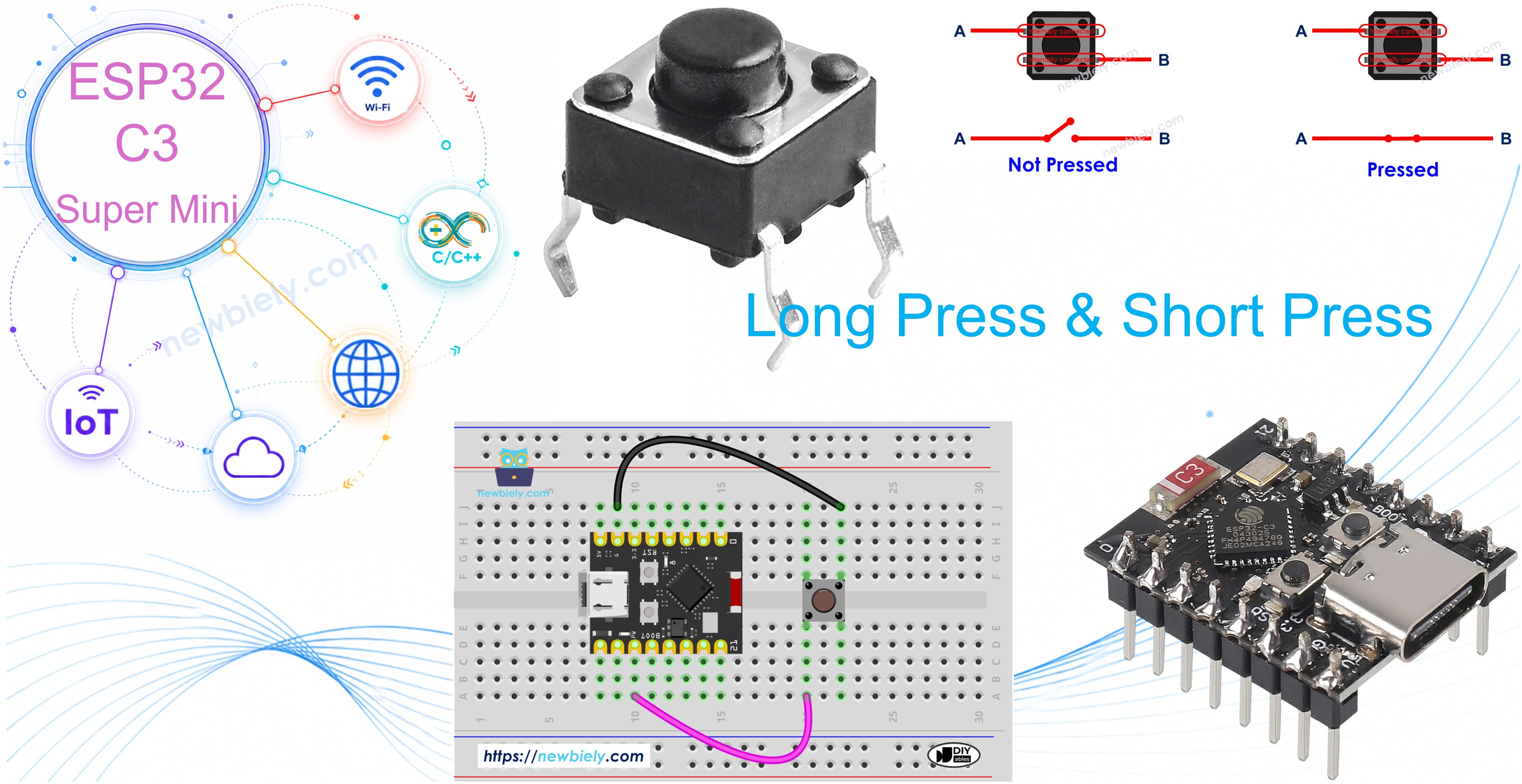
Hardware Preparation
Or you can buy the following kits:
| 1 | × | DIYables Sensor Kit (18 sensors/displays) |
Additionally, some of these links are for products from our own brand, DIYables .
Wiring Diagram
Connect your button to the ESP32 C3 Super Mini following the diagram below.
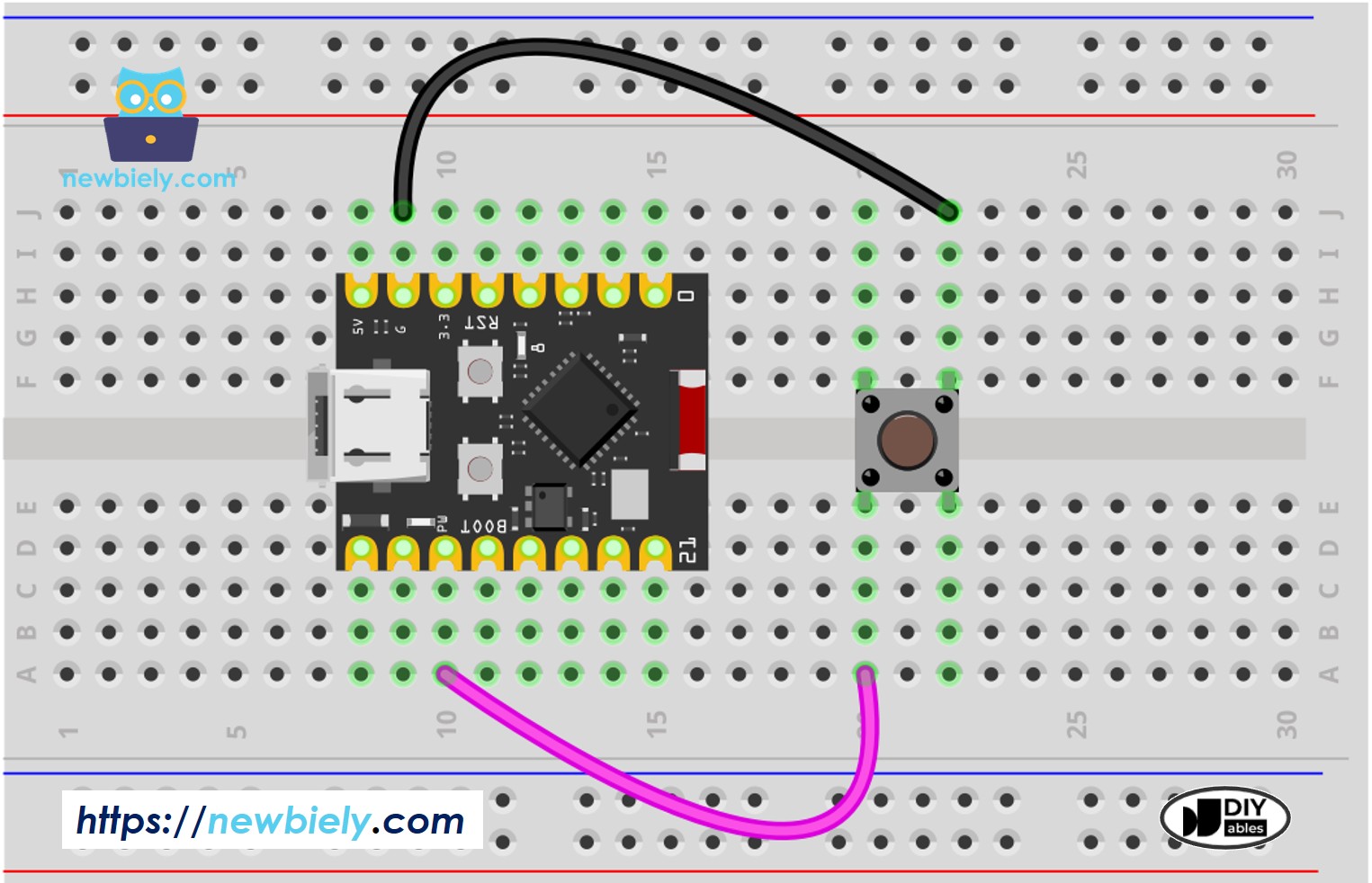
This image is created using Fritzing. Click to enlarge image
Important notes:
- This tutorial uses the internal pull-up resistor
- Button state is HIGH when not pressed and LOW when pressed
- No external resistor needed
How To Detect Short Press
Detecting a short press on ESP32 C3 Super Mini involves measuring the duration between button press and release events.
Short press detection method:
- Measure the time between the pressed and released events
- If the duration is shorter than a pre-defined time, the short press event is detected
- Compare press duration against your SHORT_PRESS_TIME threshold
Step-by-step implementation:
- Define how long the maximum of short press lasts
- Detect the button is pressed and save the pressed time
- Detect the button is released and save the released time
- Calculate the press duration
- Determine the short press by comparing the press duration with the defined short press time
ESP32 C3 Super Mini Code for detecting the short press
This code demonstrates how to detect short button press on ESP32 C3 Super Mini.
What the code does:
- Reads button state using internal pull-up resistor
- Calculates time duration between press and release
- Detects short press if duration is less than 500ms
- Prints detection result to Serial Monitor
Detailed Instructions
- New to ESP32 C3 Mini? Complete our Getting Started with ESP32 C3 Mini tutorial first to set up your development environment.
- Setup IDE: If this is the first time you use ESP32 C3 Super Mini, see how to setup environment for ESP32 C3 Super Mini on Arduino IDE
- Upload Code: Copy the code above and upload it to your ESP32 C3 Super Mini via Arduino IDE
- Wire Hardware: Connect the button to your ESP32 C3 Super Mini following the wiring diagram
- Test Button: Press the button shortly several times
- Check Results: Open the Serial Monitor (115200 baud) to see the detection results
- Pro Tip: You can adjust the SHORT_PRESS_TIME value to make short press detection faster or slower
※ NOTE THAT:
The Serial Monitor may print several short presses for a single press. This is a normal behavior of the button. This behavior is called the "chattering phenomenon". We will learn how to eliminate this issue later in this tutorial.
How To Detect Long Press
There are two methods for detecting long press button events on ESP32 C3 Super Mini.
Two use cases for long press detection:
- The long-press event is detected right after the button is released
- The long-press event is detected while the button is being pressed
First method (detect on release):
- Measure the time duration between the pressed event and released event
- If the duration is longer than a pre-defined time, the long-press event is detected
Second method (detect during press):
- Measure the pressing time continuously while button is held
- If the duration exceeds the pre-defined time, immediately detect long-press
- Continue checking until the button is released
ESP32 C3 Super Mini Code for detecting long press when released
This ESP32 C3 Super Mini code detects long press after the button is released.
What this code does:
- Measures total press duration from press to release
- Compares duration against LONG_PRESS_TIME (1000ms)
- Detects long press only after button is released
- Useful when you need to confirm the full press duration
Detailed Instructions
- New to ESP32 C3 Mini? Complete our Getting Started with ESP32 C3 Mini tutorial first to set up your development environment.
- Setup IDE: If this is the first time you use ESP32 C3 Super Mini, see how to setup environment for ESP32 C3 Super Mini on Arduino IDE
- Upload Code: Copy and upload the above code to ESP32 C3 Super Mini via Arduino IDE
- Test Long Press: Press and hold the button for more than one second, then release
- Check Serial Monitor: Open Serial Monitor at 115200 baud to see the results
- Pro Tip: This method is best when you need the action to happen after button release, not during the press
ESP32 C3 Super Mini Code for detecting long press during pressing
This code detects long press immediately while the button is still being held down.
What this code does:
- Continuously checks press duration while button is held
- Detects long press instantly when duration exceeds threshold
- Triggers action immediately without waiting for release
- Ideal for real-time response applications
Detailed Instructions
- New to ESP32 C3 Mini? Complete our Getting Started with ESP32 C3 Mini tutorial first to set up your development environment.
- Setup IDE: If this is the first time you use ESP32 C3 Super Mini, see how to setup environment for ESP32 C3 Super Mini on Arduino IDE
- Upload Code: Upload the above code to your ESP32 C3 Super Mini via Arduino IDE
- Test During Press: Press and hold the button for several seconds (don't release immediately)
- Observe Timing: Notice the detection happens while you're still pressing
- Pro Tip: This method provides instant feedback and is better for time-sensitive applications like factory reset functions
How To Detect Both Long Press and Short Press
Combine both button press types to add multiple functions to a single button on your ESP32 C3 Super Mini.
Short Press and Long Press after released
This ESP32 C3 Super Mini code detects both press types after the button is released.
What this code does:
- Distinguishes between short and long press based on duration
- Makes the decision after button is released
- Uses a single threshold (LONG_PRESS_TIME) to differentiate
- Enables two different actions from one button
Detailed Instructions
- New to ESP32 C3 Mini? Complete our Getting Started with ESP32 C3 Mini tutorial first to set up your development environment.
- Setup IDE: If this is the first time you use ESP32 C3 Super Mini, see how to setup environment for ESP32 C3 Super Mini on Arduino IDE
- Upload Code: Upload the above code to ESP32 C3 Super Mini via Arduino IDE
- Test Both Types: Try both long press (hold >1 second) and short press (quick tap)
- Check Serial Monitor: Open Serial Monitor to see which press type is detected
- Pro Tip: Set LONG_PRESS_TIME to match your user's expected behavior (typically 500-1500ms works well)
※ NOTE THAT:
The Serial Monitor may show several short press detection when long press. This is the normal behavior of the button. This behavior is called the "chattering phenomenon". The issue will be solved in the last part of this tutorial.
Short Press and Long Press During pressing
This code detects long press instantly while still allowing short press detection.
What this code does:
- Detects long press immediately when threshold is reached
- Still detects short press after release if long press didn't trigger
- Provides instant feedback for long press actions
- Best for applications needing immediate response
Detailed Instructions
- New to ESP32 C3 Mini? Complete our Getting Started with ESP32 C3 Mini tutorial first to set up your development environment.
- Setup IDE: If this is the first time you use ESP32 C3 Super Mini, see how to setup environment for ESP32 C3 Super Mini on Arduino IDE
- Upload Code: Upload the code to your ESP32 C3 Super Mini via Arduino IDE
- Test Timing: Try quick taps and long holds to see the different behaviors
- Observe Response: Notice long press triggers immediately, not on release
- Pro Tip: This method prevents accidental long press triggers since users get instant feedback
Long Press and Short Press with Debouncing
Debouncing eliminates false button readings caused by mechanical vibrations in push buttons.
Why debouncing matters:
- Physical buttons create electrical noise when pressed (chattering)
- Without debouncing, one press may register as multiple presses
- Critical for reliable button detection in ESP32 C3 Super Mini projects
- Essential for applications requiring precise input
Using ezButton library:
- Simplifies debouncing implementation for beginners
- Handles complex timing logic automatically
- Works reliably with multiple buttons
- Free and easy to install in Arduino IDE
Short Press and Long Press with debouncing after released
This ESP32 C3 Super Mini code uses the ezButton library for clean, reliable button detection.
What this code does:
- Implements hardware debouncing using ezButton library
- Eliminates false detections from button chattering
- Detects both press types accurately after release
- Provides production-ready button handling
Detailed Instructions
- New to ESP32 C3 Mini? Complete our Getting Started with ESP32 C3 Mini tutorial first to set up your development environment.
- Setup IDE: If this is the first time you use ESP32 C3 Super Mini, see how to setup environment for ESP32 C3 Super Mini on Arduino IDE
- Install Library: Install ezButton library - See How To
- Upload Code: Upload the above code to ESP32 C3 Super Mini via Arduino IDE
- Test Clean Detection: Try both long and short presses - no more duplicate detections
- Check Results: Open Serial Monitor to see clean, accurate button press detection
- Pro Tip: The ezButton library eliminates all chattering issues automatically - use it for all production projects
Short Press and Long Press with debouncing During Pressing
This code combines instant long press detection with debouncing for the best user experience.
What this code does:
- Detects long press immediately with debouncing
- Prevents false triggers from button bounce
- Provides instant feedback for long press
- Handles short press cleanly after release
Detailed Instructions
- New to ESP32 C3 Mini? Complete our Getting Started with ESP32 C3 Mini tutorial first to set up your development environment.
- Setup IDE: If this is the first time you use ESP32 C3 Super Mini, see how to setup environment for ESP32 C3 Super Mini on Arduino IDE
- Install Library: Install ezButton library - See How To
- Upload Code: Upload the code to your ESP32 C3 Super Mini via Arduino IDE
- Test Reliability: Press the button multiple times - notice no duplicate readings
- Compare Methods: This is the most reliable method for production ESP32 C3 Super Mini projects
- Pro Tip: Use this method for critical applications like device resets or important controls where accuracy is essential
Why Needs Long Press and Short Press
Understanding when to use long press and short press detection improves your ESP32 C3 Super Mini projects.
Practical benefits:
- Save pins: A single button can control two or more functions (short press for light, long press for fan)
- Prevent accidents: Use long press for critical functions like factory reset to avoid accidental activation
- Better UX: Users can perform multiple actions without additional hardware
- Cost savings: Fewer buttons means simpler circuits and lower component costs
- Space efficient: Ideal for compact ESP32 C3 Super Mini projects with limited space
- Professional design: Multi-function buttons are standard in consumer electronics
Common applications:
- Short press: Toggle LED, increment counter, select menu
- Long press: Factory reset, power off, enter setup mode, clear memory
Challenge Yourself
Take your ESP32 C3 Super Mini button skills to the next level with these practical challenges.
- Easy: Modify the code to use different time thresholds (e.g., 300ms for short, 2000ms for long)
- Easy: Add a third press type - very short press (less than 200ms) for quick actions
- Medium: Control two LEDs with one button - short press toggles red LED, long press toggles green LED
- Medium: Implement a double-click detection alongside short and long press
- Advanced: Create a button sequence detector that recognizes patterns (short-long-short)
- Advanced: Build a multi-mode ESP32 C3 Super Mini device where long press cycles through modes and short press activates the current mode
Application Ideas
Here are practical project ideas using ESP32 C3 Super Mini button long press and short press detection.
- Smart home light controller - short press for on/off, long press for dimming mode
- ESP32 C3 Super Mini alarm system - short press to arm/disarm, long press for panic mode
- Timer device - short press to start/stop, long press to reset
- Multi-function thermostat - short press adjusts temperature, long press switches heating/cooling mode
- IoT door lock - short press to unlock temporarily, long press for permanent unlock
- Battery-powered sensor - short press to check status, long press to enter deep sleep mode
Video Section
Watch the video below for a visual walkthrough of this ESP32 C3 Super Mini button long press and short press project.