
ESP32 C3 Super Mini - Gas Sensor
Learn how to use the ESP32 C3 Super Mini with an MQ2 gas sensor to monitor air quality and detect flammable gases like LPG, smoke, propane, hydrogen, methane, and carbon monoxide in your environment.
In this tutorial, you'll learn:
- What the MQ2 gas sensor is and how it detects gases
- How to wire the MQ2 sensor to ESP32 C3 Super Mini
- How to program ESP32 C3 Super Mini to read gas sensor data
- How to monitor air quality through digital and analog outputs
- How to calibrate sensor sensitivity for accurate detection
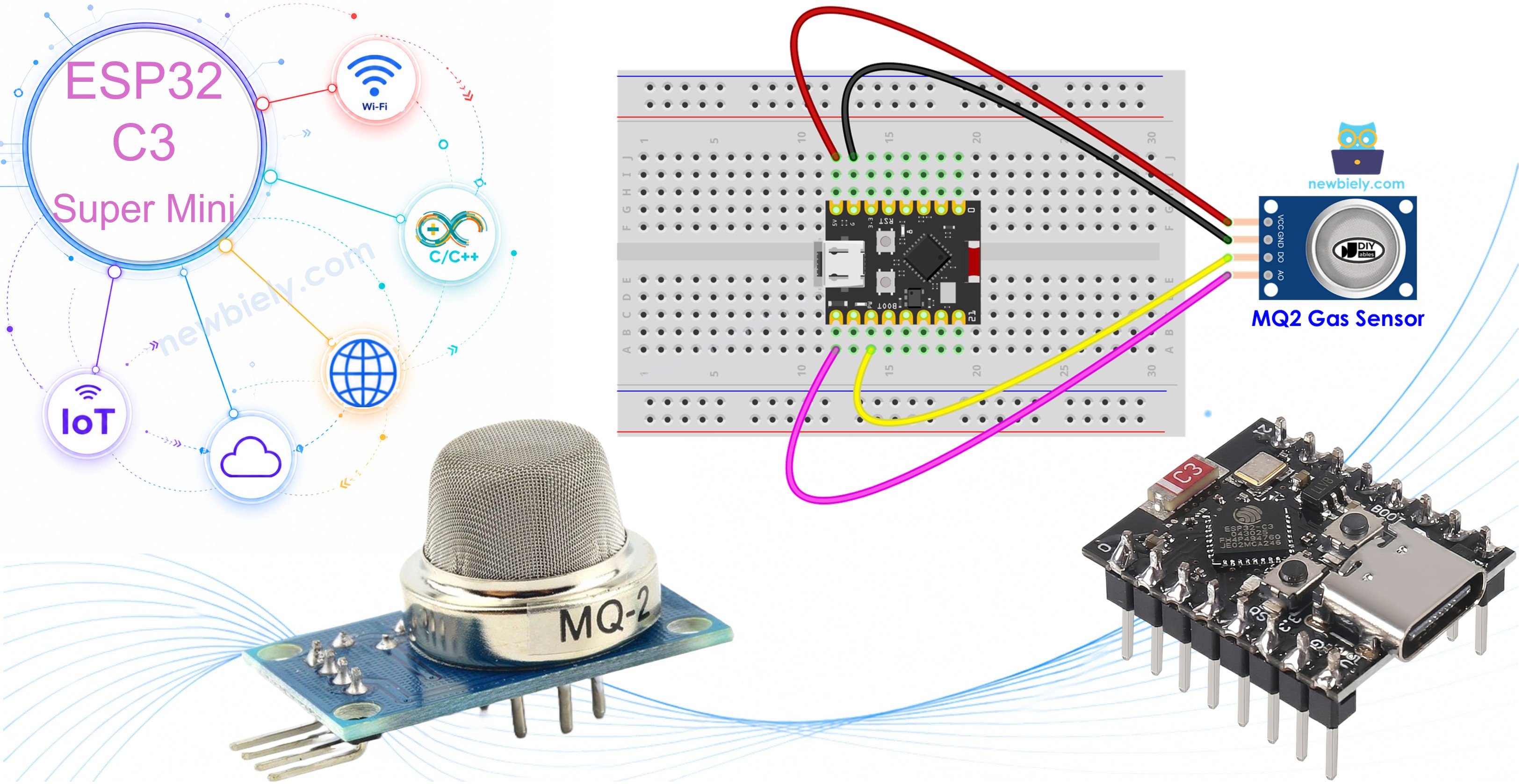
Hardware Preparation
| 1 | × | ESP32 C3 Super Mini | |
| 1 | × | USB Cable Type-A to Type-C (for USB-A PC) | |
| 1 | × | USB Cable Type-C to Type-C (for USB-C PC) | |
| 1 | × | MQ2 Gas Sensor | |
| 1 | × | Breadboard | |
| 1 | × | Jumper Wires |
Or you can buy the following kits:
| 1 | × | DIYables Sensor Kit (18 sensors/displays) |
Additionally, some of these links are for products from our own brand, DIYables .
Overview of MQ2 Gas Sensor
The MQ2 gas sensor is an air quality sensor module that detects flammable gases and smoke in your environment.
Key features:
- Detects multiple gases: LPG, smoke, alcohol, propane, hydrogen, methane, and carbon monoxide
- Dual output options: digital (DO) and analog (AO) pins
- Built-in potentiometer for sensitivity adjustment
- Works with 5V power supply
- Two LED indicators for power and gas detection status
Important to know:
- The MQ2 sensor doesn't identify individual gases - it detects the overall presence of flammable gases
- Perfect for beginner projects like gas leak alarms and air quality monitors
- Requires a warm-up period before accurate readings
- Low cost and easy to integrate with ESP32 C3 Super Mini
Pinout
The MQ2 gas sensor module has four connection pins:
- VCC pin: Connect to 5V power supply
- GND pin: Connect to ground (0V)
- DO pin: Digital output - outputs LOW when gas is detected above threshold, HIGH when below threshold
- AO pin: Analog output - voltage increases with gas concentration
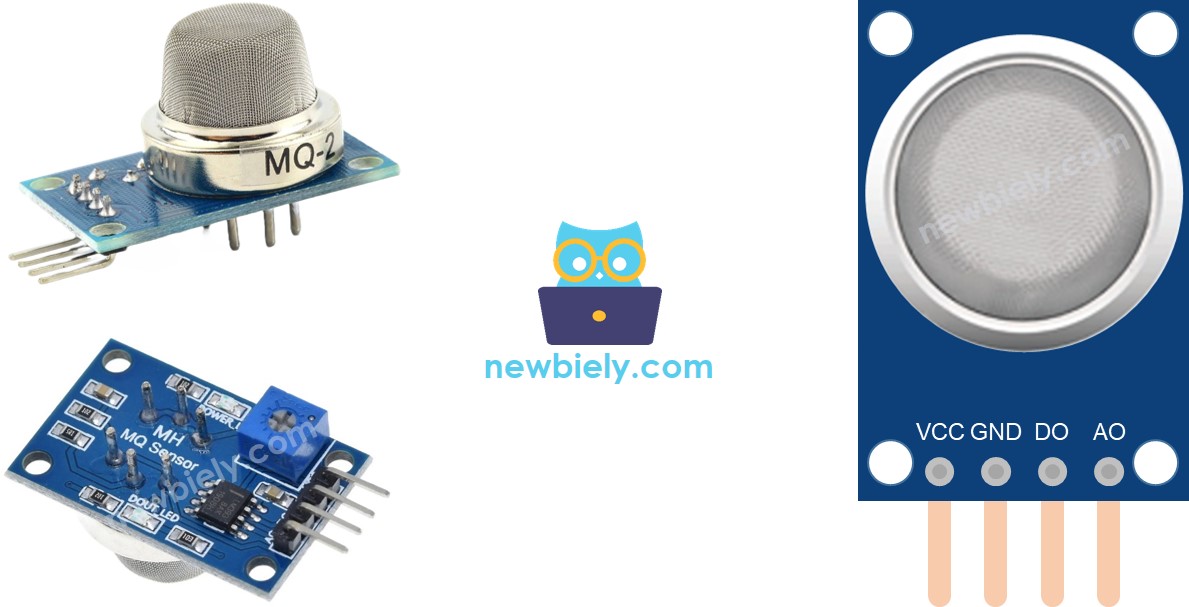
LED indicators:
- PWR-LED: Power indicator - lights up when sensor receives power
- DO-LED: Gas detection indicator - turns on when gas concentration exceeds threshold (DO pin is LOW)
How It Works
Digital output (DO pin):
- Built-in potentiometer lets you set the gas concentration threshold
- When gas concentration exceeds threshold: DO pin outputs LOW and DO-LED turns on
- When gas concentration is below threshold: DO pin outputs HIGH and DO-LED turns off
- Ideal for simple gas detection alarms
Analog output (AO pin):
- Voltage increases as gas concentration increases
- Voltage decreases as gas concentration decreases
- Provides precise measurement of gas levels
- Potentiometer adjustment doesn't affect AO pin readings
- Perfect for monitoring gradual changes in air quality
The MQ2 Sensor Warm-up
The MQ2 gas sensor needs time to warm up before providing accurate readings.
Warm-up requirements:
- First-time use or after long storage (1+ month): Warm up for 24-48 hours
- Regular use: Warm up for 5-10 minutes only
- During warm-up: Readings start high, then gradually decrease until stable
- How to warm up: Simply connect VCC and GND to power (5V) or your ESP32 C3 Super Mini
Why warm-up matters:
- Ensures sensor accuracy and stability
- Without proper warm-up, readings will be unreliable
Wiring Diagram
Connect the MQ2 gas sensor to your ESP32 C3 Super Mini - you can use the digital output, analog output, or both depending on your project needs.
- Note: The MQ2 sensor requires 5V power for proper operation
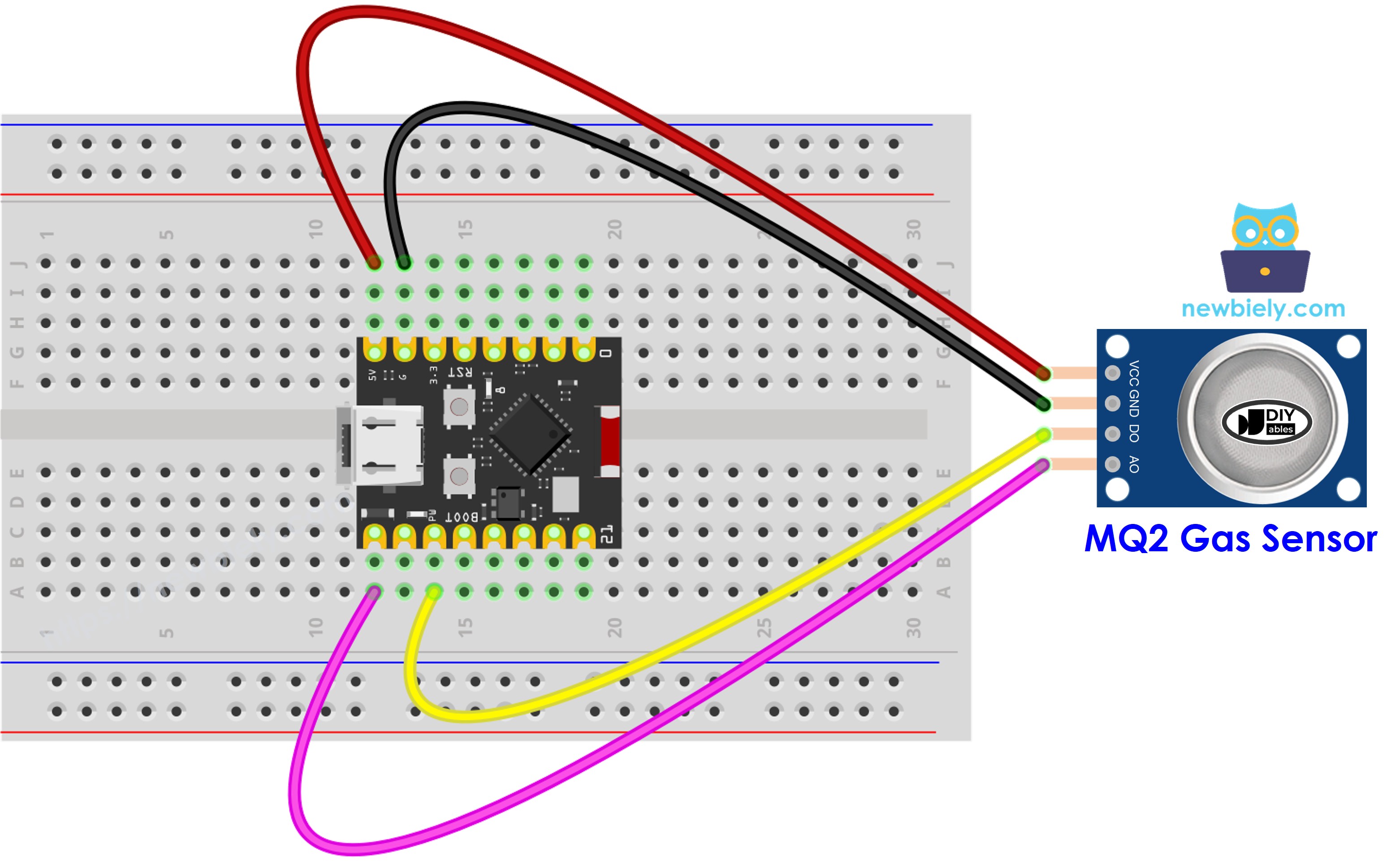
This image is created using Fritzing. Click to enlarge image
| MQ2 Pin | ESP32 C3 Super Mini Pin |
|---|---|
| VCC | 5V |
| GND | GND |
| DO | D7 |
| AO | A5 |
ESP32 C3 Super Mini Code - Read value from DO pin
This code reads the digital output from the MQ2 gas sensor to detect the presence of flammable gases.
What this code does:
- Reads the digital signal from the DO pin
- Detects when gas concentration exceeds the threshold
- Prints gas detection status to Serial Monitor
- Updates every second for real-time monitoring
Detailed Instructions
- New to ESP32 C3 Mini? Complete our Getting Started with ESP32 C3 Mini tutorial first to set up your development environment.
- Setup environment: If this is the first time you use ESP32 C3 Super Mini, see how to setup environment for ESP32 C3 Super Mini on Arduino IDE
- Copy the code: Copy the above code and open with Arduino IDE
- Upload code: Click Upload button on Arduino IDE to upload code to ESP32 C3 Super Mini
- Test the sensor: Place the MQ2 gas sensor near smoke or flammable gas you want to detect
- Check results: Open the Serial Monitor to see gas detection status
- Adjust sensitivity: If the LED stays on or off constantly, turn the potentiometer to fine-tune sensor sensitivity
- Pro Tip: Test with a lighter (without igniting) to verify the sensor detects gas properly
ESP32 C3 Super Mini Code - Read value from AO pin
This code reads the analog output from the MQ2 gas sensor to measure gas concentration levels.
What this code does:
- Reads analog voltage from the AO pin
- Converts voltage to a numerical value (0-4095)
- Provides precise gas concentration measurements
- Displays real-time gas levels on Serial Monitor
- Allows you to monitor gradual changes in air quality
Detailed Instructions
- New to ESP32 C3 Mini? Complete our Getting Started with ESP32 C3 Mini tutorial first to set up your development environment.
- Copy the code: Copy the above code and open with Arduino IDE
- Upload code: Click Upload button on Arduino IDE to upload code to ESP32 C3 Super Mini
- Test the sensor: Place the MQ2 gas sensor near smoke or flammable gas you want to detect
- Monitor values: Open the Serial Monitor to see analog gas concentration readings
- Interpret readings: Lower values = cleaner air, higher values = more gas detected
- Pro Tip: Record baseline values in clean air, then compare when testing with gas sources
Using your readings:
- Use DO or AO values to determine air quality based on your requirements
- Trigger alarms when gas is detected
- Automatically turn on ventilation systems
- Log data for air quality monitoring over time
※ NOTE THAT:
This tutorial uses the analogRead() function to read values from an ADC (Analog-to-Digital Converter) connected to a sensor or component. The ESP32 C3 Super Mini's ADC is suitable for projects that do not require high accuracy. However, for projects needing precise measurements, keep the following in mind:
- The ESP32 C3 Super Mini's ADC is not perfectly accurate and might require calibration for correct results. Each ESP32 C3 Super Mini board can vary slightly, so calibration is necessary for each individual board.
- Calibration can be challenging, especially for beginners, and might not always yield the exact results you want.
For projects requiring high precision, consider using an external ADC (e.g ADS1115) with the ESP32 C3 Super Mini or using another Arduino, such as the Arduino Uno R4 WiFi, which has a more reliable ADC. If you still want to calibrate the ESP32 C3 Super Mini's ADC, refer to the ESP32 ADC Calibration Driver.
Application and Project Ideas
Build exciting air quality and gas detection projects with your ESP32 C3 Super Mini and MQ2 sensor:
- Kitchen gas leak alarm system with buzzer and LED alerts
- Automated ventilation fan controller based on air quality
- Smoke detector for garage or tutorial safety
- IoT air quality monitor with WiFi data logging
- Smart home gas safety system with mobile notifications
- Camping safety device to detect propane leaks
Video Tutorial
Watch the video below for a visual walkthrough of this project.
Challenge Yourself
Take your ESP32 C3 Super Mini gas sensor skills to the next level with these challenges:
- Easy: Add a buzzer that beeps when gas is detected
- Easy: Use an LED that changes color based on gas concentration levels
- Medium: Create a data logger that records gas readings to an SD card with timestamps
- Medium: Build a web server that displays real-time air quality data on your phone
- Advanced: Combine multiple MQ sensors (MQ2, MQ135) to detect different gas types and display on an OLED screen
- Advanced: Create an IoT air quality monitoring system that sends alerts via email or SMS when dangerous gas levels are detected