
Raspberry Pi Pico - SW-420 Vibration Sensor
This guide walks us through wiring up a SW-420 vibration sensor to a Raspberry Pi Pico and writing MicroPython code that reacts whenever the sensor picks up shaking or shock. We will discuss the following points:
- How to connect a SW-420 vibration sensor module to a Raspberry Pi Pico
- How to program a Raspberry Pi Pico to detect vibration with a SW-420 vibration sensor
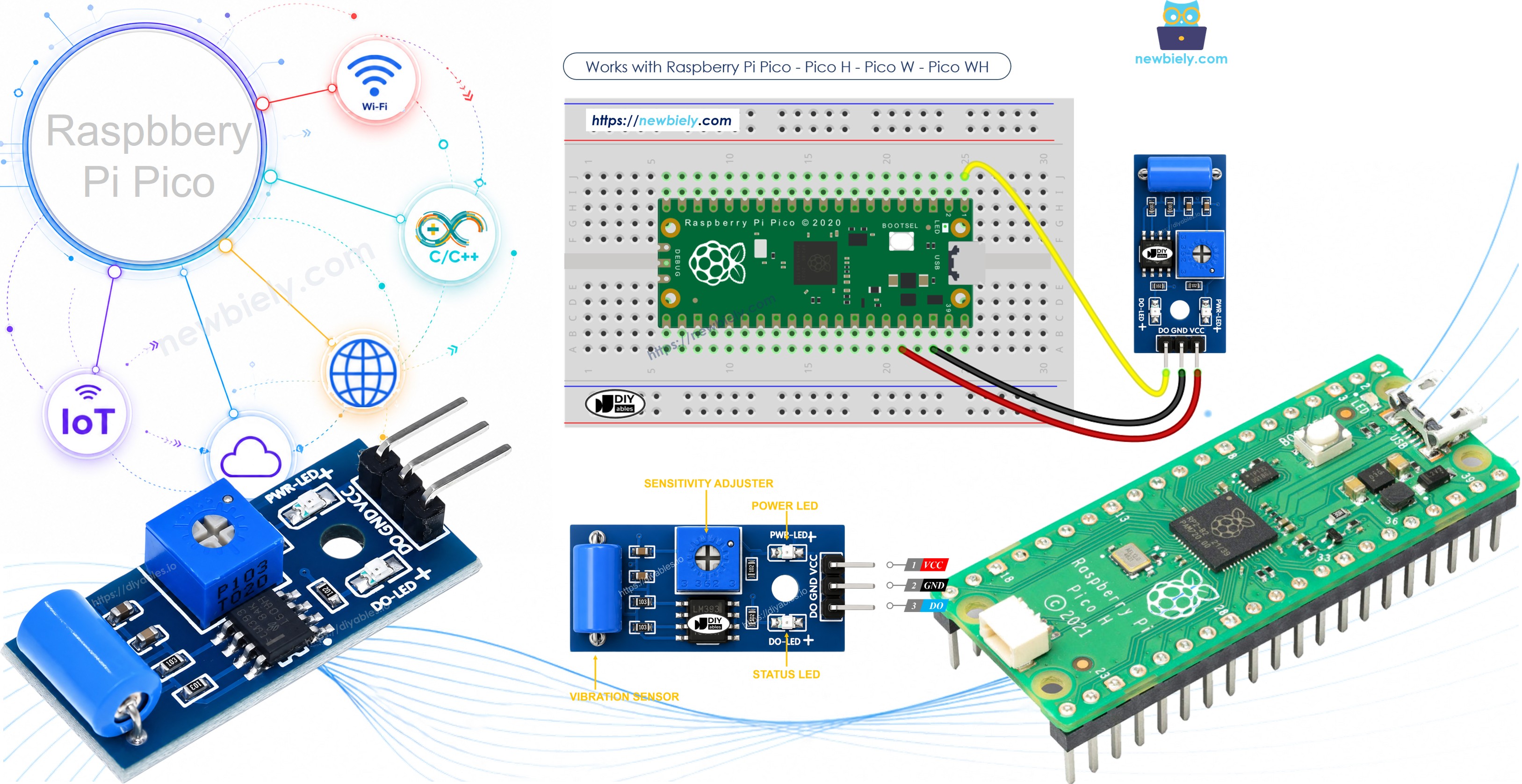
Once this is running, you could adapt the code to sound a buzzer, flash an LED, or push a notification whenever unexpected shaking is picked up.
Hardware Preparation
Or you can buy the following kits:
| 1 | × | DIYables Sensor Kit (18 sensors/displays) |
Additionally, some of these links are for products from our own brand, DIYables .
Overview of SW-420 Vibration Sensor
A SW-420 vibration sensor lets you detect shaking, knocks, or shock applied to whatever it is mounted on. Inside the module, a small spring-based switch sits near a metal contact; an onboard LM393 comparator watches that switch and turns it into a clean digital signal the moment vibration disturbs it. A small potentiometer on the board lets you dial in how much shaking is needed before it triggers.
The SW-420 Vibration Sensor Pinout
The SW-420 vibration sensor module has three pins:
- VCC pin: connect to VCC (3.3 volts to 5 volts)
- GND pin: connect to GND (0 volts)
- DO pin: this is the output pin. It stays LOW while everything is still, and switches HIGH the instant vibration or shock is detected. Connect it to an input pin on your Raspberry Pi Pico.
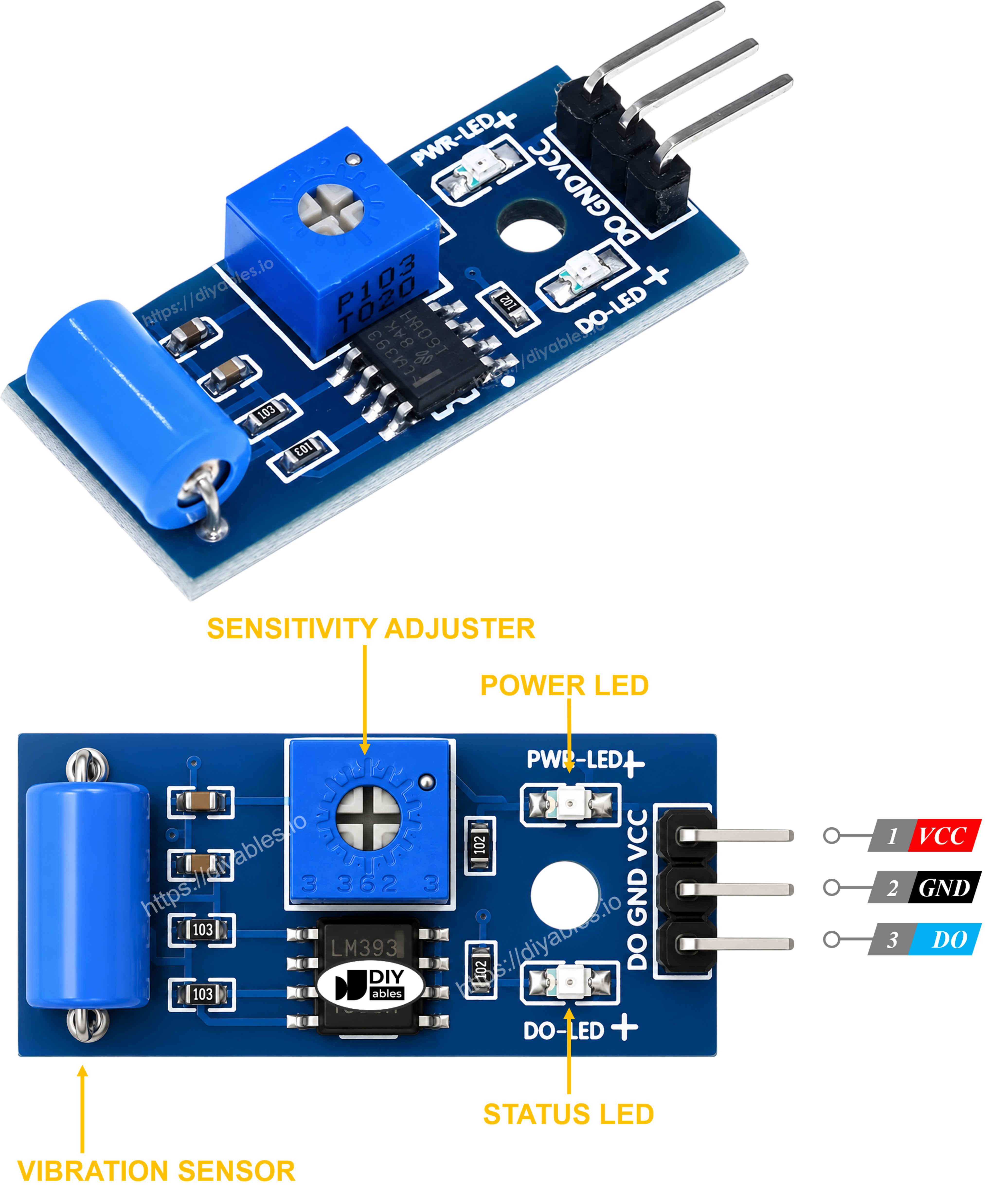
The module also carries two onboard LEDs.
- One LED indicates the board is powered
- One LED lights up whenever the DO pin goes HIGH (vibration detected)
How It Works
The onboard potentiometer sets the sensitivity threshold that the LM393 comparator uses to judge the switch.
- While the module sits still, the spring switch stays open and the output pin remains LOW.
- When vibration or a knock disturbs the spring, the switch closes momentarily and the output pin goes HIGH.
Wiring Diagram
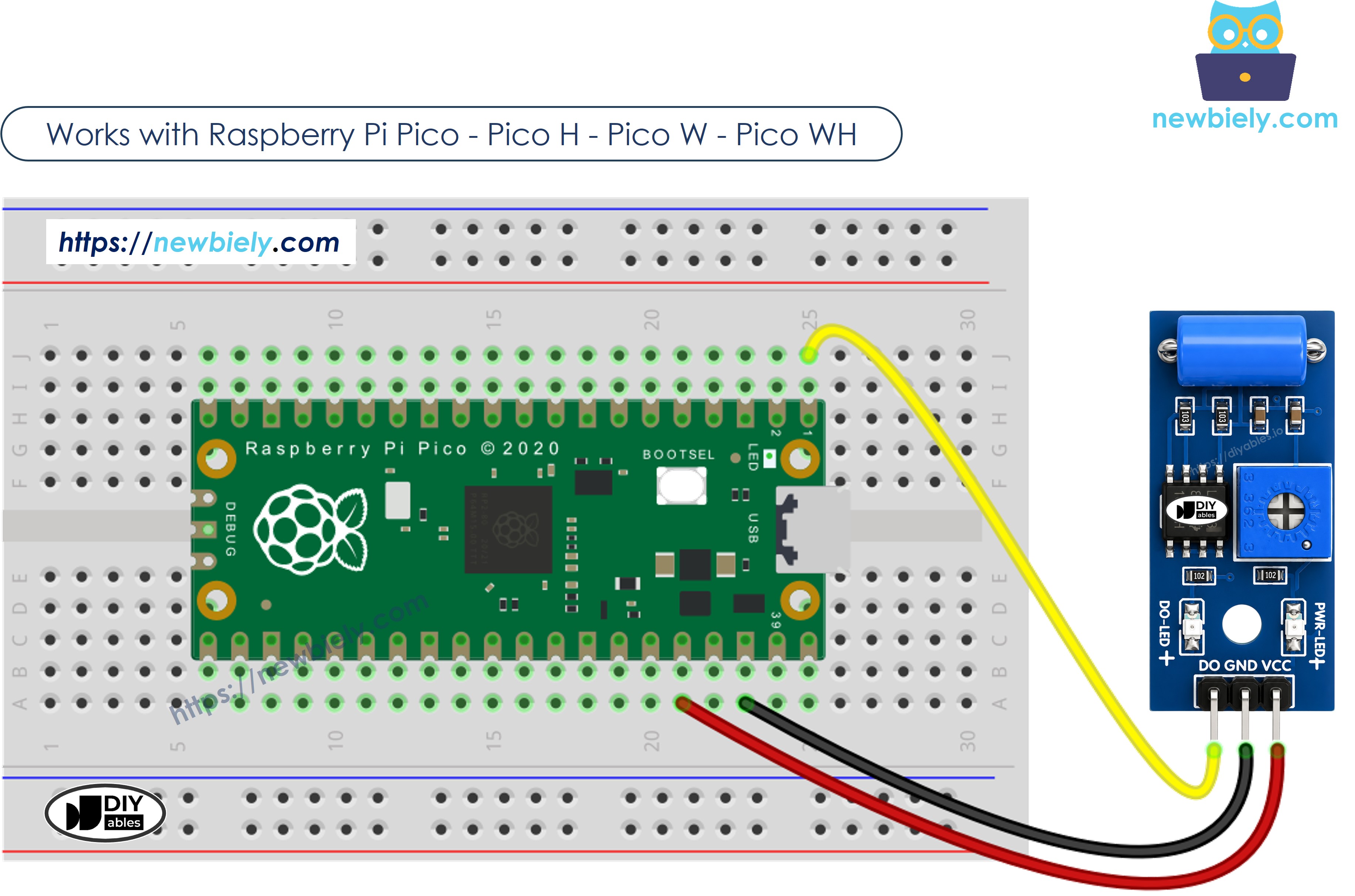
This image is created using Fritzing. Click to enlarge image
How To Program For SW-420 Vibration Sensor
- Configures the Raspberry Pi Pico pin as a digital input.
- Reads the current state of that pin.
Raspberry Pi Pico Code - Detecting vibration
Detailed Instructions
Please follow these instructions step by step:
- Ensure that Thonny IDE is installed on your computer.
- Ensure that MicroPython firmware is installed on your Raspberry Pi Pico.
- If this is your first time using a Raspberry Pico, refer to the Raspberry Pi Pico - Getting Started tutorial for detailed instructions.
- Wire the SW-420 vibration sensor to the Raspberry Pi Pico according to the provided diagram.
- Connect the Raspberry Pi Pico to your computer using a USB cable.
- Launch the Thonny IDE on your computer.
- On Thonny IDE, select MicroPython (Raspberry Pi Pico) Interpreter by navigating to Tools Options.
- In the Interpreter tab, select MicroPython (Raspberry Pi Pico) from the drop-down menu.
- Ensure the correct port is selected. Thonny IDE should automatically detect the port, but you may need to select it manually (e.g., COM3 on Windows or /dev/ttyACM0 on Linux).
- Copy the above code and paste it to the Thonny IDE's editor.
- Save the script to your Raspberry Pi Pico by:
- Click the Save button, or use Ctrl+S keys.
- In the save dialog, you will see two sections: This computer and Raspberry Pi Pico. Select Raspberry Pi Pico
- Save the file as main.py
- Click the green Run button (or press F5) to run the script. The script will execute.
- Tap or shake the SW-420 sensor, then let it rest again.
- Check out the message in the Shell at the bottom of Thonny.
If you name your script main.py and save it to the root directory of the Raspberry Pi Pico, it will automatically run each time the Pico is powered on or reset. This is useful for standalone applications that need to start running immediately upon power-up. If you name your script another name other than main.py, you will need to manually run it from Thonny's Shell.
Troubleshooting
If the SW-420 vibration sensor is not behaving as expected, try these steps:
- Adjust the sensitivity: Turn the onboard potentiometer to make the sensor more or less responsive to shaking. Turning it one way makes it easier to trigger, the other way makes it harder.
- Isolate it from ambient vibration: Mount the sensor firmly and away from motors, fans, or other sources of constant background shaking that could cause false triggers.
- Check the wiring: Make sure the VCC, GND, and DO pins are connected correctly.
- Check the power supply: Ensure that the Pico is receiving a stable power supply for reliable readings.