
Raspberry Pi Pico - SW520D Tilt Sensor
This guide will teach us how to operate the Raspberry Pi Pico and a SW520D tilt sensor to detect tilt. We will discuss the following points:
- How to connect a SW520D tilt sensor to a Raspberry Pi Pico
- How to program a Raspberry Pi Pico to detect tilt with a SW520D tilt sensor
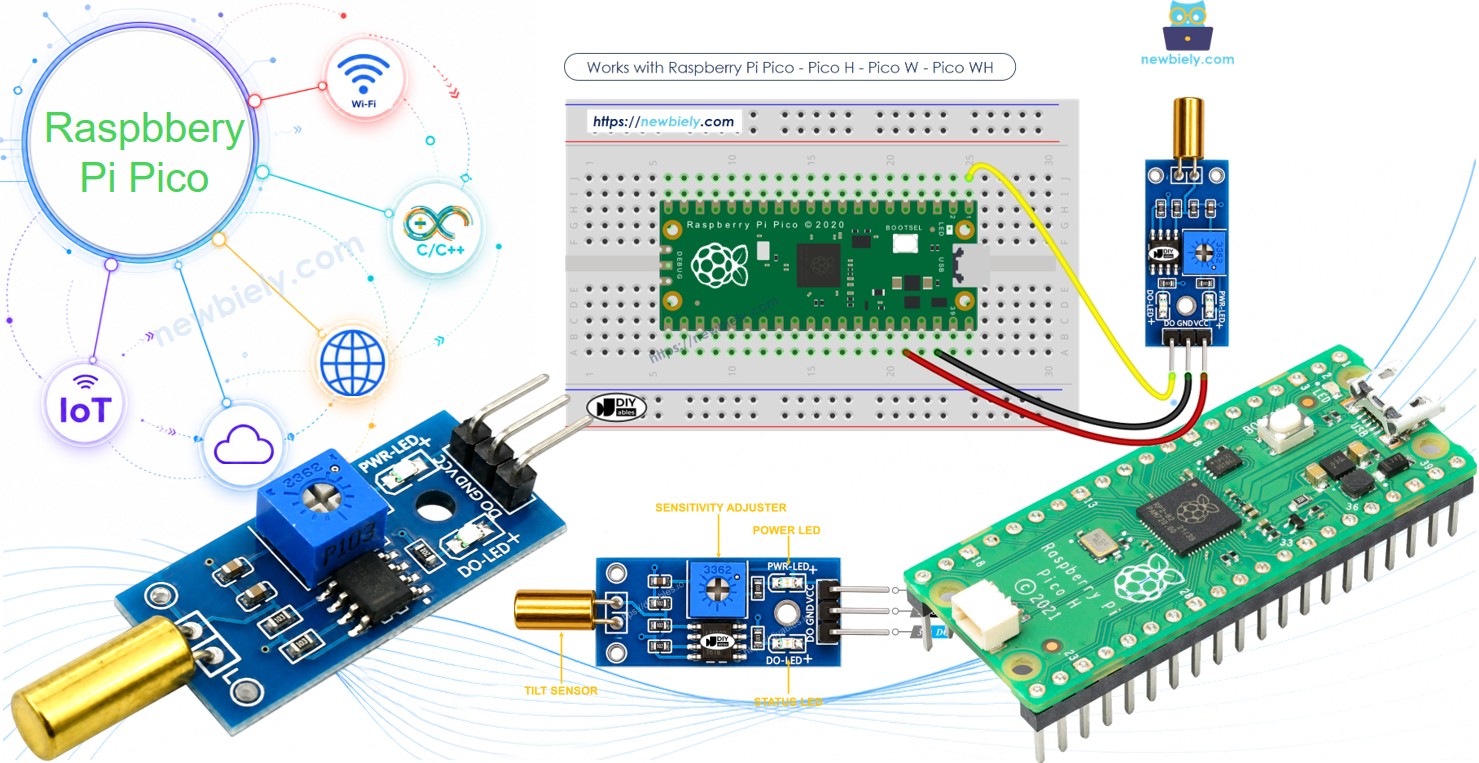
Later, you can change the code to make an LED or a light turn on (using a relay) when it detects tilt, or to make a servo motor rotate.
Hardware Preparation
| 1 | × | Raspberry Pi Pico W | |
| 1 | × | Raspberry Pi Pico Alternatively, | |
| 1 | × | Micro USB Cable | |
| 1 | × | SW520D Tilt Sensor Module | |
| 1 | × | Jumper Wires | |
| 1 | × | Breadboard | |
| 1 | × | Recommended: Screw Terminal Expansion Board for Raspberry Pi Pico |
Or you can buy the following kits:
| 1 | × | DIYables Sensor Kit (18 sensors/displays) |
Additionally, some of these links are for products from our own brand, DIYables .
Overview of SW520D Tilt Sensor
You can use a SW520D tilt sensor to detect tilt or orientation changes. Inside the module, there is a small metal ball that rolls between two electrical contacts depending on the angle. The module gives a simple ON or OFF digital signal.
The SW520D Tilt Sensor Pinout
The SW520D tilt sensor has three pins:
- VCC pin: Connect this to VCC, between 3.3V and 5V.
- GND pin: Connect this to GND, which is 0V.
- DO pin: This is the output pin. It is HIGH when the sensor is upright and LOW when it is tilted. Connect it to the input pin on your Raspberry Pi Pico.
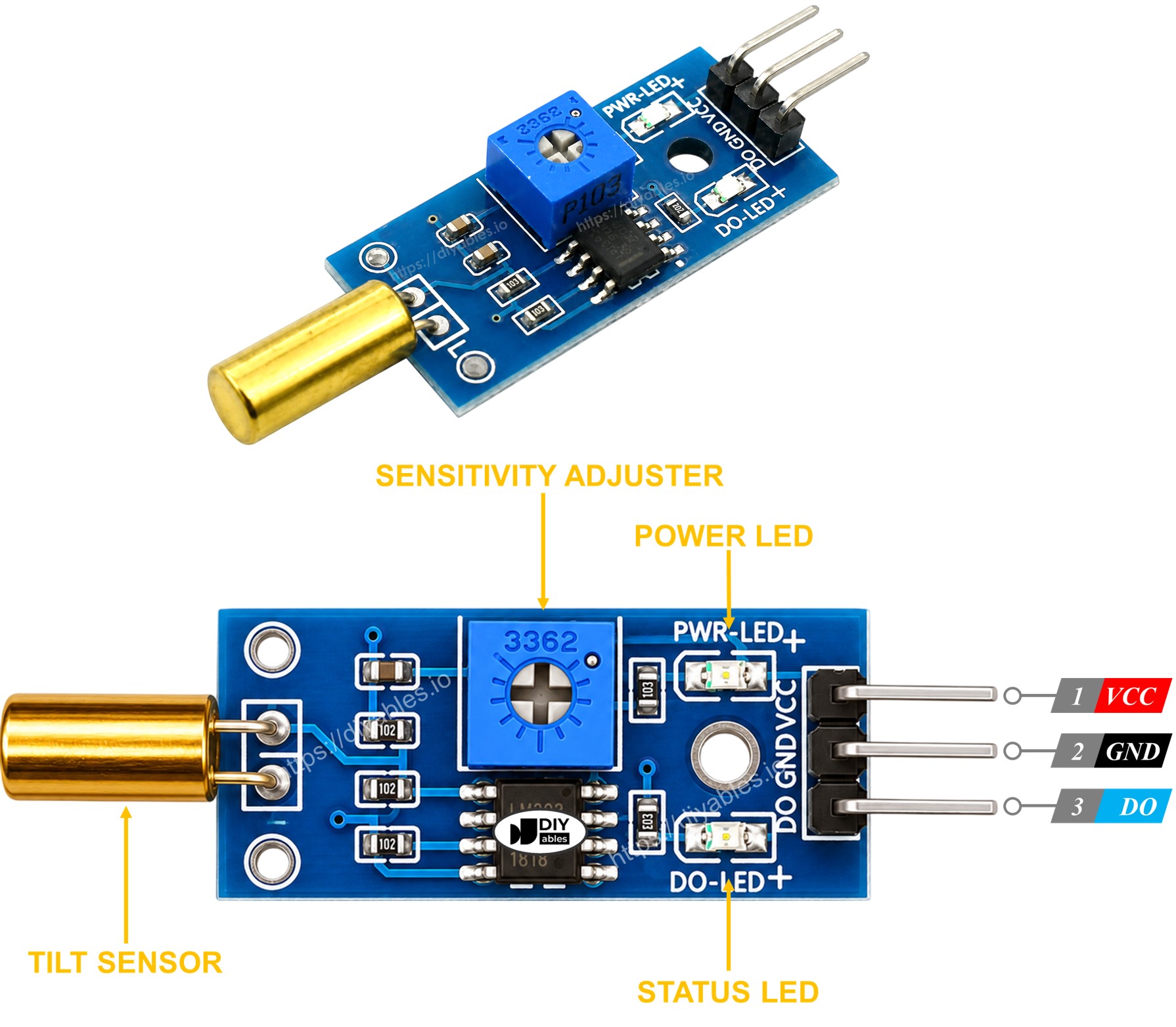
The SW520D tilt sensor module also has two LED indicators.
- One LED light shows power is on
- One LED light for tilt state: it lights up when upright, turns off when tilted
How It Works
The module uses a simple ball switch mechanism.
- When the sensor is upright, the metal ball closes the contact, and its output pin is HIGH.
- When the sensor is tilted, the metal ball opens the contact, and its output pin is LOW.
Wiring Diagram
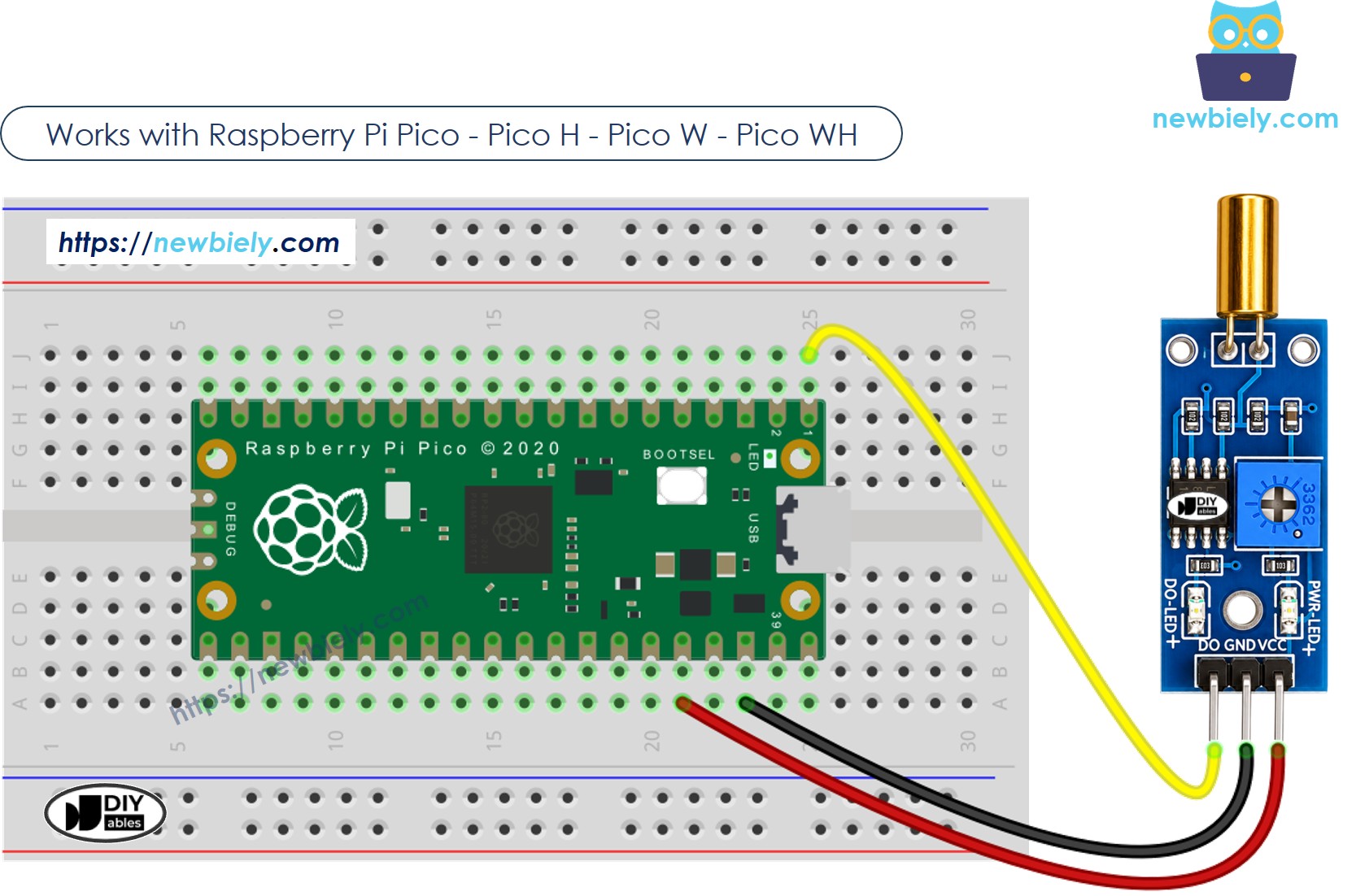
This image is created using Fritzing. Click to enlarge image
How To Program For SW520D Tilt Sensor
- Sets the Raspberry Pi Pico pin as a digital input.
- It checks the status of a pin on the Raspberry Pi Pico.
Raspberry Pi Pico Code - Detecting the tilt
Detailed Instructions
Please follow these instructions step by step:
- Ensure that Thonny IDE is installed on your computer.
- Ensure that MicroPython firmware is installed on your Raspberry Pi Pico.
- If this is your first time using a Raspberry Pico, refer to the Raspberry Pi Pico - Getting Started tutorial for detailed instructions.
- Wire the SW520D tilt sensor to the Raspberry Pi Pico according to the provided diagram.
- Connect the Raspberry Pi Pico to your computer using a USB cable.
- Launch the Thonny IDE on your computer.
- On Thonny IDE, select MicroPython (Raspberry Pi Pico) Interpreter by navigating to Tools Options.
- In the Interpreter tab, select MicroPython (Raspberry Pi Pico) from the drop-down menu.
- Ensure the correct port is selected. Thonny IDE should automatically detect the port, but you may need to select it manually (e.g., COM3 on Windows or /dev/ttyACM0 on Linux).
- Copy the above code and paste it to the Thonny IDE's editor.
- Save the script to your Raspberry Pi Pico by:
- Click the Save button, or use Ctrl+S keys.
- In the save dialog, you will see two sections: This computer and Raspberry Pi Pico. Select Raspberry Pi Pico
- Save the file as main.py
- Click the green Run button (or press F5) to run the script. The script will execute.
- Tilt the SW520D sensor back and forth.
- Check out the message in the Shell at the bottom of Thonny.
If you name your script main.py and save it to the root directory of the Raspberry Pi Pico, it will automatically run each time the Pico is powered on or reset. This is useful for standalone applications that need to start running immediately upon power-up. If you name your script another name other than main.py, you will need to manually run it from Thonny's Shell.
Troubleshooting
If the SW520D tilt sensor is not functioning properly, follow these steps:
- Check the orientation: The SW520D is sensitive to its mounting angle. Make sure it is installed in the correct upright position for reliable detection.
- Reduce vibrations: The tilt sensor might react to mechanical vibrations. Fix it firmly to a stable surface to avoid false triggers.
- Check the wiring: Make sure the VCC, GND, and DO pins are connected correctly.
- Check the power supply: Ensure that the power supply is consistent for reliable readings.