
ESP32 MicroPython SW520D Tilt Sensor
This guide will teach us how to use a SW520D tilt sensor and the ESP32 with MicroPython to detect tilt. In detail, we will learn:
- How to connect a SW520D tilt sensor to a ESP32
- How to write MicroPython code for a ESP32 to detect tilt using a SW520D tilt sensor
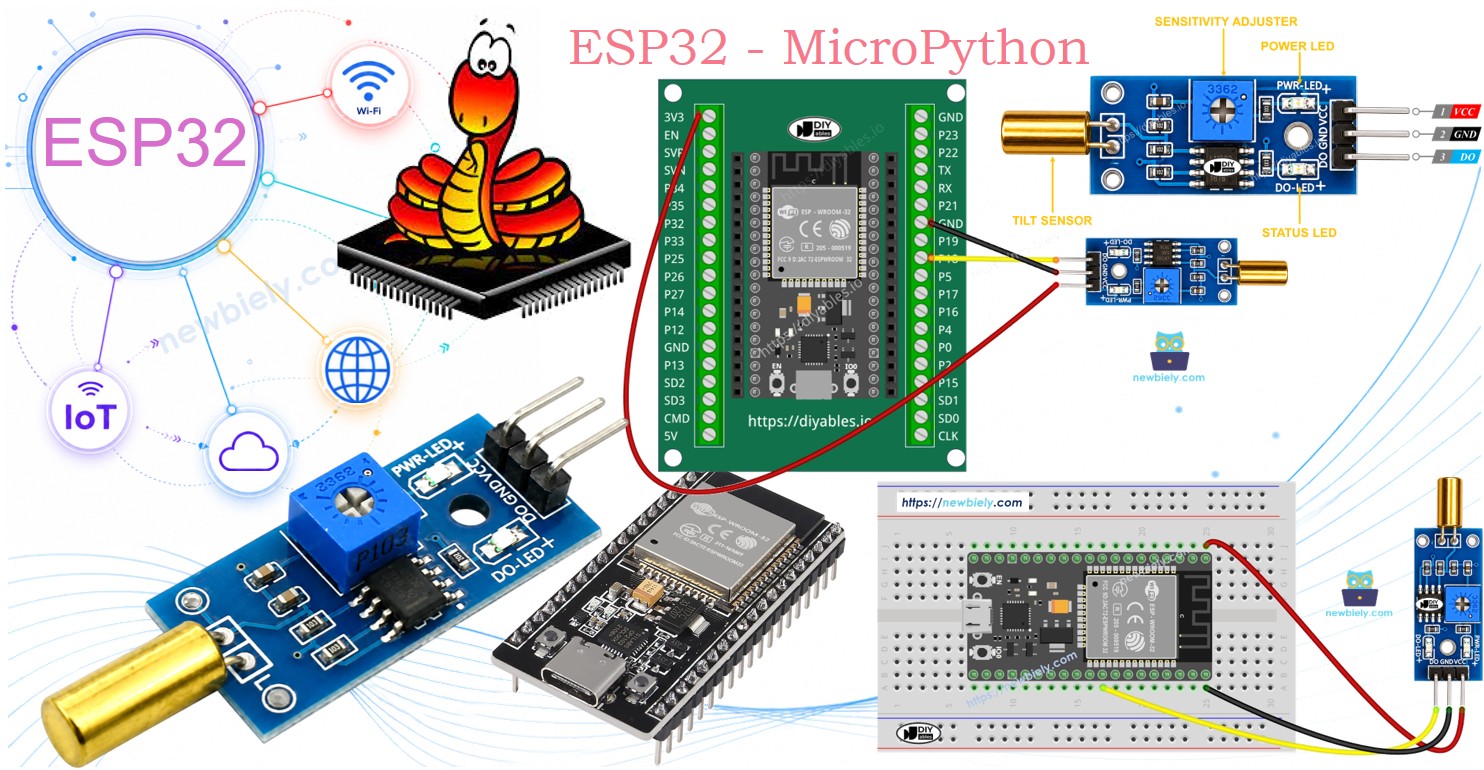
Later, you can change the code to make an LED or a light turn on (using a relay) when it detects tilt, or to make a servo motor rotate.
Hardware Preparation
Or you can buy the following kits:
| 1 | × | DIYables ESP32 Starter Kit (ESP32 included) | |
| 1 | × | DIYables ESP32 S3 Starter Kit (ESP32 S3 included) | |
| 1 | × | DIYables Sensor Kit (18 sensors/displays) |
Additionally, some of these links are for products from our own brand, DIYables .
Overview of SW520D Tilt Sensor
A SW520D tilt sensor can be used to detect tilt or orientation changes. Inside the module, there is a small metal ball that rolls between two electrical contacts depending on the tilt angle. The module gives a simple ON or OFF digital signal.
The SW520D Tilt Sensor Pinout
The SW520D tilt sensor has three pins:
- VCC pin: Connect this to VCC, between 3.3V and 5V.
- GND pin: Connect this to GND, which is 0V.
- DO pin: This output pin goes HIGH when the sensor is upright and LOW when it is tilted. Connect it to the input pin on your ESP32.
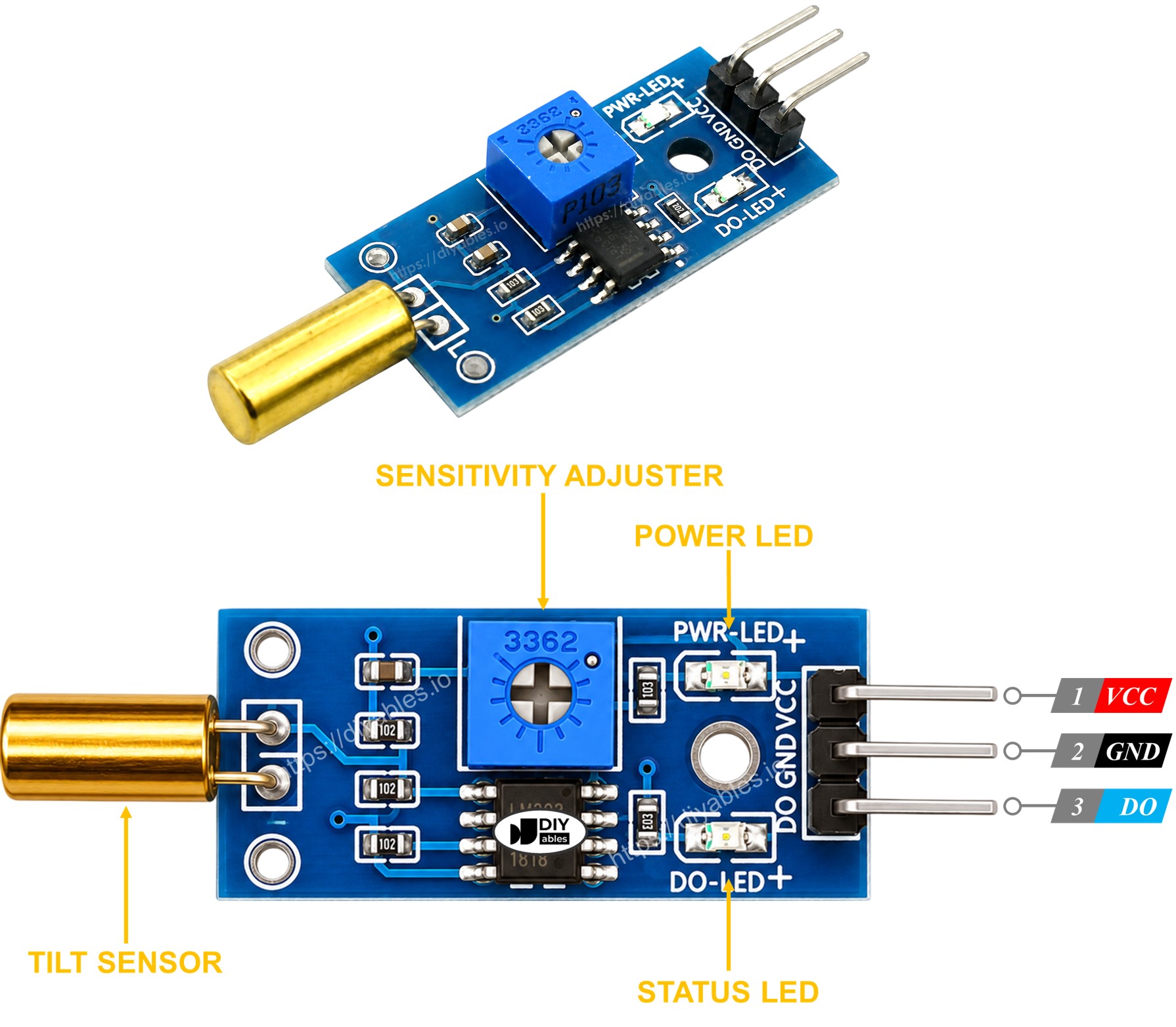
The SW520D tilt sensor module has two LED indicators.
- One LED light shows power is on
- One LED light for tilt state: it lights up when upright, turns off when tilted
How It Works
The module uses a simple ball switch mechanism.
- When the sensor is upright, the metal ball closes the contact, and the output pin is HIGH.
- When the sensor is tilted, the metal ball opens the contact, and the output pin is LOW.
Wiring Diagram
- How to connect ESP32 and SW520D tilt sensor using breadboard
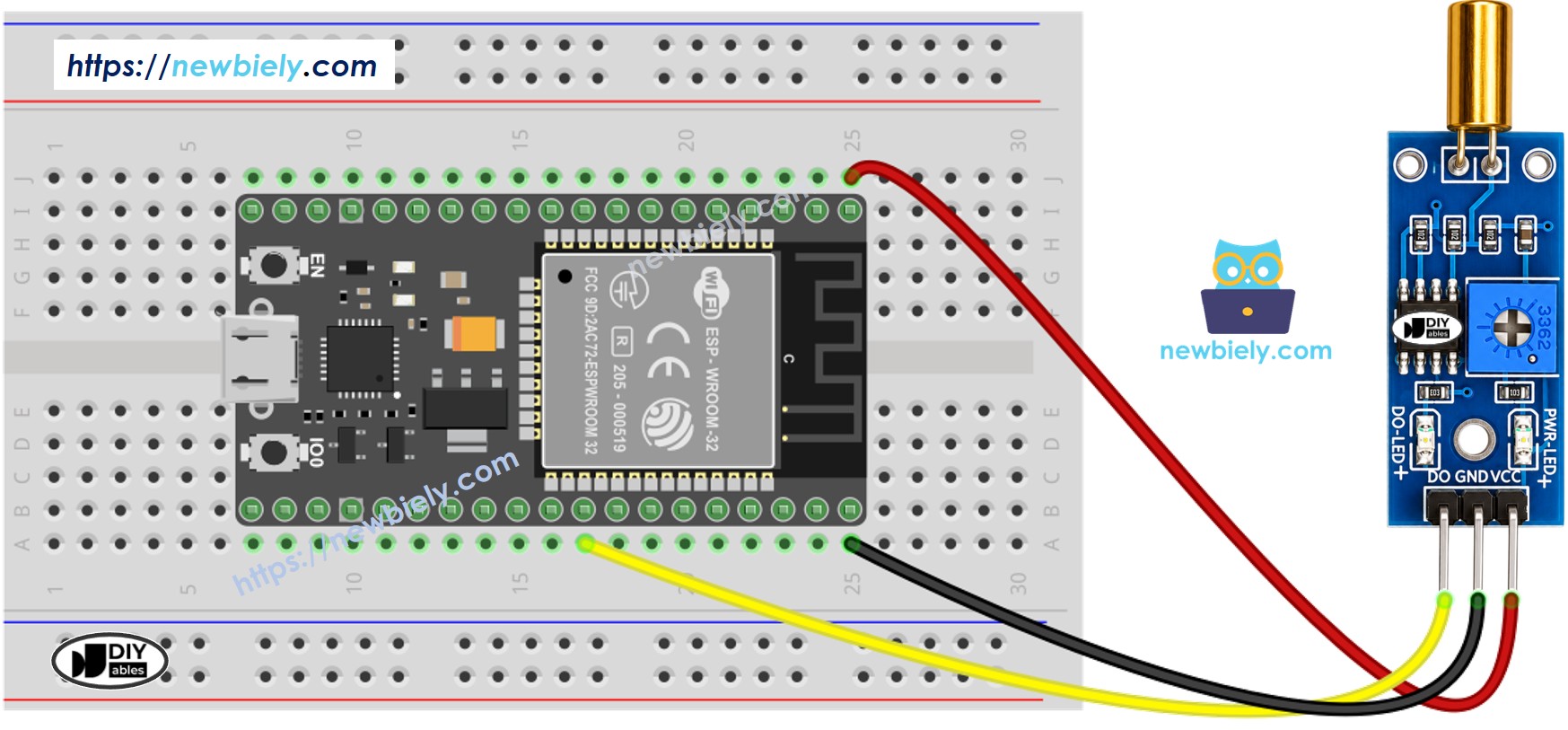
This image is created using Fritzing. Click to enlarge image
- How to connect ESP32 and SW520D tilt sensor using screw terminal block breakout board
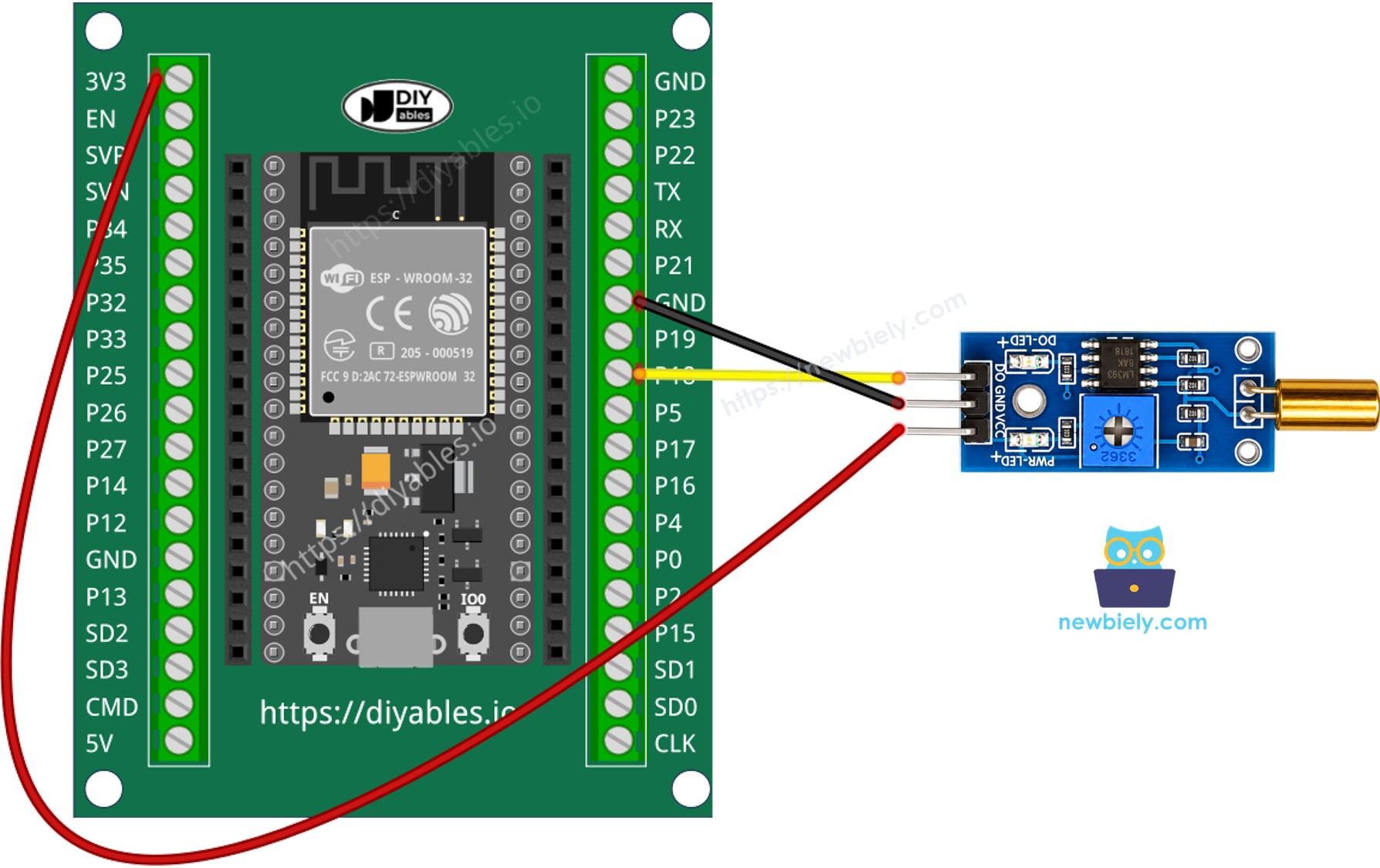
How To Program For SW520D Tilt Sensor
- Sets the ESP32 pin as a digital input.
- It checks the status of a pin on the ESP32.
ESP32 MicroPython Code - Detecting the tilt
Detailed Instructions
Here's instructions on how to set up and run your MicroPython code on the ESP32 using Thonny IDE:
- Make sure Thonny IDE is installed on your computer.
- Confirm that MicroPython firmware is loaded on your ESP32 board.
- If this is your first time using an ESP32 with MicroPython, check out the ESP32 MicroPython Getting Started guide for step-by-step instructions.
- Connect the SW520D tilt sensor to the ESP32 according to the provided diagram.
- Connect the ESP32 board to your computer with a USB cable.
- Open Thonny IDE on your computer.
- In Thonny IDE, go to Tools Options.
- Under the Interpreter tab, choose MicroPython (ESP32) from the dropdown menu.
- Make sure the correct port is selected. Thonny IDE usually detects it automatically, but you might need to select it manually (like COM12 on Windows or /dev/ttyACM0 on Linux).
- Copy the provided MicroPython code and paste it into Thonny's editor.
- Save the code to your ESP32 by:
- Clicking the Save button or pressing Ctrl+S.
- In the save dialog, choose MicroPython device.
- Name the file main.py.
- Click the green Run button (or press F5) to execute the script.
- Tilt the SW520D sensor back and forth.
- Check out the message in the Shell at the bottom of Thonny.
Troubleshooting
If the SW520D tilt sensor isn't working properly, try the following steps:
- Check the orientation: The SW520D is sensitive to its mounting angle. Make sure it is installed in the correct upright position for reliable detection.
- Reduce vibrations: To prevent the sensor from reacting to vibrations, secure it firmly to a stable surface.
- Check the wiring: Make sure the VCC, GND, and DO pins are connected correctly.
- Check the power supply: Make sure the power supply is stable for consistent readings.