
Raspberry Pi Pico - SCD40 CO2 Sensor
In this guide, we will learn to set up and use the SCD40 CO2 sensor with the Raspberry Pi Pico. A room full of people slowly fills with carbon dioxide, and you cannot smell it - but you can feel it as tired eyes and a heavy head. The SCD40 measures that CO2 for real and sends the number in ppm (parts per million) over I2C. We will cover the following details:
- How to connect the SCD40 module to the I2C pins of a Raspberry Pi Pico.
- How to talk to the SCD40 with only machine.I2C in MicroPython - there is no library to install.
- How to print the CO2 level with a simple air quality word in the Thonny Shell.
- How to also read the temperature and humidity that the same sensor gives.
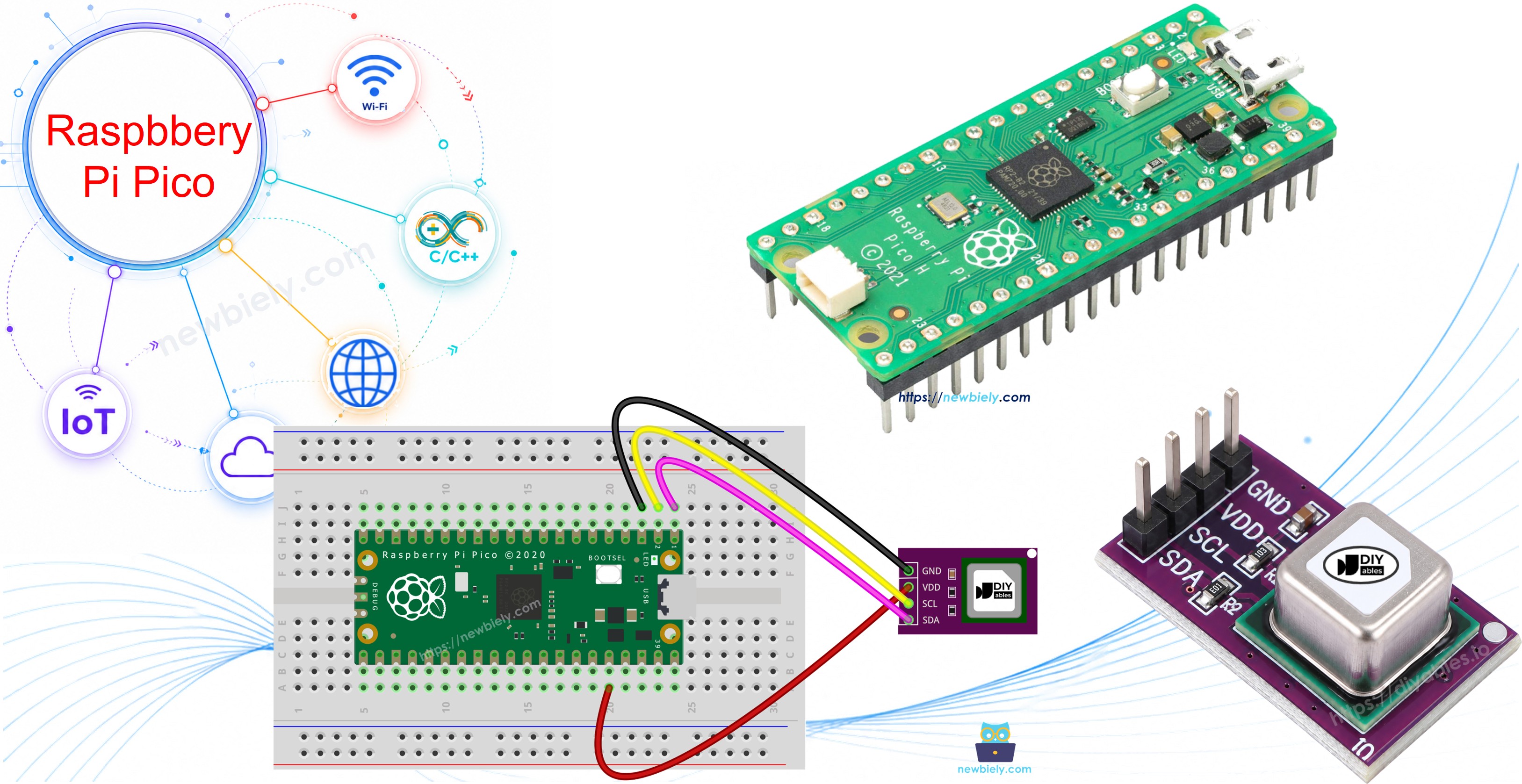
Hardware Preparation
| 1 | × | Raspberry Pi Pico W | |
| 1 | × | Raspberry Pi Pico Alternatively, | |
| 1 | × | Micro USB Cable | |
| 1 | × | SCD40 CO2 Sensor Module | |
| 1 | × | Breadboard | |
| 1 | × | Jumper Wires | |
| 1 | × | Recommended: Screw Terminal Expansion Board for Raspberry Pi Pico |
Or you can buy the following kits:
| 1 | × | DIYables Sensor Kit (18 sensors/displays) |
Additionally, some of these links are for products from our own brand, DIYables .
Overview of SCD40 CO2 Sensor
The SCD40 is a small CO2 sensor made by Sensirion. Many cheap "air quality" sensors, like the MQ135 or the CCS811, only guess the CO2 value from other gases. The SCD40 measures true CO2 with a method called photoacoustic NDIR: a tiny infrared light blinks inside the sensor, the CO2 gas takes in some of that light and makes a very small pressure "sound", and a tiny microphone hears it. More CO2 gives a louder signal. The sensor also has a temperature and humidity sensor inside, which it uses to correct the CO2 value.
| SCD40 | |
|---|---|
| Supply Voltage | 2.4 volts to 5.5 volts |
| Interface | I2C, address 0x62 |
| Output Range | 0 to 40,000 ppm |
| Accuracy | ±(50 ppm + 5% of reading), from 400 to 2,000 ppm |
| Update Time | one new result every 5 seconds (30 seconds in low power mode) |
| Temperature Accuracy | ±0.8°C (15 to 35°C) |
| Humidity Accuracy | ±6 %RH (15 to 35°C, 20 to 65 %RH) |
| Average Current | about 15 mA at 3.3 volts |
The sensor has automatic self-calibration (ASC), and it is on by default. It thinks that the lowest value it sees in a week is fresh outdoor air (about 400 ppm). So let it breathe fresh air at least once a week, for example near an open window for an hour. Also, the first few readings after power-on can be less exact, so give it a short warm-up.
Pinout
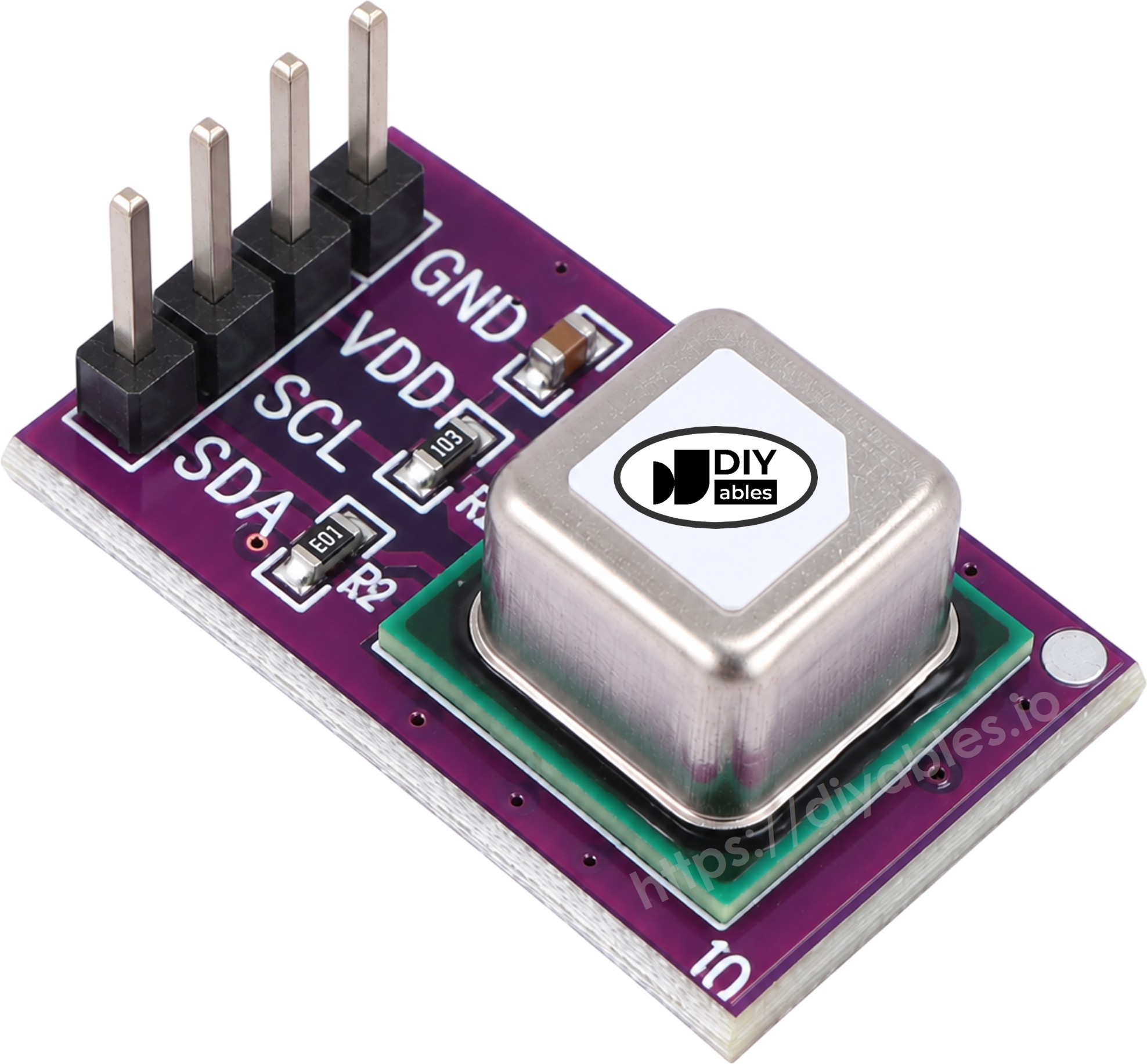
The SCD40 module has four pins:
- VCC pin (some boards print VIN): connect to 3.3 volts on the Pico.
- GND pin: connect to GND (0 volts).
- SDA pin: the I2C data line, connect to an SDA pin of the Pico.
- SCL pin: the I2C clock line, connect to an SCL pin of the Pico.
Most SCD40 modules already have the I2C pull-up resistors on the board, so you do not need to add any.
What Do the CO2 Numbers Mean?
| CO2 Level | Meaning |
|---|---|
| about 400 ppm | Outdoor air |
| 400 to 1000 ppm | Good indoor air |
| 1000 to 2000 ppm | Stuffy air - time to open a window |
| more than 2000 ppm | Poor air - headache and sleepiness are possible |
Wiring Diagram
The Pico has two I2C blocks, I2C0 and I2C1. Here we use I2C0 on GP0 and GP1, the same pins used by other I2C tutorials for the Pico on this site. Power the sensor from 3V3(OUT), so the I2C lines stay at 3.3 volts, which is safe for the Pico.
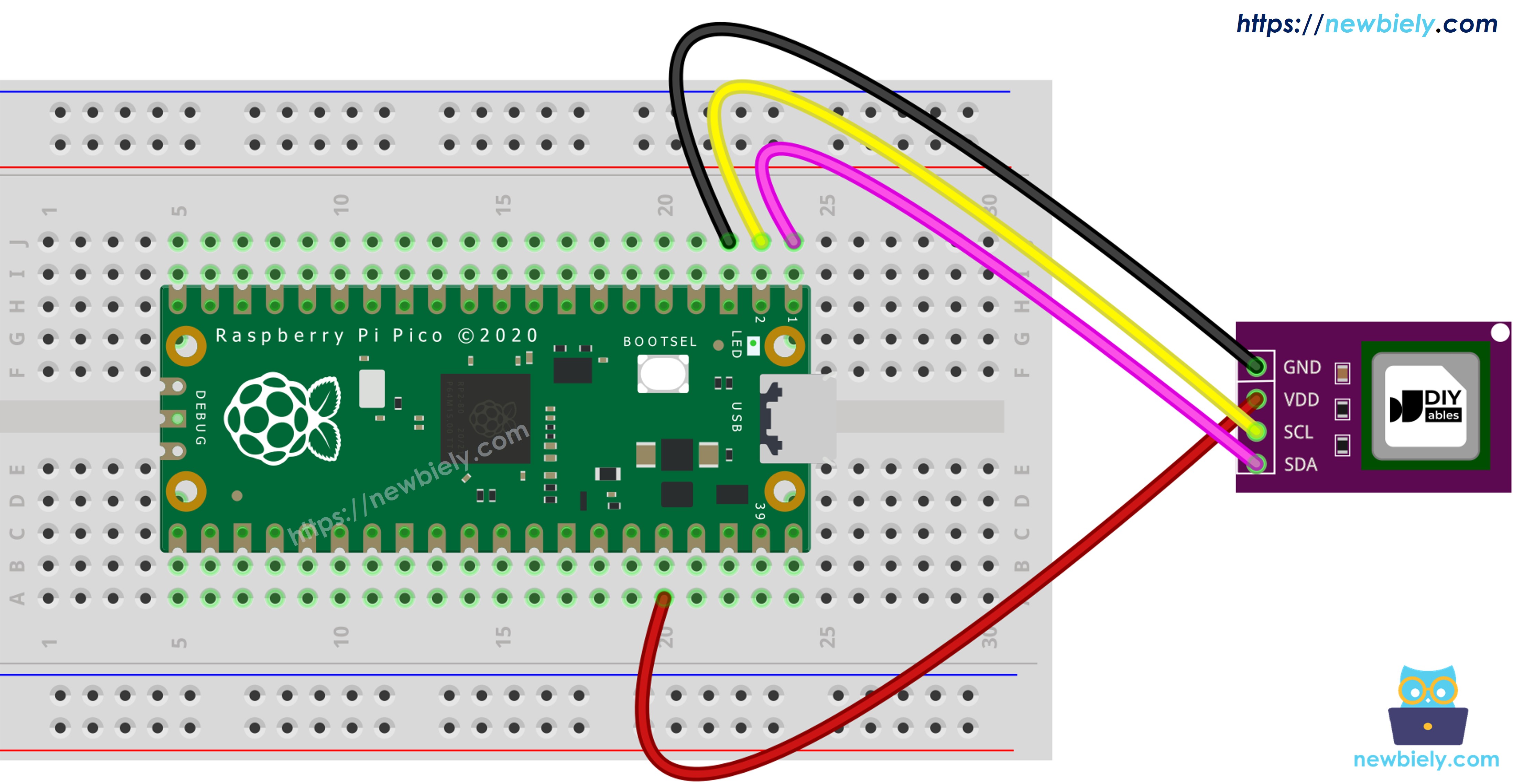
This image is created using Fritzing. Click to enlarge image
| SCD40 Module | Raspberry Pi Pico |
|---|---|
| VCC | 3V3(OUT) (pin 36) |
| GND | GND (pin 38) |
| SDA | GP0 (pin 1) |
| SCL | GP1 (pin 2) |
Raspberry Pi Pico Code - SCD40 CO2
MicroPython has no built-in SCD40 driver, but the sensor only needs four commands, so the code sends them by itself:
- Stop any old measurement (0x3F86), then start a new one (0x21B1).
- Every second, ask "is new data ready?" (0xE4B8).
- When it is ready, read the result (0xEC05). Each value comes with a CRC byte, and the code skips the reading if the CRC does not match.
- Print the CO2 value with the word Good, Moderate or Poor.
Detailed Instructions
Please follow these instructions step by step:
- Ensure that Thonny IDE is installed on your computer.
- Ensure that MicroPython firmware is installed on your Raspberry Pi Pico.
- If you have never used a Pico before, start with the Raspberry Pi Pico - Getting Started tutorial.
- Connect the SCD40 module to the Pico as shown in the wiring table.
- Plug the Raspberry Pi Pico into your computer with a USB cable.
- Start Thonny IDE and open Tools Options.
- On the Interpreter tab, select MicroPython (Raspberry Pi Pico) and the correct port (Thonny usually finds it by itself, for example COM4 on Windows or /dev/ttyACM0 on Linux).
- Paste the code above into the Thonny editor.
- Save it to the Pico:
- Click the Save button or press Ctrl+S.
- In the dialog, pick Raspberry Pi Pico (not This computer).
- Type main.py as the file name.
- Press the green Run button (or F5).
- Wait about 5 seconds for the first value. Then breathe gently toward the sensor and watch the number go up.
A new line comes about every 5 seconds, because that is how often the SCD40 finishes one measurement. If you see "SCD40 not found - check the SDA/SCL wiring", check that SDA goes to GP0 and SCL goes to GP1, not the other way around.
Reading Temperature and Humidity from the SCD40
The CO2 result of the SCD40 is not alone. Each read of command 0xEC05 returns three values: CO2, temperature and humidity. The first script just ignores the last two. To use them, the code turns the raw numbers into real units:
- Temperature (°C) = -45 + 175 × raw value / 65535
- Humidity (%RH) = 100 × raw value / 65535
Keep in mind that the sensor warms itself a little while it works, so the temperature can read slightly higher than the room.
Raspberry Pi Pico Code - SCD40 CO2, Temperature and Humidity
Detailed Instructions
- Keep the same wiring.
- Paste this code into Thonny, save it to the Pico as main.py, and click Run.
- Look at the Shell:
Because the file is named main.py and saved in the root of the Raspberry Pi Pico, the CO2 monitor starts every time the Pico is powered on or reset - which is handy later when you add a display and power it without a computer.