
Arduino Mega - Control Pump
In this guide we will show how to connect a 12-volt pump to an Arduino Mega and how to write code to control the pump. This tutorial can help you build simple systems like plant watering, fish tanks, or water refill stations.
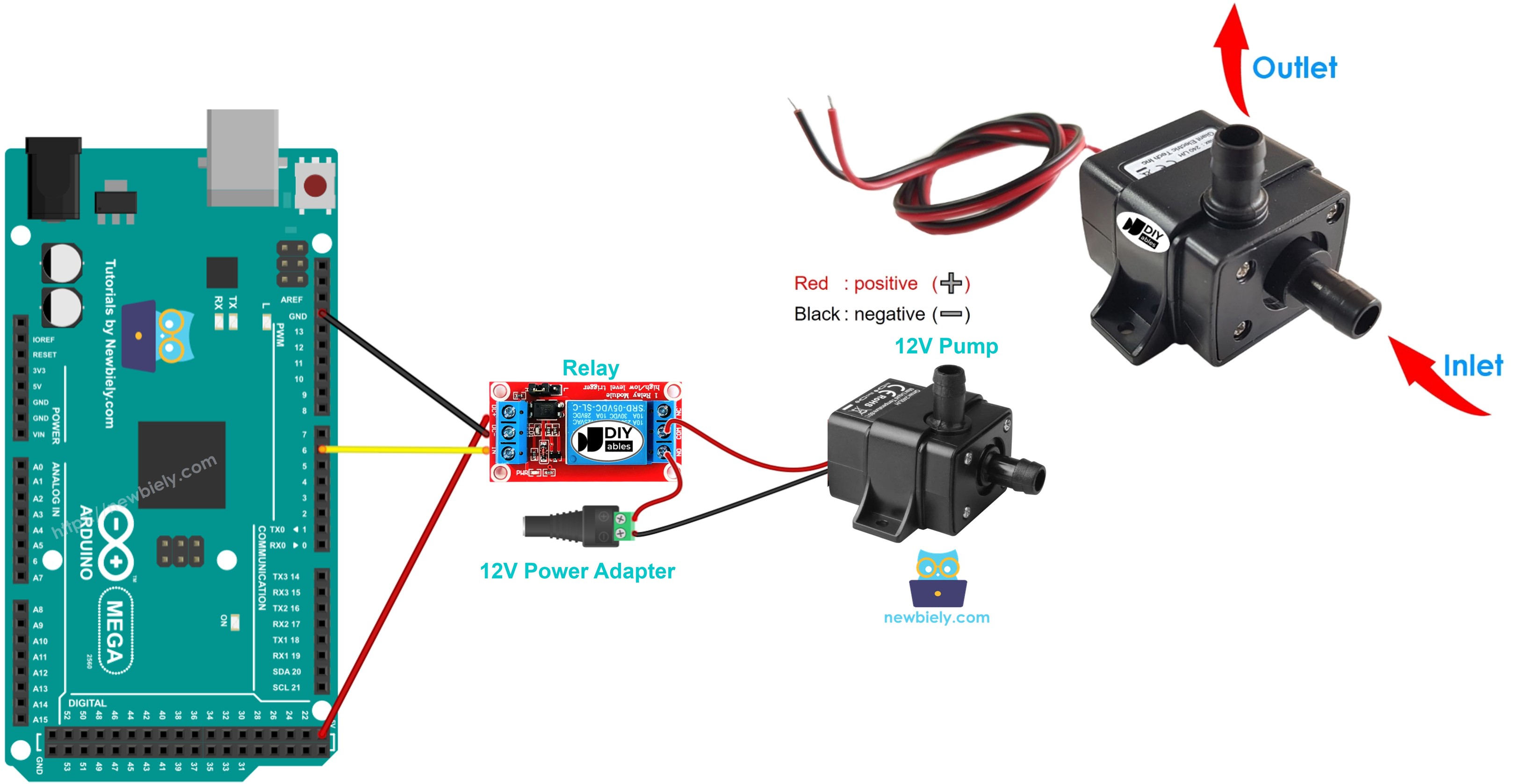
Hardware Preparation
Or you can buy the following kits:
| 1 | × | DIYables Sensor Kit (18 sensors/displays) |
Additionally, some of these links are for products from our own brand, DIYables .
Overview of 12V Pump
Pinout
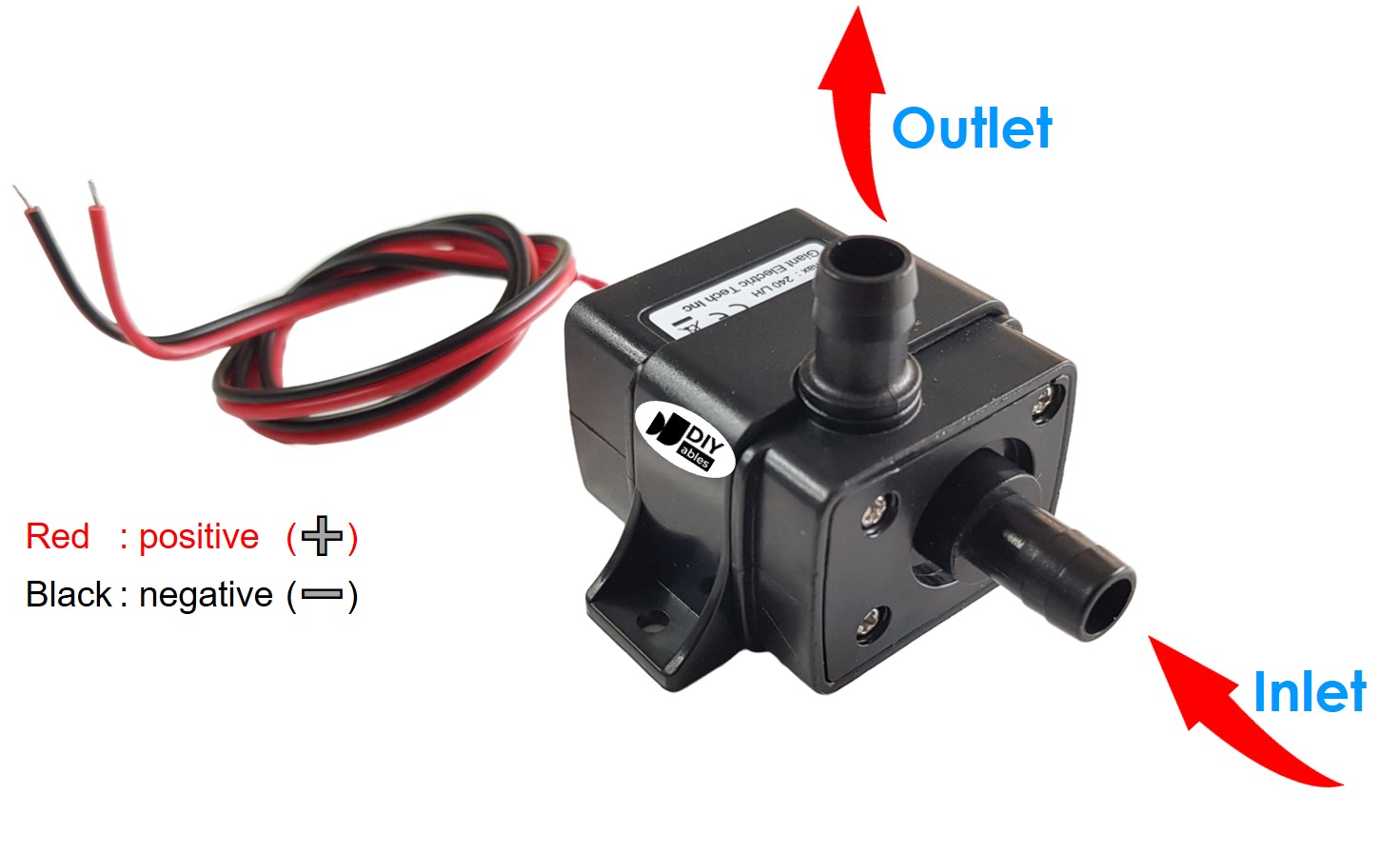
A 12-volt pump usually has two pins.
- Connect the black wire (negative, -) to the power supply's ground.
- Connect the red wire (positive, +) to the power supply's 12V.
How to Control Pump
Using a 12V power supply for a 12V pump will make it run. To control the pump with an Arduino Mega, place a relay between the Arduino Mega and the pump. The Arduino Mega can control the pump through the relay. If you don’t know about relays (pins, how they work, programming, etc.), learn from the Arduino Mega - Relay tutorial.
Wiring Diagram
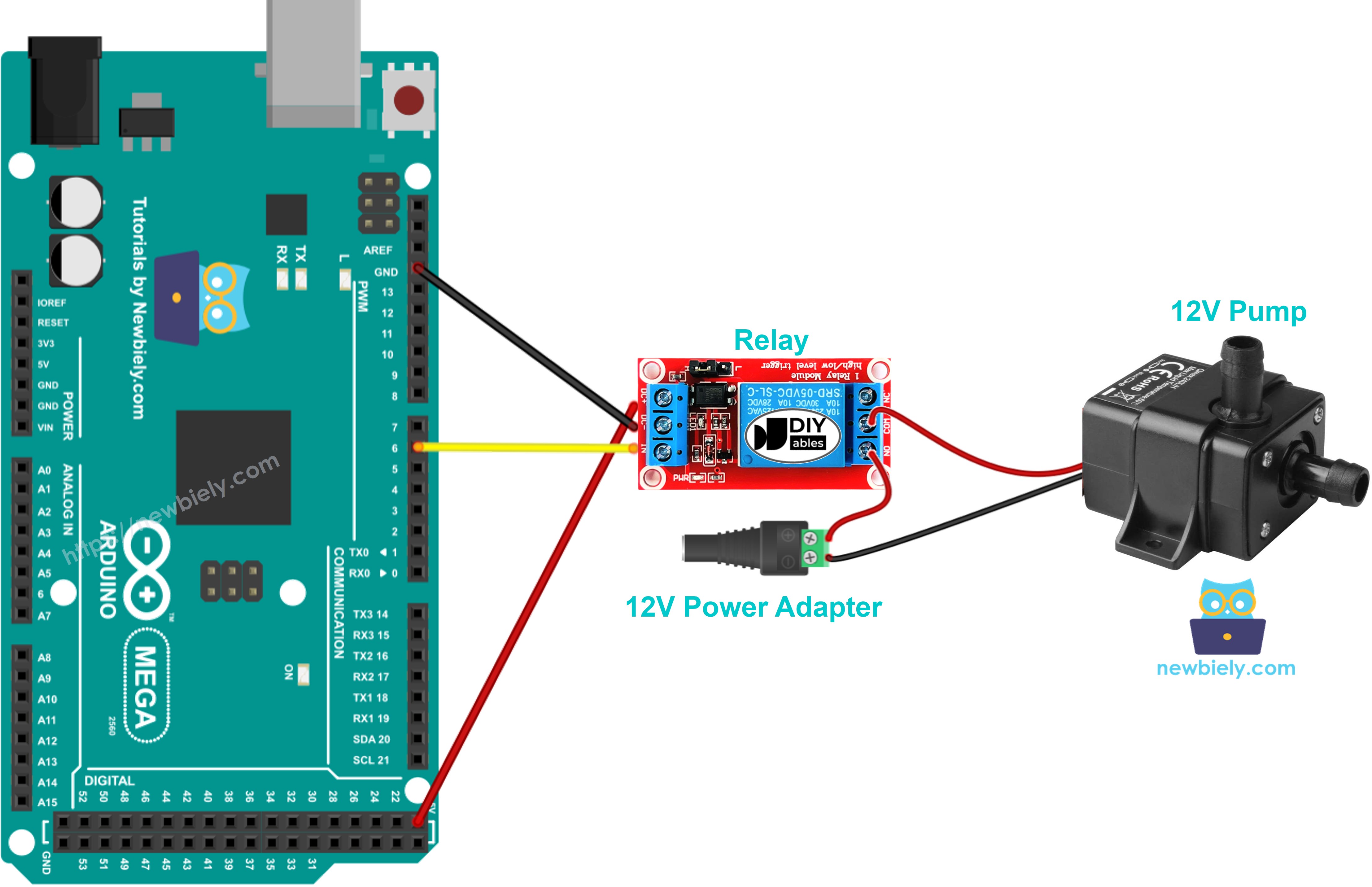
This image is created using Fritzing. Click to enlarge image
Arduino Mega Code
The code below keeps turning the pump on for five seconds, then off for five seconds.
Detailed Instructions
Follow these steps one at a time.
- Connect the pump to the Arduino Mega using a relay, as shown in the diagram.
- Connect the Arduino Mega to your computer with a USB cable.
- Open the Arduino IDE on your computer.
- Select the correct board (Arduino Mega) and the right COM port.
- Copy and paste the provided code into the Arduino IDE.
- Click the Upload button in the Arduino IDE to upload the code to the Arduino Mega.
- Check the pump status.
Code Explanation
The explanation is in the Arduino code comments above.
Video Tutorial
Challenge Yourself
- Make an automatic watering system with Arduino Mega, a soil moisture sensor, and a pump.
- Make an automatic water refill system with Arduino Mega, a water level sensor, and a pump.