
Arduino Mega - Servo Motor
This guide shows you how to control a servo motor with an Arduino Mega. Specifically, we will learn:
- Program Arduino Mega to run a servo
- Program Arduino Mega to control a servo's speed
- Use an external power supply for the servos
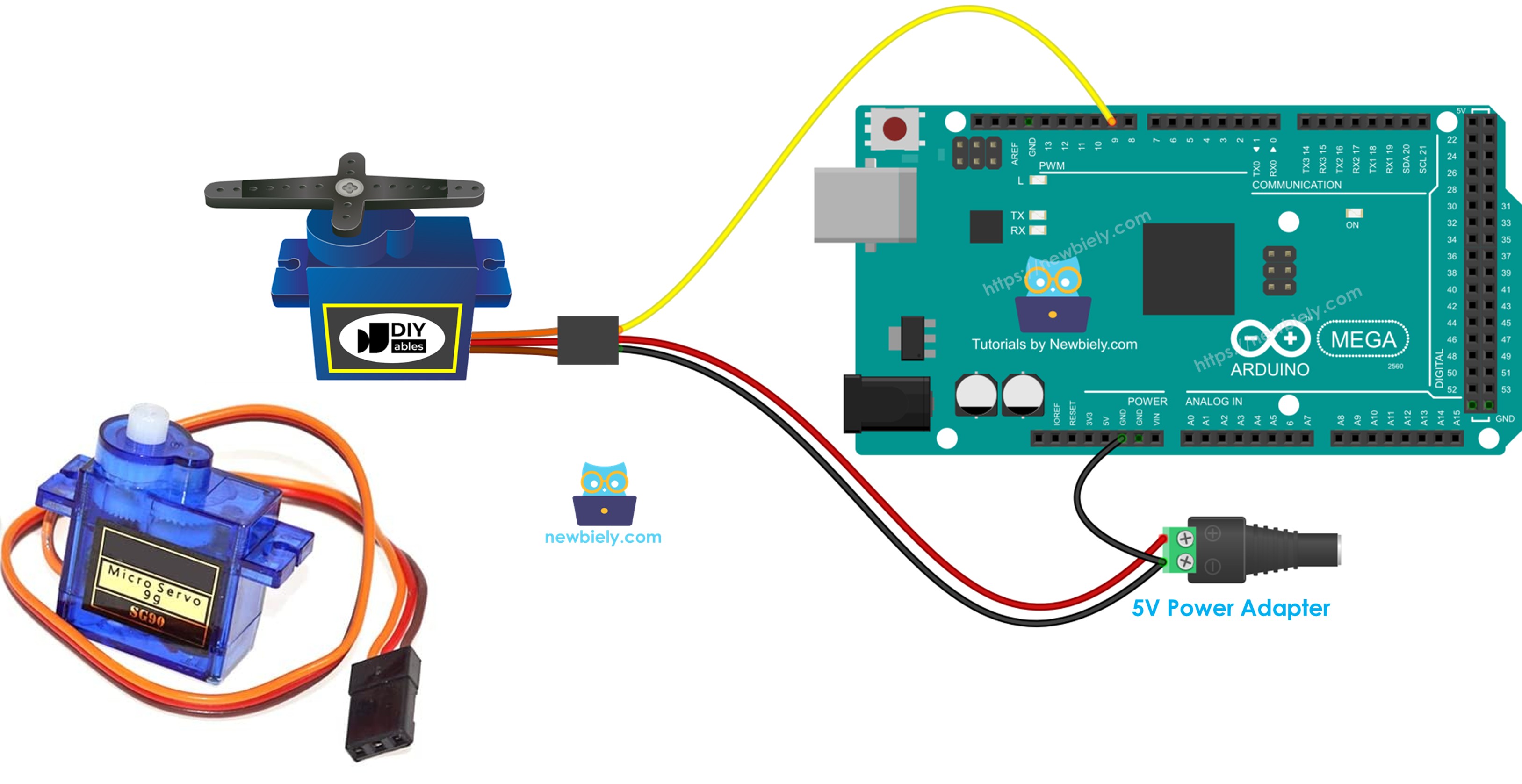
Hardware Preparation
Or you can buy the following kits:
| 1 | × | DIYables Sensor Kit (18 sensors/displays) |
Additionally, some of these links are for products from our own brand, DIYables .
Buy Note: For controlling multiple servo motors, use the PCA9685 16 Channel PWM Servo Driver Module to save MCU pins and simplify wiring.
Overview of Servo Motor
A servo motor is a small device that can turn a shaft, usually from 0 to 180 degrees. It is used to control the angle of something.
Pinout
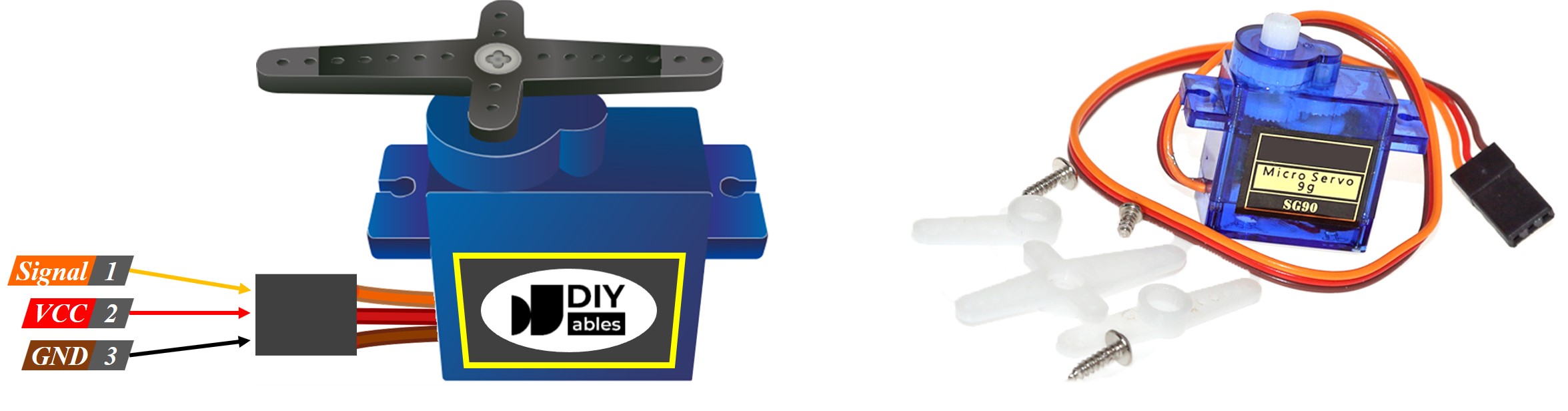
In this example, a servo motor with three pins is used:
- VCC pin: connect the red wire to +5V.
- GND pin: connect the black or brown wire to ground.
- Signal pin: connect the yellow or orange wire to get the PWM signal from an Arduino Mega pin.
Wiring Diagram
Sometimes you see online wiring diagrams that connect the servo's power pin (VCC) to the Arduino Mega's 5V pin. It's best not to do this, because it can damage the Arduino Mega board.
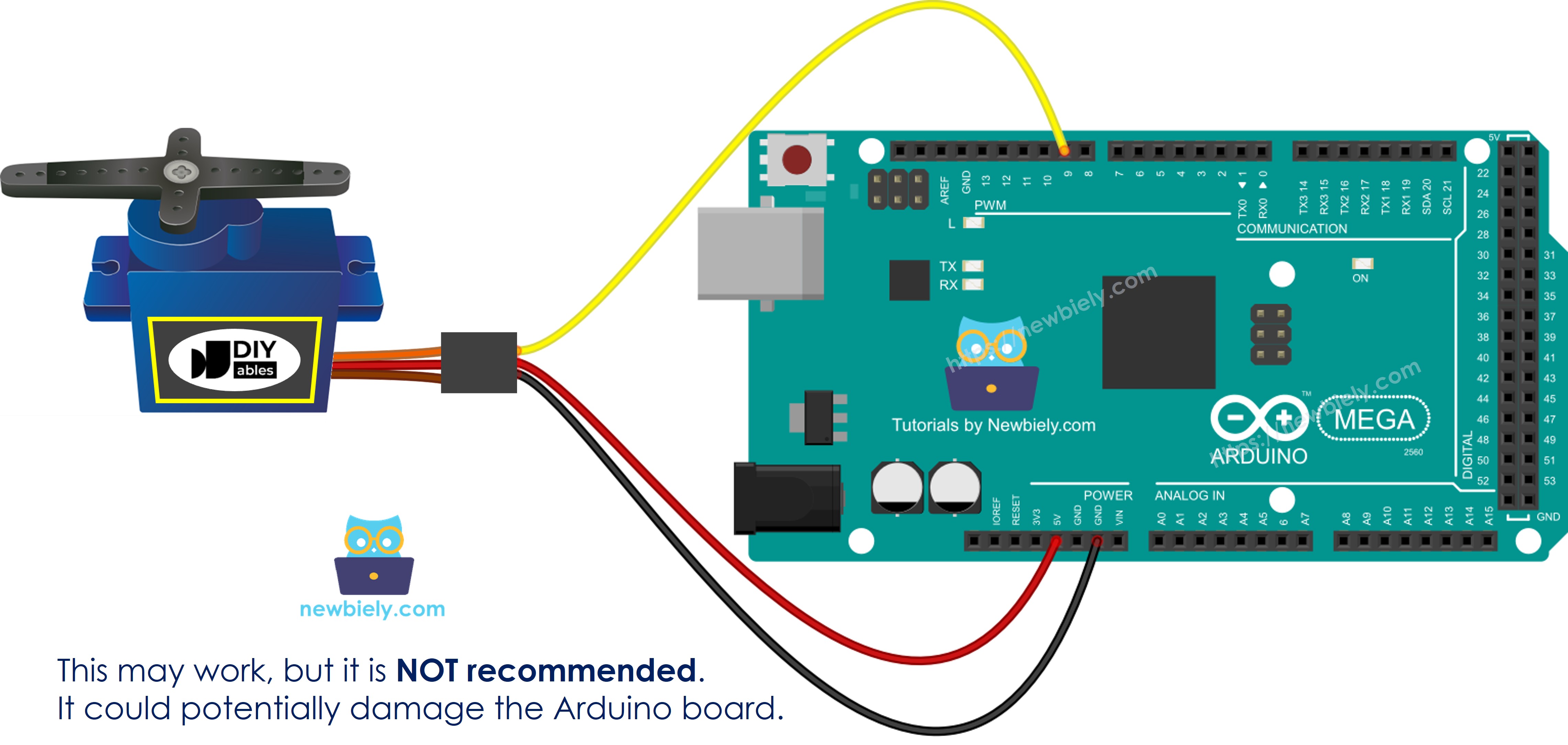
This image is created using Fritzing. Click to enlarge image
To keep your Arduino Mega safe, use a separate power supply for the servo motor. The diagram below shows how to connect the servo motor to that power source.
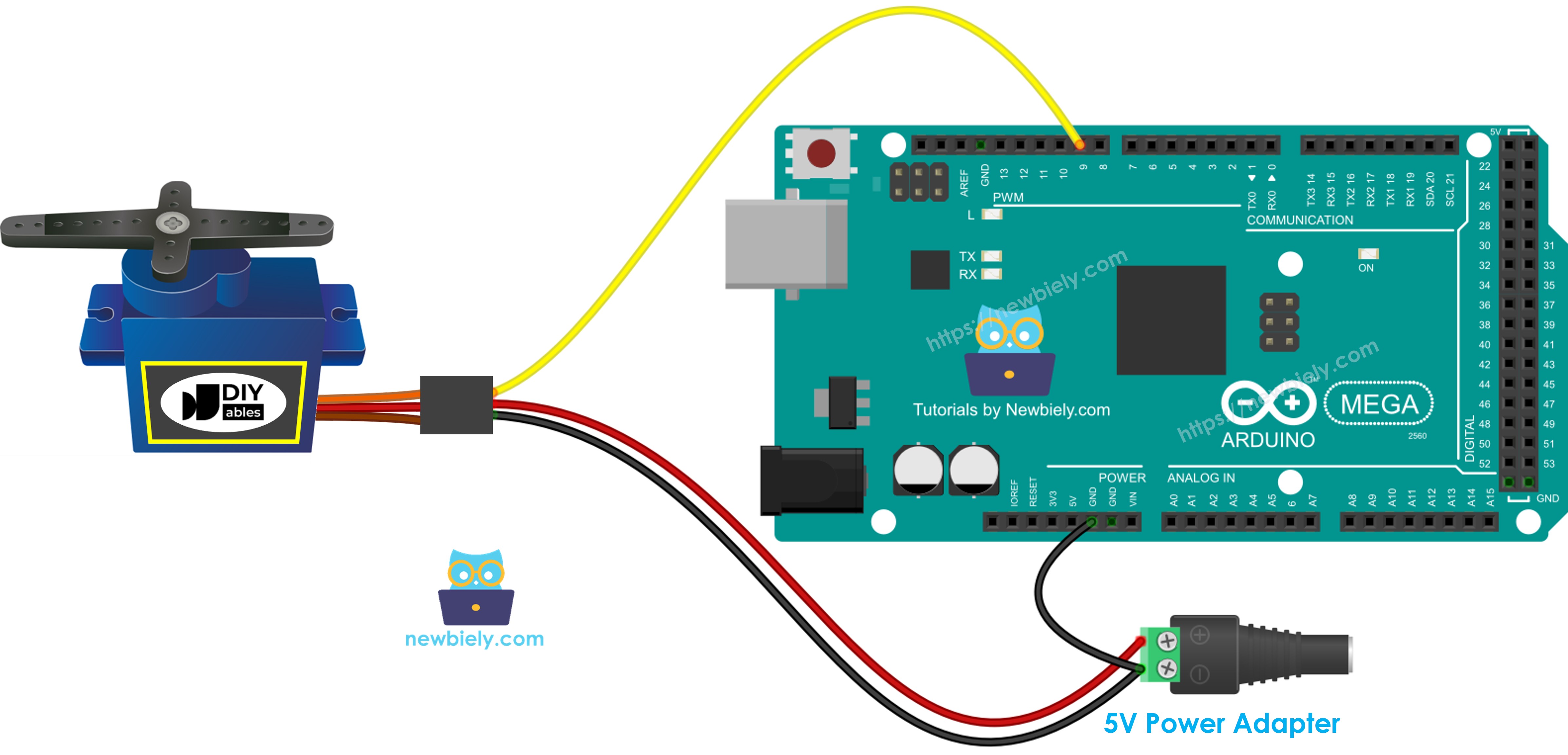
This image is created using Fritzing. Click to enlarge image
Make sure the ground (GND) of the power supply is connected to the Arduino Mega board’s ground. This step is very important so it works correctly.
How To Program For Servo Motor
- Add the library:
- Make a Servo object:
If you have several servo motors, just create more Servo objects.
- Connect the Arduino Mega's control pin to the servo motor's signal pin, for example pin 9.
- Finally, move the servo motor to the angle you want, for example 90 degrees.
Arduino Mega Code
Detailed Instructions
Follow these steps one by one:
- Wire the parts as shown in the diagram.
- Connect the Arduino Mega board to your computer with a USB cable.
- Open the Arduino IDE on your computer.
- Choose the right Arduino Mega board (for example Arduino Mega) and the COM port.
- Copy and paste the code above into the Arduino IDE.
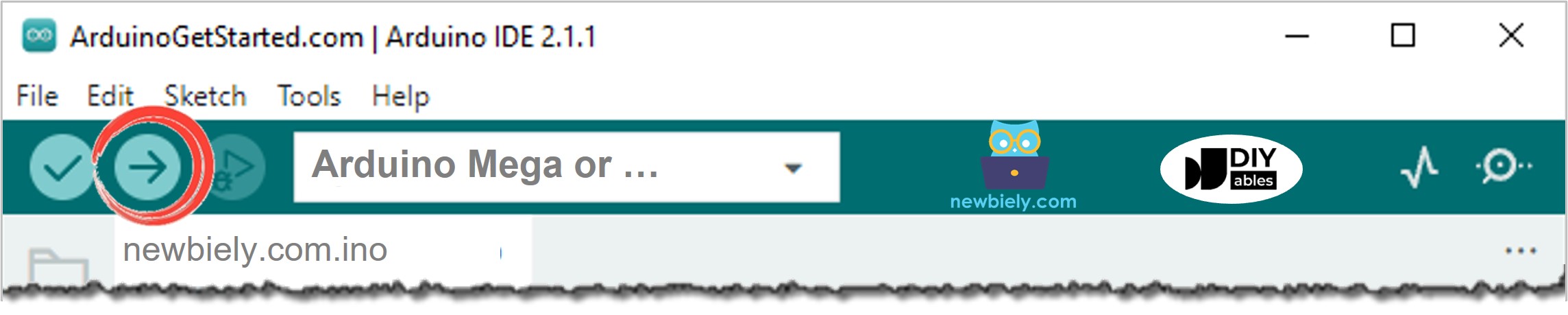
- Click the Upload button in the Arduino IDE to send the code to the Arduino Mega.
- Watch what happens: The servo moves slowly from 0 to 180 degrees, then moves slowly back from 180 to 0 degrees.
Code Explanation
The explanation is in the comments of the Arduino code above.
How to Control Speed of Servo Motor
Using map() and millis() makes it easy to change a servo motor’s speed smoothly, while the rest of the program keeps running without stopping.