
Arduino Mega - Electromagnetic Lock
In this lesson, we will learn how to use an Arduino Mega to control a magnetic door lock, so you can lock and unlock your door with a program.
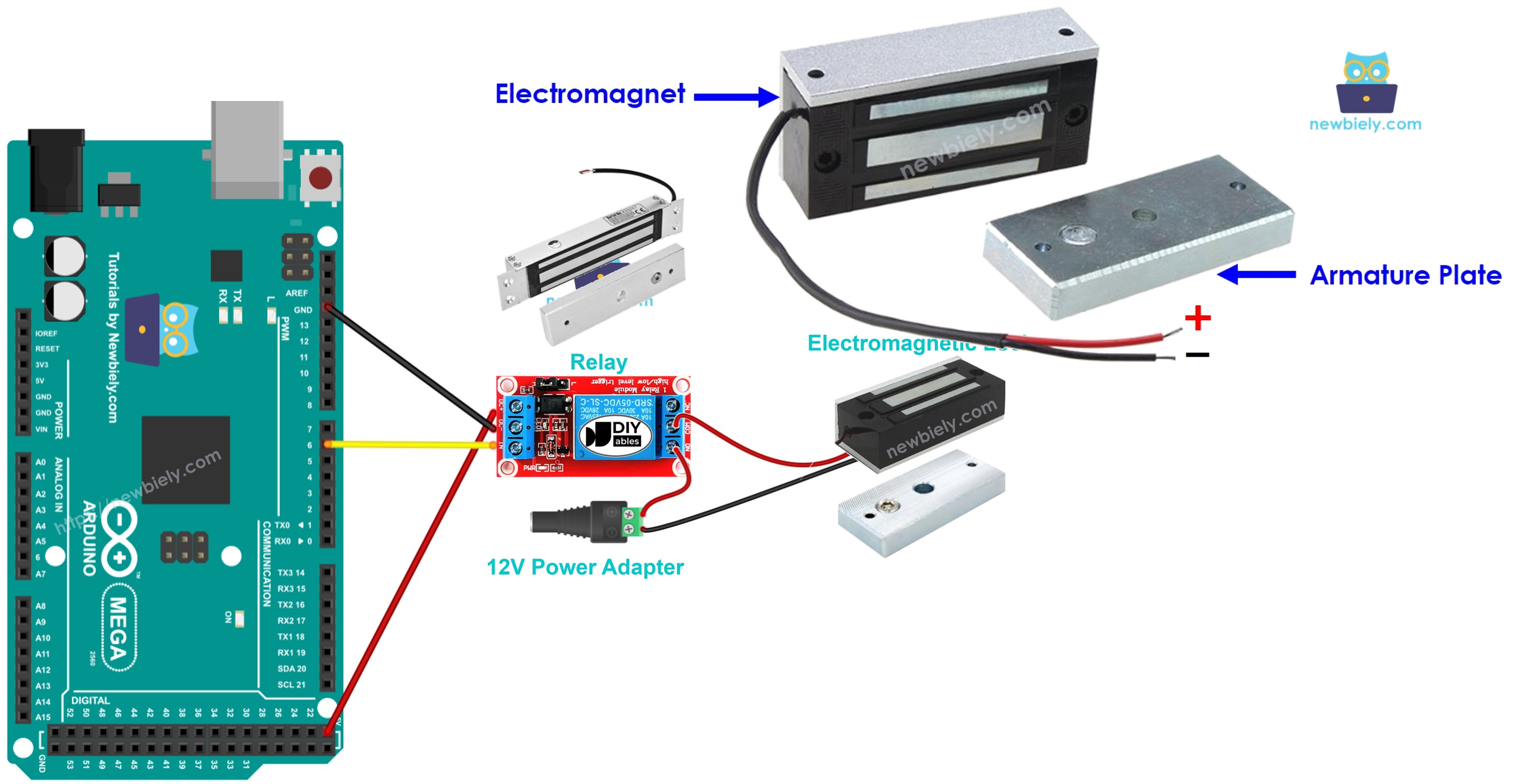
Hardware Preparation
Or you can buy the following kits:
| 1 | × | DIYables Sensor Kit (18 sensors/displays) |
Additionally, some of these links are for products from our own brand, DIYables .
Overview of Electromagnetic Lock
The maglock, short for electromagnetic lock, is often used to secure doors. It usually works with various devices such as switches, fingerprint readers, RFID or NFC readers, keypads, or apps on computers and mobile phones to control who can enter doors and building entrances.
Pinout
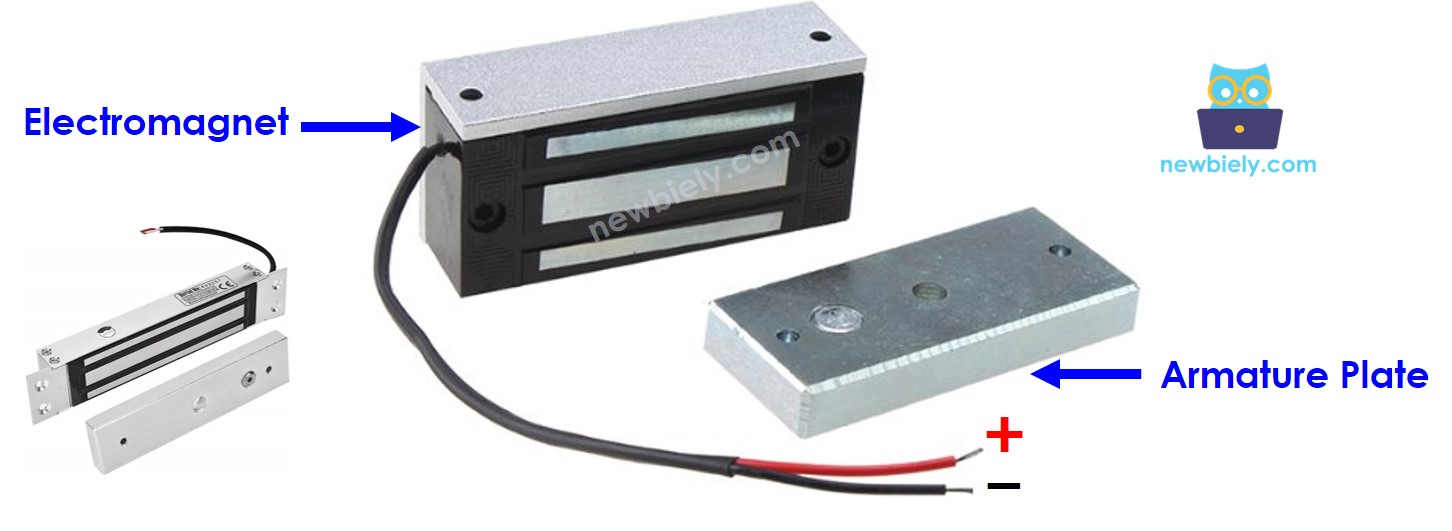
An electric lock has two parts:
- One electromagnet with two pins
- One plate for the armature
How It Works
- When the electromagnet is on, electricity flows through it and makes a magnetic field that pulls the metal plate toward the magnet, so it locks. When the electromagnet is off, there is no magnetic field, so the metal plate isn’t pulled toward the magnet, and it unlocks.
※ NOTE THAT:
An electromagnetic lock usually needs a 12V, 24V, or 48V power supply. So you cannot connect the lock directly to an Arduino Mega pin. Instead, connect it through a relay to the Arduino Mega pin.
If we connect the magnetic door lock to a relay that is normally open:
- When the switch is open, the door is unlocked.
- When the switch is closed, the door is locked.
You can connect an Arduino Mega to a relay to control an electric lock. For more help on using a relay with Arduino Mega, read the Arduino Mega - Relay tutorial.
To install it, attach the metal plate to the door or window (the part that moves) and attach the electromagnet to the door frame (the part that stays still). When you close the door, the two parts should touch.
Wiring Diagram
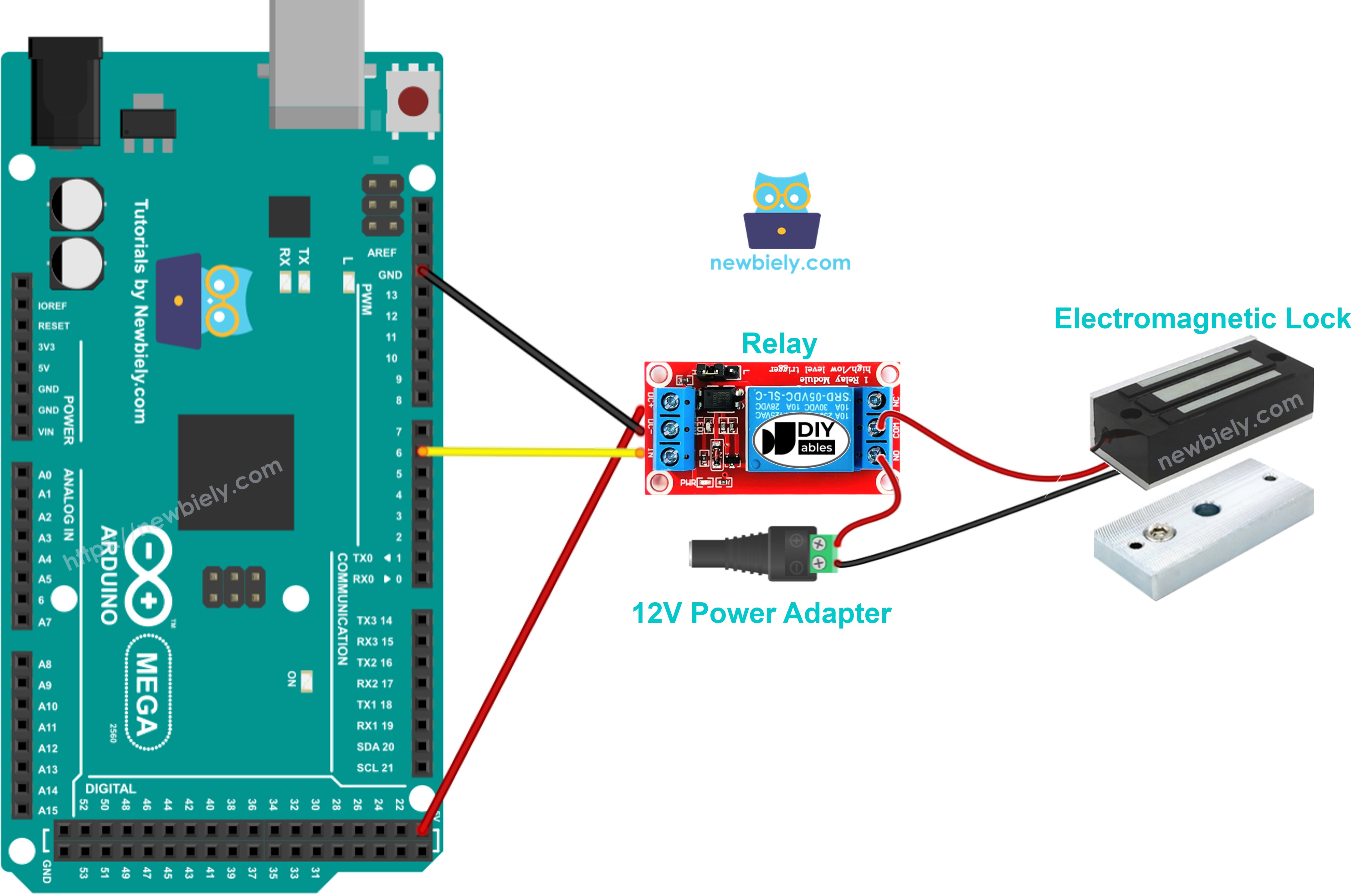
This image is created using Fritzing. Click to enlarge image
Arduino Mega Code
This code locks and unlocks the door every five seconds.
Detailed Instructions
Do these steps one by one.
- Connect the magnetic lock to the Arduino Mega as shown in the diagram.
- Connect the Arduino Mega board to your computer with a USB cable.
- Open the Arduino IDE on your computer.
- Choose the right board (Arduino Mega) and the COM port.
- Copy the code above and open it in the Arduino IDE.
- Click the Upload button in the Arduino IDE to send the code to the Arduino Mega.
- Move the armature plate close to the electromagnet.
- Watch the armature plate stick to the electromagnet.