
ESP32 C3 Super Mini - GUVA-S12SD UV Sensor
Is the sun strong enough today to burn your skin? The ESP32 C3 Super Mini can tell you. Hook up a GUVA-S12SD UV sensor, read one analog pin, and the board shows how much ultraviolet light is around it. Because the C3 has WiFi built in, the same tiny setup can later send the reading to your phone.
In this tutorial, you'll learn:
- What the small purple GUVA-S12SD board measures, and why it shows almost 0 inside your house
- What each of its three pins (SIG, GND, VCC) does
- Why the SIG wire goes to GPIO4 and not to GPIO5 on the ESP32 C3 Super Mini
- How to print both the raw ADC number and the calibrated voltage from analogReadMilliVolts()
- How to turn that voltage into an estimated UV index with a risk level such as "Moderate" or "High"
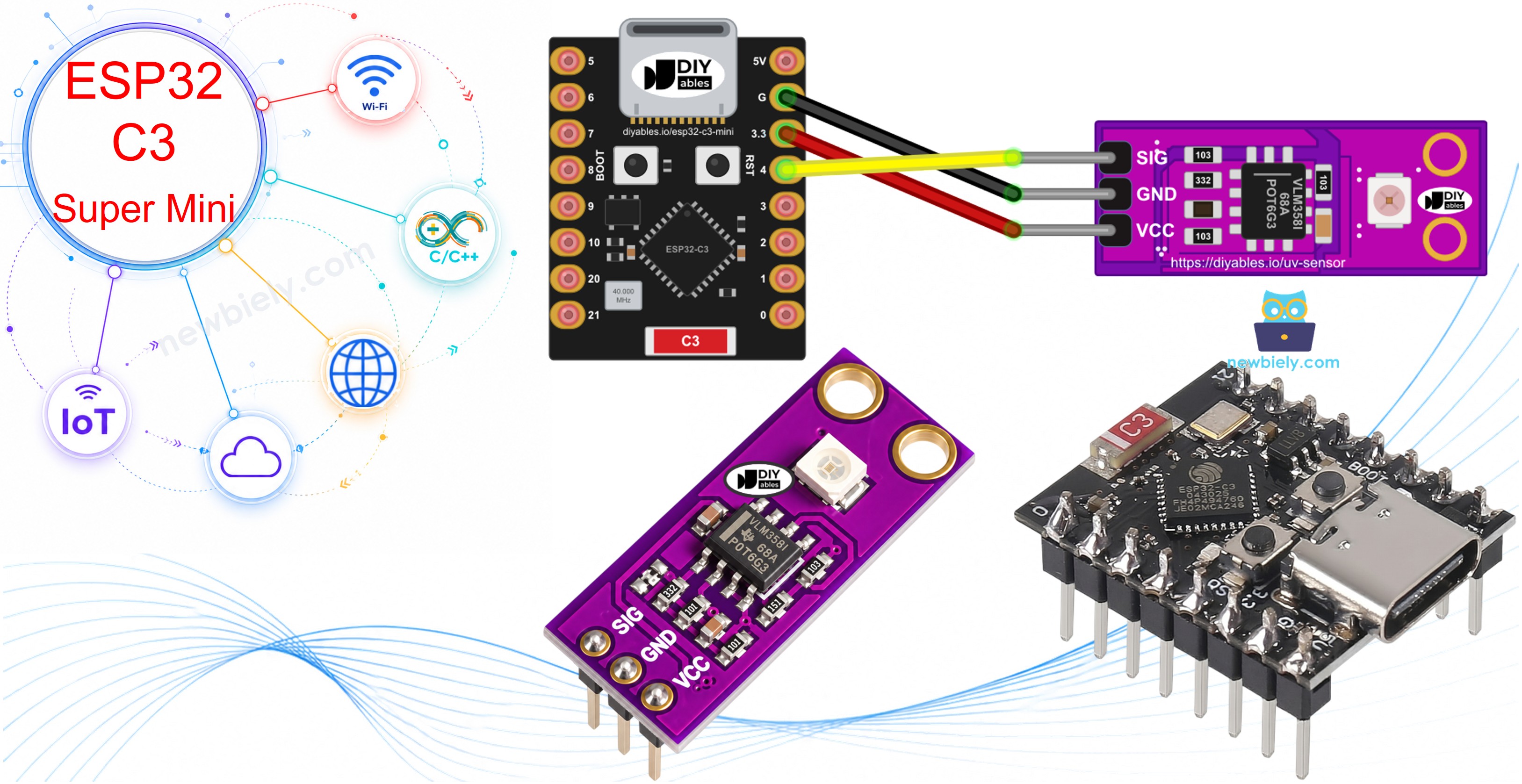
Hardware Preparation
| 1 | × | ESP32 C3 Super Mini | |
| 1 | × | USB Cable Type-A to Type-C (for USB-A PC) | |
| 1 | × | USB Cable Type-C to Type-C (for USB-C PC) | |
| 1 | × | GUVA-S12SD UV Sensor Module | |
| 1 | × | Breadboard | |
| 1 | × | Jumper Wires | |
| 1 | × | Optionally, DC Power Jack |
Or you can buy the following kits:
| 1 | × | DIYables Sensor Kit (18 sensors/displays) |
Additionally, some of these links are for products from our own brand, DIYables .
Overview of GUVA-S12SD UV Sensor
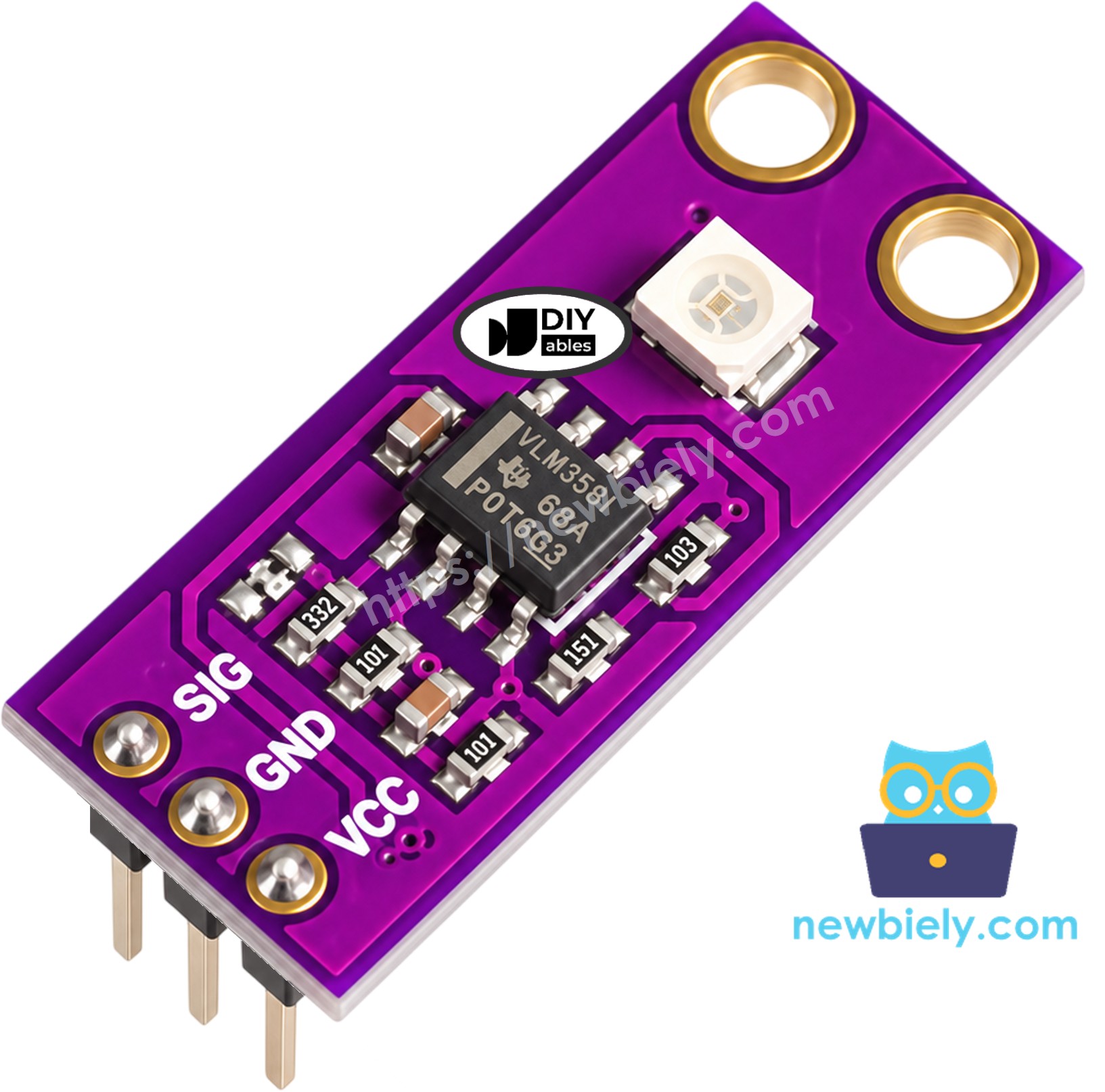
The GUVA-S12SD module is a little purple board, about 11mm x 27mm, with two holes for screws. Look for the small white square on it: that is the GUVA-S12SD UV photodiode. When ultraviolet light lands on it, the photodiode lets a very small current flow. That current is far too weak to read directly, so a VLM358 op-amp on the same board turns it into a voltage on the SIG pin. More UV gives a higher voltage, and the ESP32 C3 Super Mini reads that voltage with its ADC.
The photodiode is tuned to UV-A and UV-B, so ordinary room lamps and window light give it almost nothing. Expect a reading close to 0V on your desk. Carry it outside on a sunny day, or point a UV flashlight at it, and the number climbs.
Key Features:
- Senses UV light from 240nm to 370nm (UV-A and UV-B)
- Wide 130 degree viewing angle, so it does not need to aim straight at the sun
- Supply voltage 2.5V to 5V DC - we use the 3.3V pin of the ESP32 C3 Super Mini
- Analog output: about 0V with no UV, up to about 1V or a bit more in strong sunlight
- Header pins already soldered, ready for a breadboard
- Sold as a pack of 2
Why the GUVA-S12SD is Great for Beginners:
- One analog wire carries the whole result - no library, no I2C address, no setup code
- A very simple rule turns the voltage into a UV index: every 0.1V is about 1 point
- The output stays low (around 1V), far below the 3.3V limit of the C3 pins
- It ignores normal indoor light, so you get a clear "no UV / some UV" difference
GUVA-S12SD UV Sensor Pinout
The three header pins are printed on the board in this order: SIG, GND, VCC.
- SIG pin: the analog output. Wire it to an ADC1 pin of the ESP32 C3 Super Mini (GPIO4 in this tutorial). Higher voltage = more UV
- GND pin: ground. Wire it to a GND pin of the board (0V)
- VCC pin: power. Wire it to the 3.3V pin of the ESP32 C3 Super Mini
From Voltage to UV Index
The UV index is the number weather apps show to warn you about sunburn. With this module, a quick estimate is: UV index = SIG voltage (in V) / 0.1. So 0.30V means a UV index of about 3, and 0.70V means about 7. Treat this as a helpful guide for hobby projects; it is not a lab-grade, calibrated UV meter. The World Health Organization groups the index like this:
| UV Index | Risk Level | Approx. SIG Voltage |
|---|---|---|
| 0 to 2 | Low | below 0.25V |
| 3 to 5 | Moderate | 0.25V to 0.55V |
| 6 to 7 | High | 0.55V to 0.75V |
| 8 to 10 | Very High | 0.75V to 1.05V |
| 11 and above | Extreme | above 1.05V |
Wiring Diagram between GUVA-S12SD UV Sensor and ESP32 C3 Super Mini
Feed the sensor from the 3.3V pin, join the grounds, and run SIG into GPIO4 (it is called A4 or simply 4 in Arduino code). GPIO4 belongs to ADC1; GPIO5 (A5) sits on ADC2, which Espressif does not recommend using on the ESP32-C3 because its readings can be wrong.
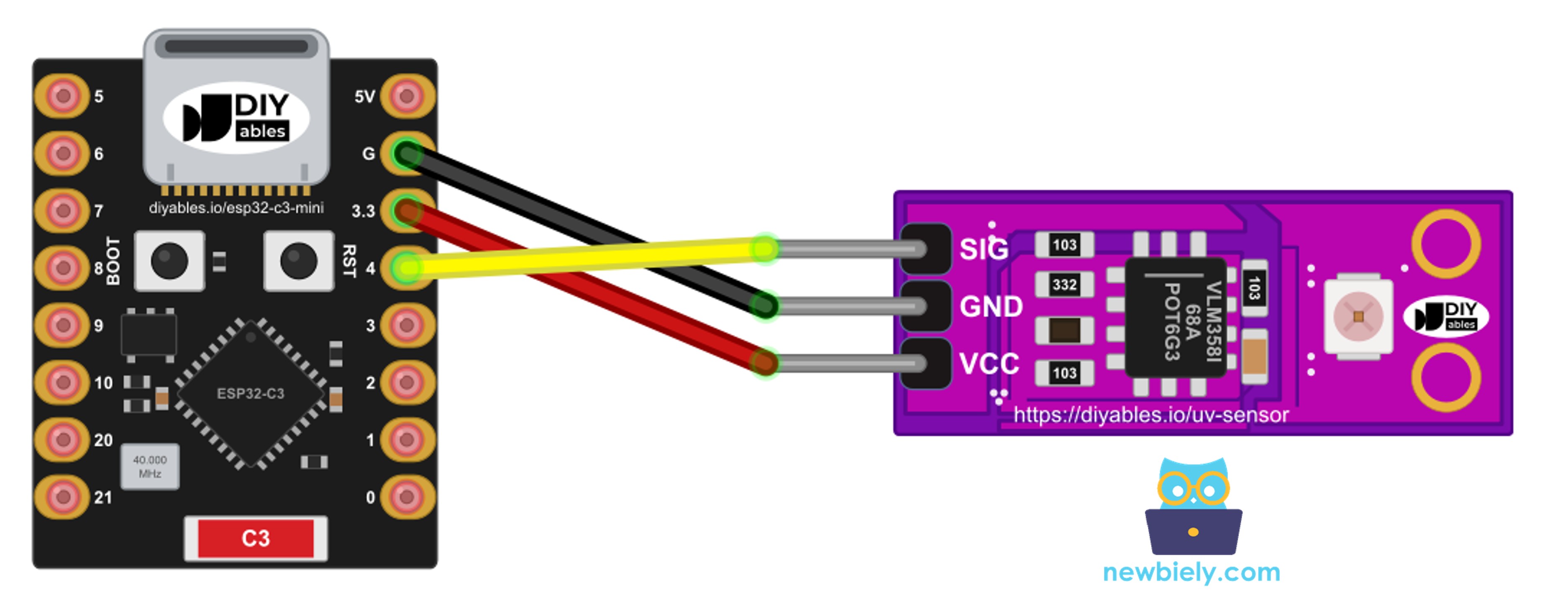
This image is created using Fritzing. Click to enlarge image
| GUVA-S12SD Pin | ESP32 C3 Super Mini Pin |
|---|---|
| SIG | A4 (GPIO4 / ADC1) |
| GND | GND |
| VCC | 3.3V |
※ NOTE THAT:
Keep VCC on 3.3V. The module accepts up to 5V, but the GPIO pins of the ESP32-C3 are 3.3V pins. Running the sensor at the same 3.3V as the board is the safe habit, and it costs you nothing: the SIG voltage only reaches about 1V even under a summer sun.
ESP32 C3 Super Mini Code - Read Raw ADC Value and SIG Voltage
The first sketch is a check that the wiring works. Once per second it reads GPIO4 in two ways and prints both results next to each other: the plain ADC count, and the voltage in millivolts from analogReadMilliVolts(). The second one uses calibration values stored inside every ESP32-C3 chip, so it is the number we use for the UV math later.
What the code does:
- Sets the ADC attenuation to 11 dB, so the input range easily covers the sensor's 0V to about 1V output
- Reads the raw 12-bit value (0 to 4095) with analogRead(4)
- Reads the calibrated voltage with analogReadMilliVolts(4)
- Converts millivolts to volts and prints all three numbers on one line
- Repeats every 1000 milliseconds
Detailed Instructions
- New to ESP32 C3 Mini? Complete our Getting Started with ESP32 C3 Mini tutorial first to set up your development environment.
- Build the circuit: Push the UV sensor into the breadboard with the white photodiode facing up, then add three jumper wires: SIG to GPIO4, GND to GND, VCC to 3.3V.
- Plug in the board: Connect the ESP32 C3 Super Mini to your computer with a USB Type-C cable.
- Start Arduino IDE: Open the Arduino IDE and select the ESP32 C3 Super Mini board and its COM port.
- Paste the sketch: Copy the code above into a new sketch. Nothing needs to be installed from the Library Manager.
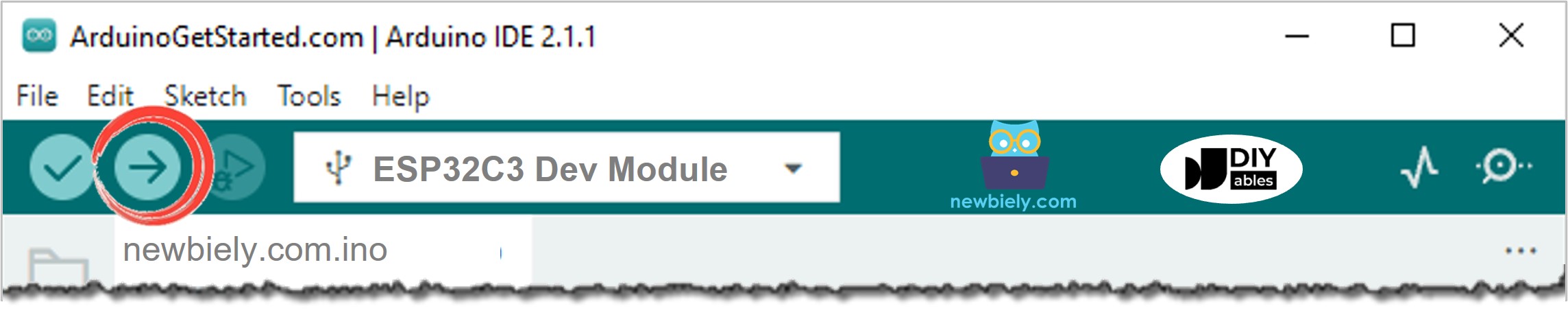
- Upload: Press the Upload button and wait until the IDE says "Done uploading".
- Open Serial Monitor: Set it to 115200 baud.
- Test it: Watch a few lines indoors first - the voltage stays near zero. Then take the laptop and the board near an open window or outside into direct sun:
- Pro Tip: Notice that the raw number and the millivolt number do not grow by the same ratio. That is normal on the ESP32-C3: the raw count is uncorrected, while analogReadMilliVolts() applies the chip's own calibration. If the Serial Monitor stays empty, set USB CDC On Boot to Enabled in the Tools menu and upload again.
Line-by-line Code Explanation
The above ESP32 C3 Super Mini code contains line-by-line explanation. Please read the comments in the code!
ESP32 C3 Super Mini Code - Estimate the UV Index
A single ADC reading can jump a little from one moment to the next, and a passing cloud changes the light too. This sketch takes 16 quick voltage readings, averages them, divides the result by 0.1 to get the UV index, and then names the WHO risk level. One line is printed every 2 seconds.
What the code does:
- Takes 16 readings with analogReadMilliVolts(4), 5 milliseconds apart, and averages them
- Converts the average from millivolts to volts
- Divides the voltage by 0.1 to estimate the UV index, shown with one decimal
- Rounds the index to a whole number and picks "Low", "Moderate", "High", "Very High" or "Extreme"
- Prints the voltage, the UV index and the level, then waits 2 seconds
Detailed Instructions
- Same circuit: The sensor stays on GPIO4, so leave every wire in place.
- Paste the sketch: Copy the UV index code above into a new Arduino IDE sketch.
- Upload: Press the Upload button.
- Open Serial Monitor: Keep 115200 baud.
- Test it: Start in the shade, then hold the sensor in full midday sun. On a clear summer day the output may look like this:
- Pro Tip: Compare your result with the UV index in a local weather app at the same time. If your board reads a bit high or low every time, change VOLTS_PER_UV_INDEX (for example to 0.09 or 0.11) until the two match. Glass and plastic covers block much of the UV, so do not test through a closed window or seal the sensor in a normal plastic box.
Line-by-line Code Explanation
The above ESP32 C3 Super Mini code contains line-by-line explanation. Please read the comments in the code!
※ NOTE THAT:
The ESP32-C3 ADC is fine for this kind of estimate, but it is not a precision instrument: small offsets differ from board to board, and the lowest few millivolts are not very reliable. analogReadMilliVolts() removes most of the error. If you need better accuracy, add an external ADC such as the ADS1115.
Applications and Project Ideas
With WiFi and Bluetooth LE on board, the ESP32 C3 Super Mini can turn the UV reading into alerts and logs. A few ideas:
- Sunscreen reminder: send a phone message when the UV index stays at 3 or more for ten minutes
- Balcony UV station: show today's UV index on a small web page served by the board
- UV lamp checker: see whether an old UV curing lamp or UV LED torch still gives a strong output
- Weather station add-on: log UV next to temperature and humidity once a minute
- Smart blind: close a motorized window blind when the UV level reaches "High"
- Beach bag tag: a battery-powered C3 that blinks an LED faster as the UV level rises
Video Tutorial
Watch the video below for a visual walkthrough of this project.
Challenge Yourself
Push the project further with these tasks:
- Easy: Print "Wear sunscreen!" whenever the UV index is 3 or more
- Easy: Keep track of the highest UV index seen since power-up and print it on every line
- Medium: Light a green, yellow or red LED module depending on the risk level
- Medium: Show the UV index and level on an OLED display, so the board works without a computer
- Advanced: Calculate a rough "safe time in the sun" and count it down while the UV stays high
- Advanced: Upload the UV index every 5 minutes to a web dashboard over WiFi and draw a daily chart