
ESP32 C3 Super Mini - LED Module
Add a big, bright status light to your ESP32 C3 Super Mini project with a 10mm LED module. The module plugs in with three jumper wires and needs no extra parts, so you can go from an empty breadboard to a blinking light in a few minutes.
In this tutorial, you'll learn:
- What is on the small LED module board and why it is easier than a bare LED
- What the GND, VCC and IN pins do
- How to wire the LED module to GPIO7 of the ESP32 C3 Super Mini
- How to blink the LED module and print its state to the Serial Monitor
- How to change the LED brightness smoothly with PWM
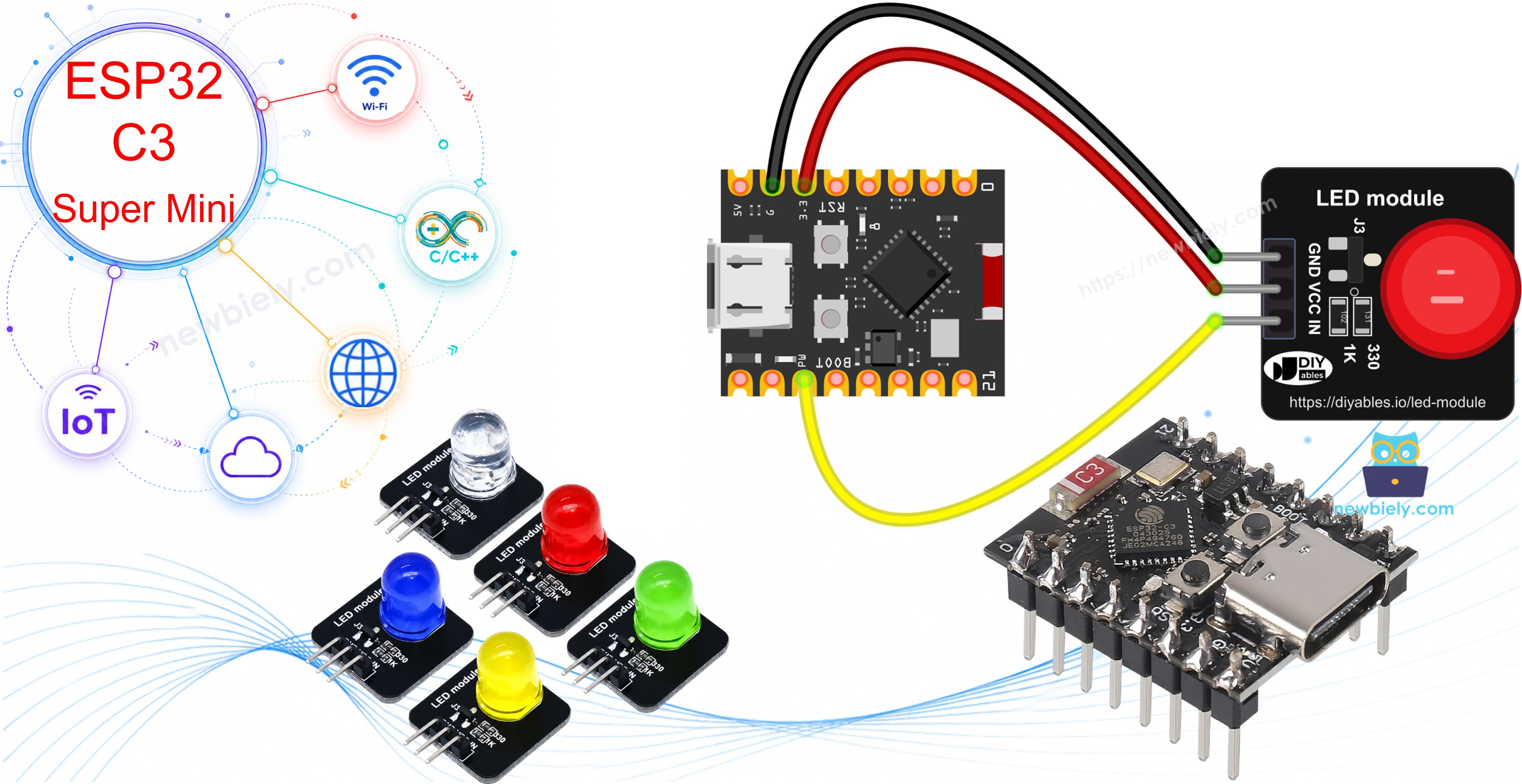
Hardware Preparation
| 1 | × | ESP32 C3 Super Mini | |
| 1 | × | USB Cable Type-A to Type-C (for USB-A PC) | |
| 1 | × | USB Cable Type-C to Type-C (for USB-C PC) | |
| 1 | × | LED Module | |
| 1 | × | Breadboard | |
| 1 | × | Jumper Wires | |
| 1 | × | Optionally, DC Power Jack |
Or you can buy the following kits:
| 1 | × | DIYables Sensor Kit (18 sensors/displays) |
Additionally, some of these links are for products from our own brand, DIYables .
Buy Note: Use the LED Module for easier wiring. It includes an integrated resistor.
Overview of LED Module
Think of the LED module as an LED that comes with its own helper parts. A 10mm diffused LED sits on a tiny 20mm x 20mm black board, together with a current-limiting resistor and a small transistor. The ESP32 C3 Super Mini only tells the transistor when to switch, and the transistor feeds the LED from the VCC pin. You get a clean, evenly lit dot of light without doing any resistor math.
Key Features:
- 10mm diffused round LED - soft light that is easy to see from across the room
- Comes in a pack of 5 colors: red, yellow, blue, green and white
- Works from 3.3V to 5V DC - happy on the 3.3V rail of the ESP32 C3 Super Mini
- Onboard 330Ω resistor for the LED and 1KΩ resistor on the IN line
- Onboard transistor switch: IN = HIGH turns the LED ON, IN = LOW turns it OFF
- Presoldered 3-pin right-angle header (2.54mm pitch)
Why the LED Module is Great for Beginners:
- No resistor to pick and no risk of burning the LED with a wrong value
- No anode/cathode guessing - every pin is printed on the board
- The GPIO pin only drives the transistor, so it gives a tiny current and stays cool
- Supports PWM on the IN pin, so the same module can blink, dim and "breathe"
LED Module Pinout
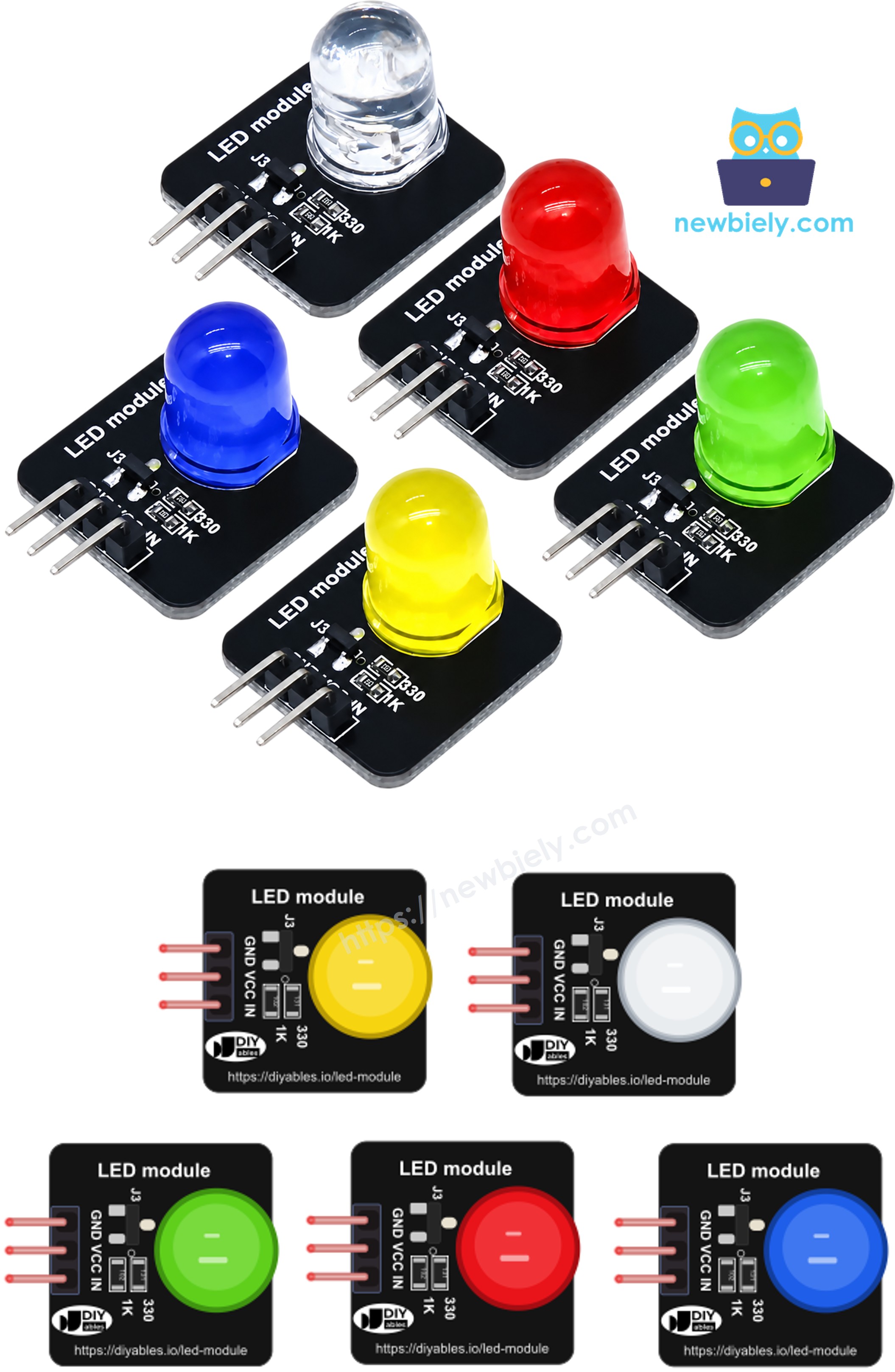
The module has one 3-pin header. The pins are labeled GND, VCC and IN, in that order:
- GND pin: the ground connection; join it to a GND pin of the ESP32 C3 Super Mini (0V)
- VCC pin: the power for the LED; join it to the 3.3V pin (5V also works)
- IN pin: the control input; join it to a GPIO pin. HIGH = LED ON, LOW = LED OFF, PWM = dimmed LED
※ NOTE THAT:
LED module vs. bare LED: a bare LED has two legs (anode and cathode) that must face the right way, and it needs a series resistor (for example 220Ω) or it can burn out. The LED module removes both problems: the resistor is already on the board, and the labeled pins tell you exactly where each wire goes. See the ESP32 C3 Super Mini LED blink tutorial if you want to compare it with a bare LED.
Wiring Diagram between LED Module and ESP32 C3 Super Mini
Only three wires are needed. Power the module from the 3.3V pin and send the control signal from GPIO7 (marked D7 in the Arduino code examples of this site). GPIO7 is a good choice because it is not a strapping pin, so it does not affect how the board boots, and it can output PWM for the fade example.
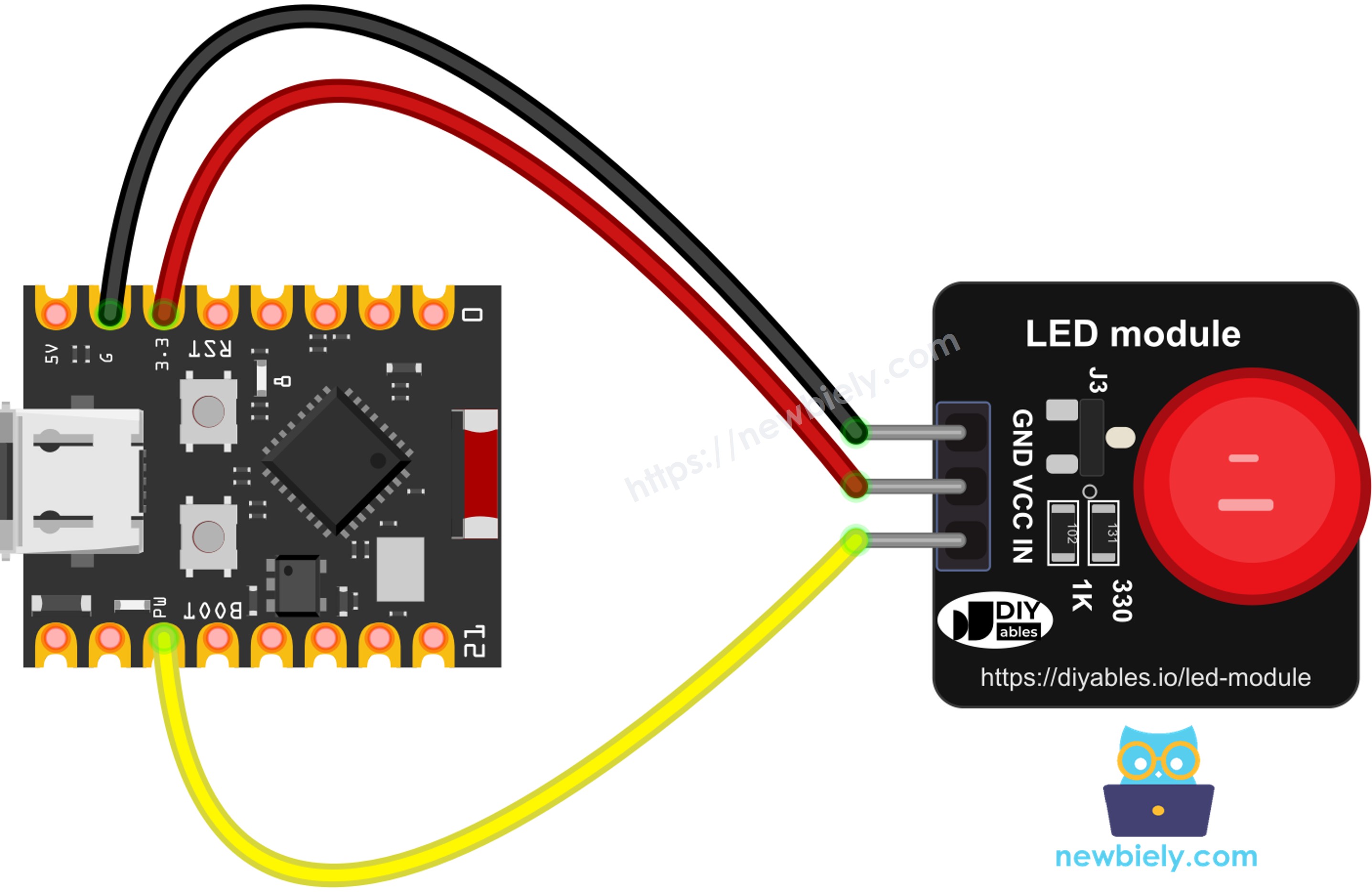
This image is created using Fritzing. Click to enlarge image
| LED Module Pin | ESP32 C3 Super Mini Pin |
|---|---|
| GND | GND |
| VCC | 3.3V |
| IN | D7 (GPIO7) |
※ NOTE THAT:
Avoid GPIO8 for the IN pin. On most ESP32 C3 Super Mini boards GPIO8 already drives the small blue onboard LED, and it is also a strapping pin (together with GPIO2 and GPIO9).
ESP32 C3 Super Mini Code - Blink LED Module
This first sketch turns the LED module ON for one second, then OFF for one second, and repeats. Each change is also printed to the Serial Monitor, so you can check the code is running even if the LED is wired wrong.
What the code does:
- Sets GPIO7 as a digital output and starts with the LED OFF
- Writes HIGH to the IN pin, so the onboard transistor lights the LED
- Prints "LED module → ON" and waits 1 second
- Writes LOW to the IN pin, so the LED goes dark
- Prints "LED module → OFF" and waits 1 second, then starts again
Detailed Instructions
- New to ESP32 C3 Mini? Complete our Getting Started with ESP32 C3 Mini tutorial first to set up your development environment.
- Set up Arduino IDE: If you are new to ESP32 C3 Super Mini, refer to the tutorial on how to set up the environment for ESP32 C3 Super Mini in the Arduino IDE.
- Wire the components: Plug the LED module into the breadboard and connect GND, VCC and IN as shown in the wiring diagram above.
- Connect USB cable: Connect the ESP32 C3 Super Mini to your computer with a USB Type-C cable.
- Open Arduino IDE: Launch the Arduino IDE on your computer.
- Select board and port: Choose ESP32 C3 Super Mini board and its COM port.
- Copy the code: Copy the blink code above and paste it into Arduino IDE. No library is needed.
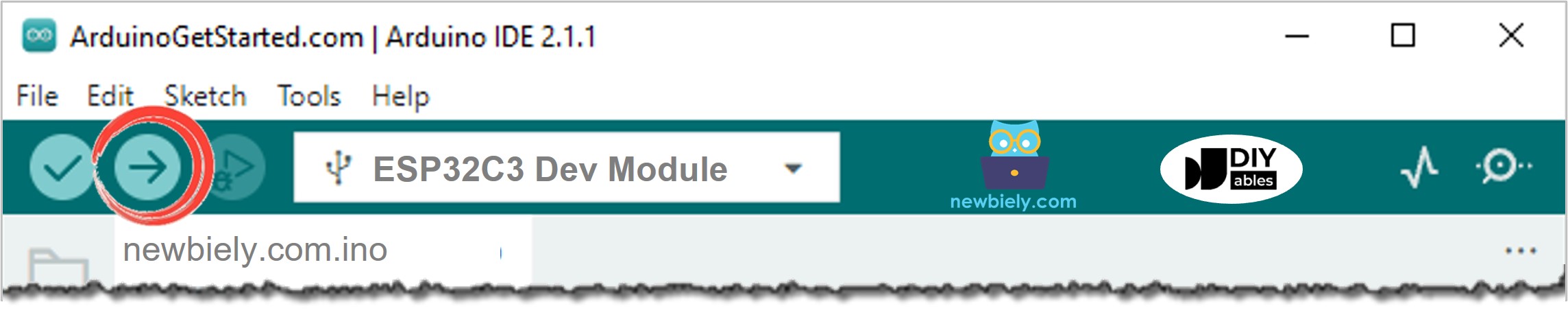
- Upload the code: Click the Upload button to compile and upload code to ESP32 C3 Super Mini.
- Open Serial Monitor: Set the baud rate to 115200.
- Observe the result: The LED module flashes ON and OFF every second, and the Serial Monitor shows each change:
- Pro Tip: If the LED blinks but the Serial Monitor stays empty, set USB CDC On Boot to Enabled in the Tools menu and upload again. See the ESP32 C3 Super Mini Serial Monitor tutorial for details.
Line-by-line Code Explanation
The above ESP32 C3 Super Mini code contains line-by-line explanation. Please read the comments in the code!
ESP32 C3 Super Mini Code - Fade LED Module with PWM
Because the IN pin only switches the onboard transistor, a PWM signal on IN switches the LED at the same rate. The longer the ON part of each cycle, the brighter the LED looks. This sketch uses analogWrite() to move the brightness from 0 up to 255 and back down in 17 steps each way.
What the code does:
- Sets GPIO7 as an output for the PWM signal
- Writes a brightness value from 0 (OFF) to 255 (full) to the IN pin with analogWrite()
- Prints the brightness as a raw value and as a percentage
- Adds 15 to the brightness on every step, and reverses the direction at 0 and 255
- Waits 60 milliseconds between steps, so one full fade in and out takes about 2 seconds
Detailed Instructions
- Keep the same wiring: The fade sketch uses the same GPIO7 pin, so you do not need to move any wire.
- Copy the code: Copy the fade code above and paste it into a new Arduino IDE sketch.
- Upload the code: Click the Upload button.
- Open Serial Monitor: Keep the baud rate at 115200.
- Observe the result: The LED module slowly gets brighter, then slowly dims, like it is breathing. The Serial Monitor prints every brightness level:
- Pro Tip: Change FADE_STEP to 5 for a smoother fade, or STEP_DELAY to 150 for a slow "sleeping" glow. For more fade methods without delay(), see the ESP32 C3 Super Mini LED fade tutorial.
Line-by-line Code Explanation
The above ESP32 C3 Super Mini code contains line-by-line explanation. Please read the comments in the code!
Applications and Project Ideas
The ESP32 C3 Super Mini has WiFi and Bluetooth LE, so the LED module makes a good "at a glance" light for small connected gadgets:
- WiFi status light: blink fast while connecting to WiFi, stay ON once connected
- Heartbeat light: a slow fade shows the board is alive and the code has not frozen
- Fault or alarm light: use the red module to warn when a sensor value goes out of range
- Desk notification lamp: light the LED when a new message or e-mail arrives over WiFi
- Traffic light model: combine the red, yellow and green modules on three GPIO pins
- Plant watering reminder: turn on the blue module when soil moisture is too low
Video Tutorial
Watch the video below for a visual walkthrough of this project.
Challenge Yourself
Try these tasks to practice with your ESP32 C3 Super Mini and LED module:
- Easy: Make the LED stay ON for 200ms and OFF for 1800ms, like a short "ping" flash
- Easy: Limit the fade so the brightness only goes between 30 and 180
- Medium: Wire a second LED module of another color and make the two blink in turn
- Medium: Type "on" or "off" in the Serial Monitor to control the LED module by hand
- Advanced: Rewrite the blink sketch with millis() so the board can read a button at the same time
- Advanced: Host a small web page on the ESP32 C3 Super Mini with a slider that sets the LED brightness over WiFi