
ESP32 UNO multiple Button
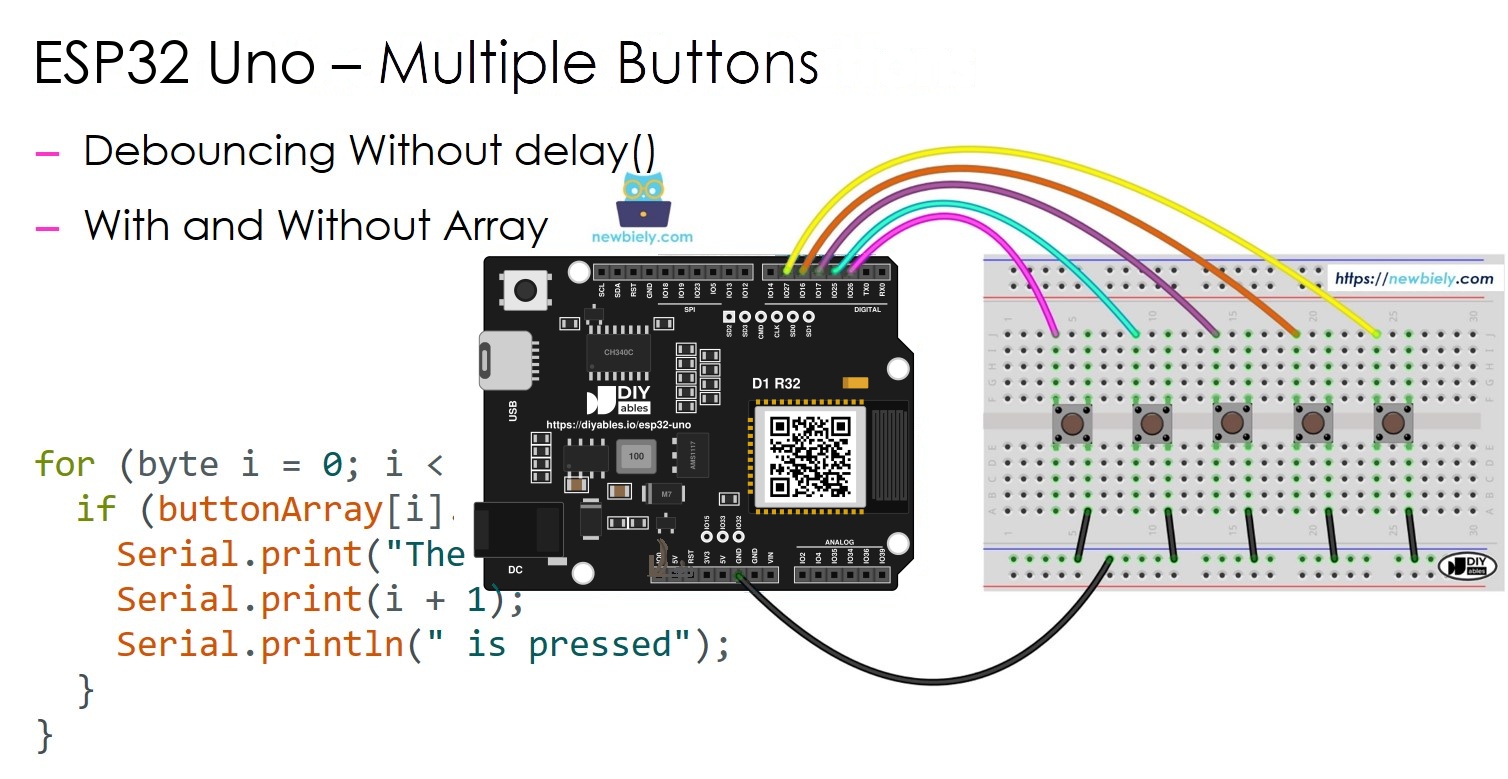
Need five inputs on one board? Read ESP32 Uno multiple buttons at the same time, each one cleanly debounced, and never block the loop with delay(). The ESP32 Uno form board catches every press and every release of every button, even when two fingers hit two keys at once. Two sketches are included: one with a separate ezButton object per key, and one with an array of buttons that grows to three, four or more keys by editing two lines.
What you will do:
- Wire five push buttons to the ESP32 Uno digital header
- Install the ezButton library in Arduino IDE
- Debounce several buttons without the delay() function
- Print a message for each button press and release
- Shrink the code with an array of buttons and a for loop
Components You Need
Or you can buy the following kits:
| 1 | × | DIYables Sensor Kit (18 sensors/displays) |
Additionally, some of these links are for products from our own brand, DIYables .
ESP32 Uno Pinout
Your sketch talks to GPIO numbers, while the board shows Uno labels such as D2 or D6. Use this map to find the GPIO behind each header hole before you plug in the jumper wires.

How to Connect
At the end of this part, all five keys share one GND rail and each has its own signal pin.
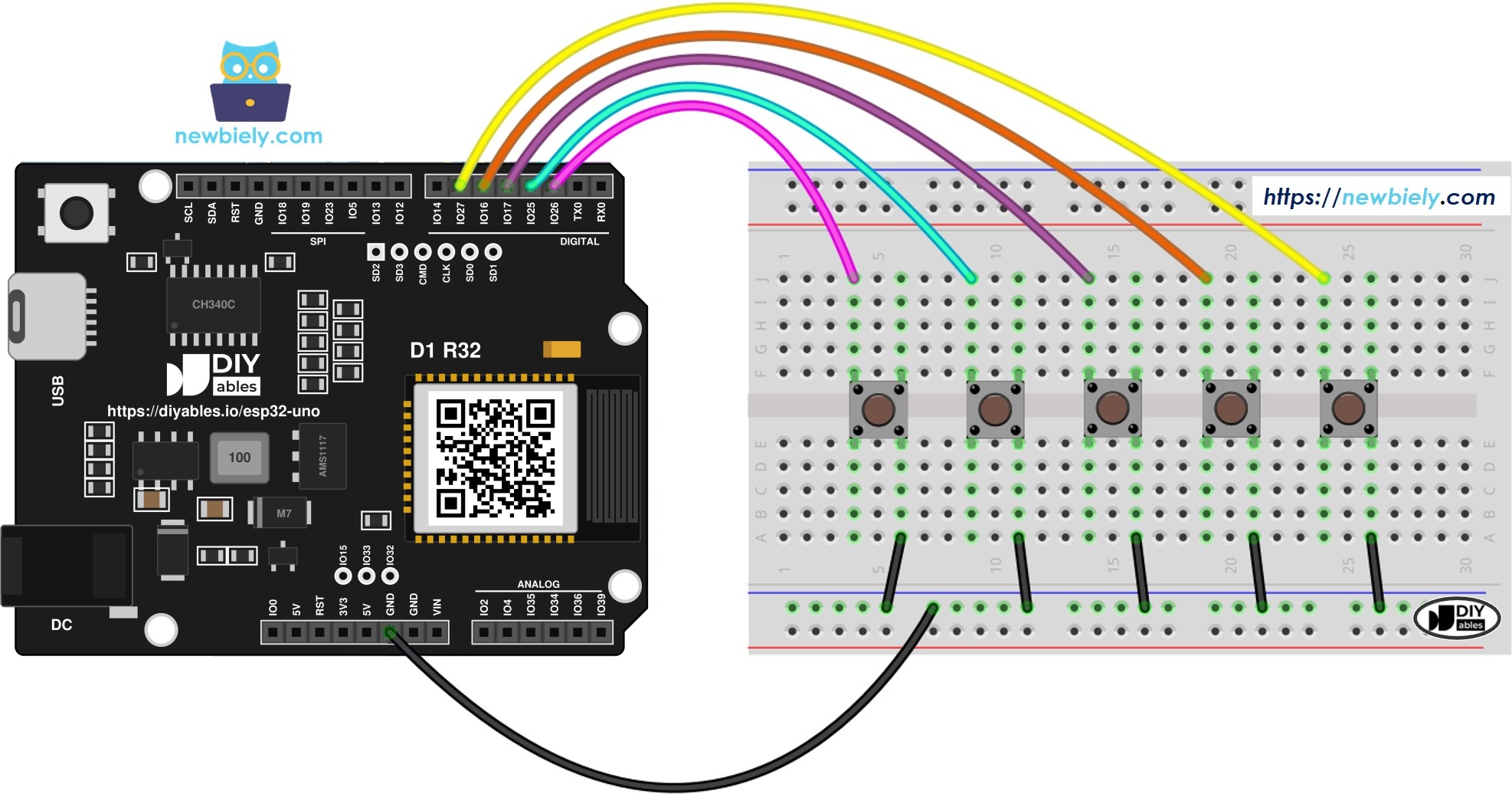
This image is created using Fritzing. Click to enlarge image
| Component Pin | ESP32 Uno Pin |
|---|---|
| Button 1 (first leg) | D2 (GPIO26) |
| Button 2 (first leg) | D3 (GPIO25) |
| Button 3 (first leg) | D4 (GPIO17) |
| Button 4 (first leg) | D5 (GPIO16) |
| Button 5 (first leg) | D6 (GPIO27) |
| Buttons 1 to 5 (second leg) | GND |
Good to know: all five pins (GPIO26, 25, 17, 16, 27) are normal I/O pins with an internal pull-up. None of them is a boot strapping pin, so a pressed key cannot stop an upload.
※ NOTE THAT:
The ESP32 Uno is a 3.3V board, and its inputs are NOT 5V tolerant. In this build every key only shorts its pin to GND, so the board stays safe. Never wire a key between a pin and the 5V header.
ESP32 Uno Code - Five Buttons, One Object Each
By the end of this part, the board reports every press and release of five keys in the Serial Monitor.
Hand-written debounce for five keys means five timers, five "last state" variables and a lot of copy and paste. It gets harder still when you want the exact moment a key goes down or comes back up. The ezButton library keeps those timers and states inside each object. You call loop(), then ask isPressed() or isReleased().
Upload and Test
- First time with this board? Set it up with ESP32 Uno - Getting Started before you continue.
- Build the circuit by following the wiring table above.
- Plug in the USB Type-C cable between the ESP32 Uno and your computer.
- Select the board in Arduino IDE: pick ESP32 Dev Module and the COM port of the board (CH340).
- Open the Library Manager with the Libraries icon in the left bar.
- Search for ezButton and find the entry by ArduinoGetStarted.com.
- Click Install and wait until the IDE says it is done.
- Search for ezButton created by ArduinoGetStarted.com and click the Install button.
- Paste the sketch into a new Arduino IDE window.
- Send it to the board by clicking the Upload arrow.
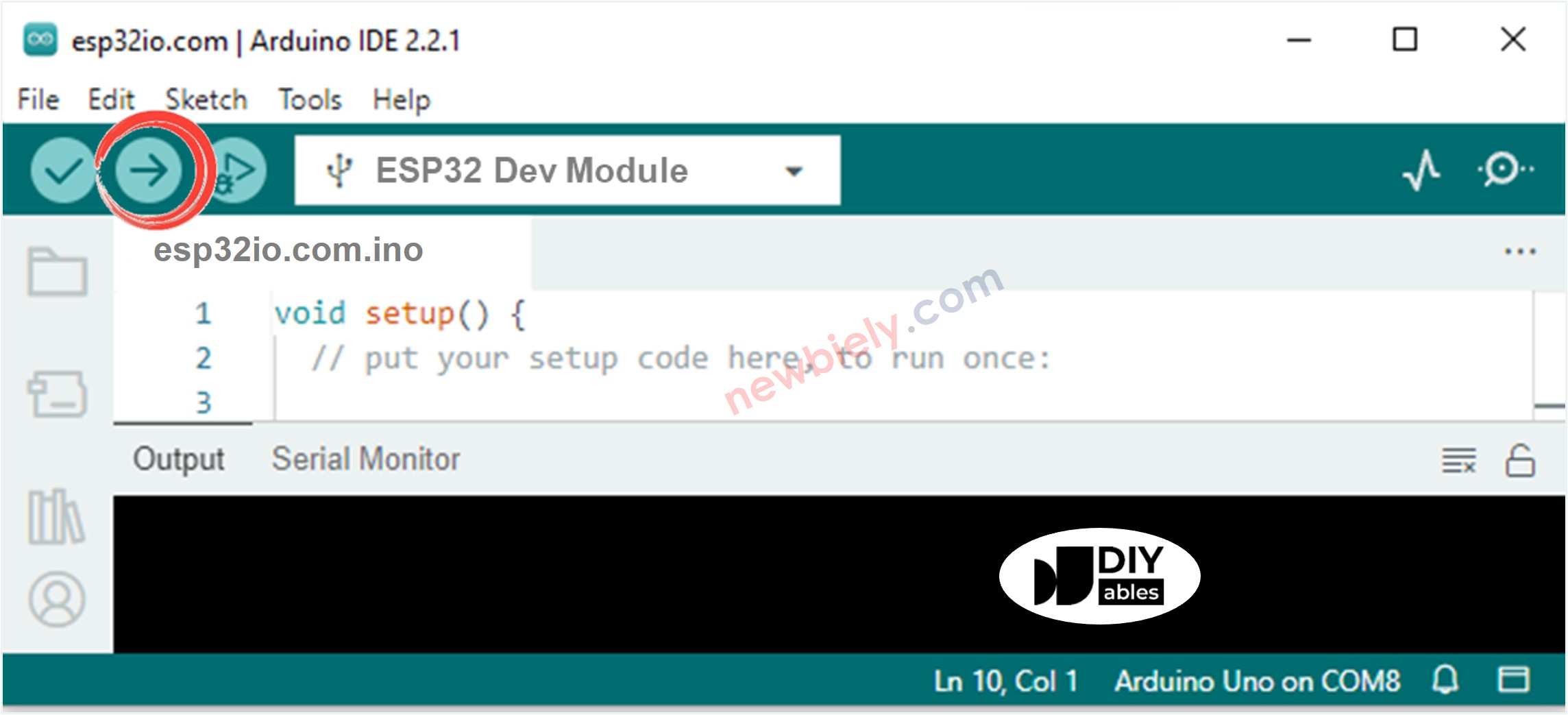
- Open the Serial Monitor at 9600 baud.
- Press the keys in a mixed order, for example 3, 1, 5, then hold 2 while you tap 4. Each event prints on its own line:
- Pro tip: put a small sticker with the number 1 to 5 on each key cap. When a line looks wrong, you see at once if the fault is in the wiring or in your finger.
Video Tutorial
See the ESP32 Uno build in action in the video below.
How the Code Works
| Code Part | What It Does |
|---|---|
| #define BUTTON_PIN_1 26 ... 27 | Links each key to its GPIO (D2 to D6 on the header) |
| ezButton button1(BUTTON_PIN_1) | Makes one object per key and sets the pin to INPUT_PULLUP |
| setDebounceTime(100) | Ignores any change shorter than 100 ms |
| button1.loop() | Samples the pin and updates the debounce timer, so call it first in every loop |
| isPressed() / isReleased() | Returns true one time, right when the key goes down or comes up |
| ezButton buttonArray[] + for loop | Same job for all keys in a few lines (array sketch) |
Since nothing in loop() waits, the board checks all five keys many thousands of times per second and never misses a short tap.
ESP32 Uno vs UNO R4 for This Project
This table lists what changes when you move the five-button build from the UNO R4 to the ESP32 Uno.
| Item | Arduino UNO R4 | ESP32 Uno |
|---|---|---|
| Logic voltage | 5V | 3.3V |
| Button pins in code | 2, 3, 4, 5, 6 | 26, 25, 17, 16, 27 |
| Header holes used | D2 to D6 | D2 to D6 (same spots) |
| Library | ezButton | ezButton (no change) |
| Arduino IDE board | Arduino UNO R4 WiFi or Minima | ESP32 Dev Module |
| WiFi and Bluetooth | WiFi only on the WiFi model | WiFi plus Bluetooth Classic and BLE |
The wiring stays the same hole for hole. Only the five pin numbers in the sketch change, because the ESP32 Uno code uses GPIO numbers.
Try These Next
- Count how many times each key was pressed and print the totals every 10 seconds.
- Use key 1 and key 2 as "up" and "down" to change a number from 0 to 100.
- Make a five-key code lock: the right order 4-2-5-1-3 prints "Unlocked".
- Add a sixth key by raising BUTTON_NUM and adding one pin to the array sketch.
Troubleshooting
| Problem | Possible Cause | Solution | |
|---|---|---|---|
| No COM port shows up in Arduino IDE | CH340 driver missing or charge-only USB cable | Install the CH340 driver and use a USB cable that carries data | |
| Upload stops at "Failed to connect" or "Waiting for download" | Board did not enter download mode | Hold the BOOT button while the upload starts, then let go | |
| A key prints nothing at all | Jumper in the wrong header hole or key legs on the same breadboard side | Check the D2 to D6 holes and turn the key so it spans the middle gap | |
| A key reports pressed and never released | Second leg goes to 3.3V or the two legs are always joined | Move the second leg to GND and turn the key by 90 degrees | |
| Two keys fire together | Both signal wires share one breadboard row | Give every key its own row and its own signal wire | |
| One tap gives several lines | Debounce time too short for a worn key | Raise setDebounceTime() to 150 or 200 | |
| "ezButton.h | No such file or directory" | Library not installed | Install ezButton by ArduinoGetStarted.com in the Library Manager |
| Random symbols in the Serial Monitor | Baud rate does not match the sketch | Pick 9600 baud in the Serial Monitor |
FAQ
Does each push button need its own pin on the ESP32 Uno?
Yes, in this design each key uses one input pin and all keys share GND. Five keys take five pins. For a large keypad, a button matrix or an I/O expander saves pins.
Do I have to add a 10k resistor to every button?
No. ezButton sets each pin to INPUT_PULLUP, and the pins used here (GPIO26, 25, 17, 16, 27) have an internal pull-up. One wire from the key to its pin and one wire to the GND rail is all it takes.
Can I use the A0 to A5 holes for more buttons?
A0 (GPIO2) and A1 (GPIO4) work as button inputs, but A0 is a boot strapping pin, so do not hold that key during reset. A2 to A5 (GPIO35, 34, 36, 39) are input only and have no internal pull-up. If you use them, add a 10k resistor from the pin to 3.3V, or the input floats and prints random events.
Which ESP32 Uno pins should I avoid for buttons?
Skip D0 and D1 (GPIO3 and GPIO1), because they carry the USB serial data. Be careful with D8 (GPIO12) and D10 (GPIO5), since they are boot strapping pins. A key held down at power-on on those pins can stop the board from starting.
How do I go from five buttons to two or three?
In the array sketch, set BUTTON_NUM to the new count and keep only that many entries in buttonArray[]. In the first sketch, delete the lines for the keys you do not need.
Can the ESP32 Uno tell when two buttons are held at once?
Yes. Every key has its own ezButton object, so the events do not block each other. Call getState() on both keys; LOW on both means both are held.
Will my old Uno button sketch run on the ESP32 Uno?
Almost. Compared with the UNO R4 version, the library and logic are the same, but the pin numbers must change from 2 to 6 into 26, 25, 17, 16 and 27. Also pick ESP32 Dev Module as the board in Arduino IDE.
Can I fit an Uno button shield on the ESP32 Uno?
Often yes, since the header shape matches. Check that the shield does not pull the keys up to 5V. A shield that feeds 5V into the pins can damage the 3.3V ESP32 Uno inputs.
What if my project needs more pins than the Uno headers give?
The ESP32 Uno has a few extra holes near the power header: GPIO32 and GPIO33 (I/O, PWM, analog on ADC1, so they work with WiFi on) and GPIO15 (I/O, PWM, analog on ADC2). Solder pin headers to them and write the GPIO number in code, for example #define BUTTON_PIN_6 32. For extra keys, use GPIO32 and GPIO33 first. Two warnings: GPIO15 and GPIO0 (the IO0 pin at the unused Uno NC position) are boot strapping pins, and a wrong connection can stop the board from booting or uploading code. Never use the six holes under the digital header (SD0 to SD3, CMD, CLK = GPIO6 to GPIO11), because they are wired to the flash chip and using them crashes the board.
Can I use these buttons to control things over WiFi?
Yes. The ESP32 Uno has WiFi and Bluetooth, so a key press can update a web page, send a message to a phone app, or switch a relay on another board. See the Go Wireless section above for app tutorials.