
Arduino Nano - MQ3 Alcohol Sensor
This guide walks you through integrating the MQ3 alcohol sensor with Arduino Nano for detecting and measuring alcohol vapor and ethanol concentration. The MQ3 sensor is commonly deployed in breath analyzer projects, alcohol alarm systems, and air quality assessment applications.
In this tutorial, you will learn:
- How to wire the MQ3 alcohol sensor module to Arduino Nano
- How to code Arduino Nano to read and evaluate alcohol vapor levels
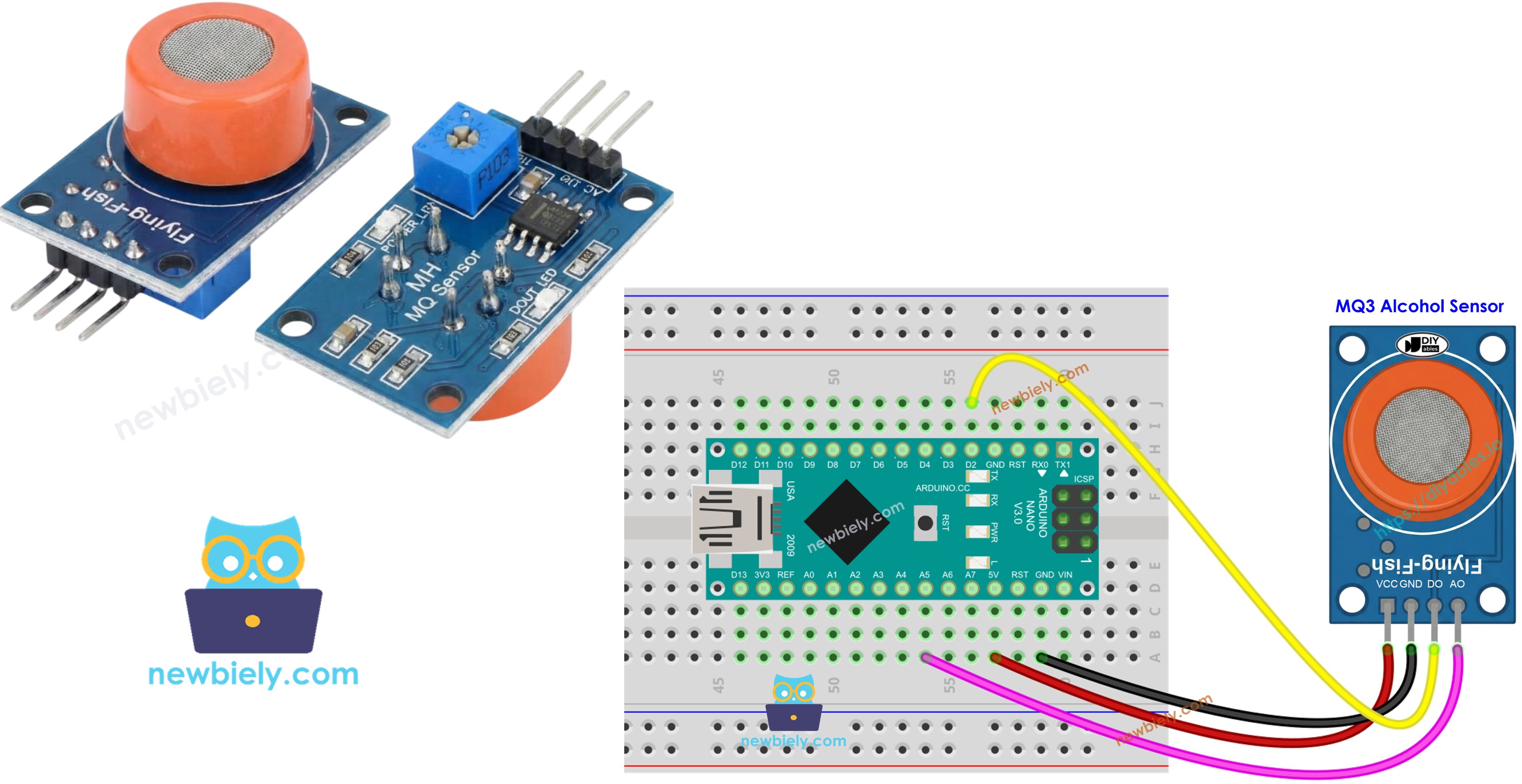
Hardware Preparation
Or you can buy the following kits:
| 1 | × | DIYables Sensor Kit (18 sensors/displays) |
Additionally, some of these links are for products from our own brand, DIYables .
Overview of MQ3 Alcohol Sensor
The MQ3 functions as a Metal Oxide Semiconductor (MOS) Chemiresistor, identifying alcohol by measuring resistance variations in its sensitive material. Designed for ethanol vapor detection, this sensor delivers reliable performance across different concentration levels.
The sensor's detection element consists of Tin Dioxide (SnO2) material layered onto a ceramic substrate made of Aluminum Oxide. When heated, the SnO2 layer becomes chemically reactive to alcohol molecules in the surrounding air. A protective stainless steel mesh guards the internal components while allowing gas molecules to reach the sensing chamber.
Common applications include DIY breathalyzer devices, drunk driving detection systems, alcohol vapor alarms, and atmospheric alcohol level monitoring.
Technical Specifications
- Operating Voltage: 5V DC
- Load Resistance: 200 KΩ
- Heater Resistance: 33Ω ± 5%
- Heating Consumption: < 800mW
- Sensing Resistance: 1 MΩ – 8 MΩ
- Detection Range: 25 – 500 ppm (parts per million)
- Preheat Time: 24-48 hours for first use
What is ppm? Parts-per-million (ppm) describes the proportion of target gas molecules relative to total gas molecules. For instance, 500 ppm means there are 500 alcohol molecules within each 1,000,000 gas molecules, while the other 999,500 molecules are ambient air components.
Pinout
The MQ3 sensor module features four pin connections:
- VCC pin: Connect to +5V power supply.
- GND pin: Connect to ground (0V).
- DO pin: Digital output goes LOW when alcohol exceeds the threshold, HIGH when below threshold. Adjust the threshold using the onboard potentiometer.
- AO pin: Analog output delivers voltage proportional to alcohol concentration. Higher alcohol levels produce higher voltages.
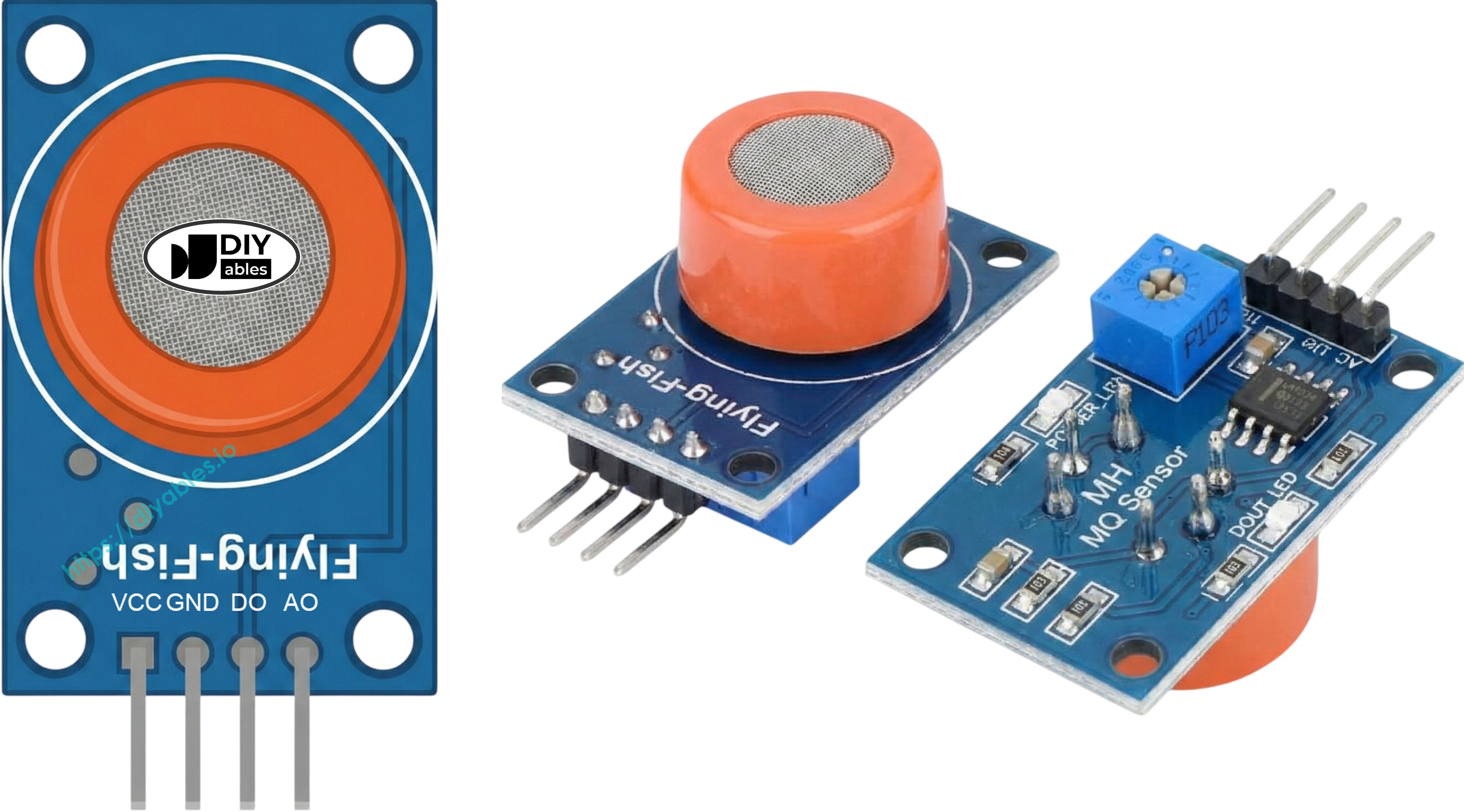
Visual feedback is provided by two onboard LEDs:
- PWR-LED: Lights up when the module receives power.
- DO-LED: Mirrors the digital output state—illuminates when detecting alcohol, stays dark otherwise.
How It Works
The MQ3 operates through resistance changes in its Tin Dioxide (SnO2) semiconductor material:
In clean air: The heated SnO2 surface attracts atmospheric oxygen molecules, which trap electrons and form a depletion layer. This electron trapping creates a conduction barrier, maintaining high electrical resistance.
When exposed to alcohol: Alcohol molecules react with the surface oxygen, releasing the trapped electrons back into the tin dioxide lattice. This electron release increases conductivity substantially—higher alcohol concentrations result in lower resistance values.
The sensor provides two distinct output modes:
Digital Output (DO pin):
- Threshold level is adjustable via the onboard trim potentiometer.
- Detection above the threshold drives DO to LOW and lights the indicator LED.
- Readings below the threshold keep DO at HIGH with the LED off.
Analog Output (AO pin):
- Output voltage changes proportionally with alcohol concentration.
- Higher alcohol vapor = increased voltage output.
- Lower alcohol vapor = decreased voltage output.
- Note: The trim potentiometer affects only the digital threshold, not the analog signal.
Warm-up and Calibration
Pre-heating Requirements
For accurate operation, the MQ3 sensor requires adequate heating:
- First use or after long storage (30+ days): Run the heater continuously for 24-48 hours to stabilize the sensor and achieve consistent readings.
- Routine operation: A quick 5-10 minute warm-up period is adequate. Early readings may show elevated values but will settle to normal within minutes.
Warm up the sensor by connecting its VCC and GND pins to 5V and ground respectively—either through a power supply or directly from your Arduino Nano's power pins.
Finding Your Threshold Values
Heater-based gas sensors like the MQ3 can drift after storage periods. For breathalyzer implementations, determine proper threshold values through this calibration process:
- Record baseline in clean air: Operate the sensor in fresh air without alcohol present. Note the analog reading (typically 100-150).
- Test with alcohol vapor: Bring isopropyl alcohol or hand sanitizer near the sensor (do not make contact), allowing vapor to reach the detector. Record the elevated values (usually 400-900 depending on vapor strength).
- Set detection ranges: Based on your measurements, create threshold zones:
- Sober state: Values below baseline + 20 (for example: < 120)
- Moderate level: Values in the mid-range (for example: 120-400)
- High level: Values above moderate limit (for example: > 400)
Note: Each sensor unit and operating environment produces different values. Calibrate with your actual hardware before using in any application.
Setting the Digital Threshold
Adjust the DO pin trigger point using the module's potentiometer:
- Expose the sensor to alcohol vapor.
- Turn the potentiometer clockwise until the LED lights up.
- Slowly rotate counterclockwise until the LED just turns off.
- Your digital threshold is now calibrated.
Wiring Diagram
The MQ3 module provides both digital and analog outputs. Use either output individually or both together depending on your project needs.
| MQ3 Alcohol Sensor | Arduino Nano |
|---|---|
| VCC | 5V |
| GND | GND |
| DO | D2 |
| AO | A0 |
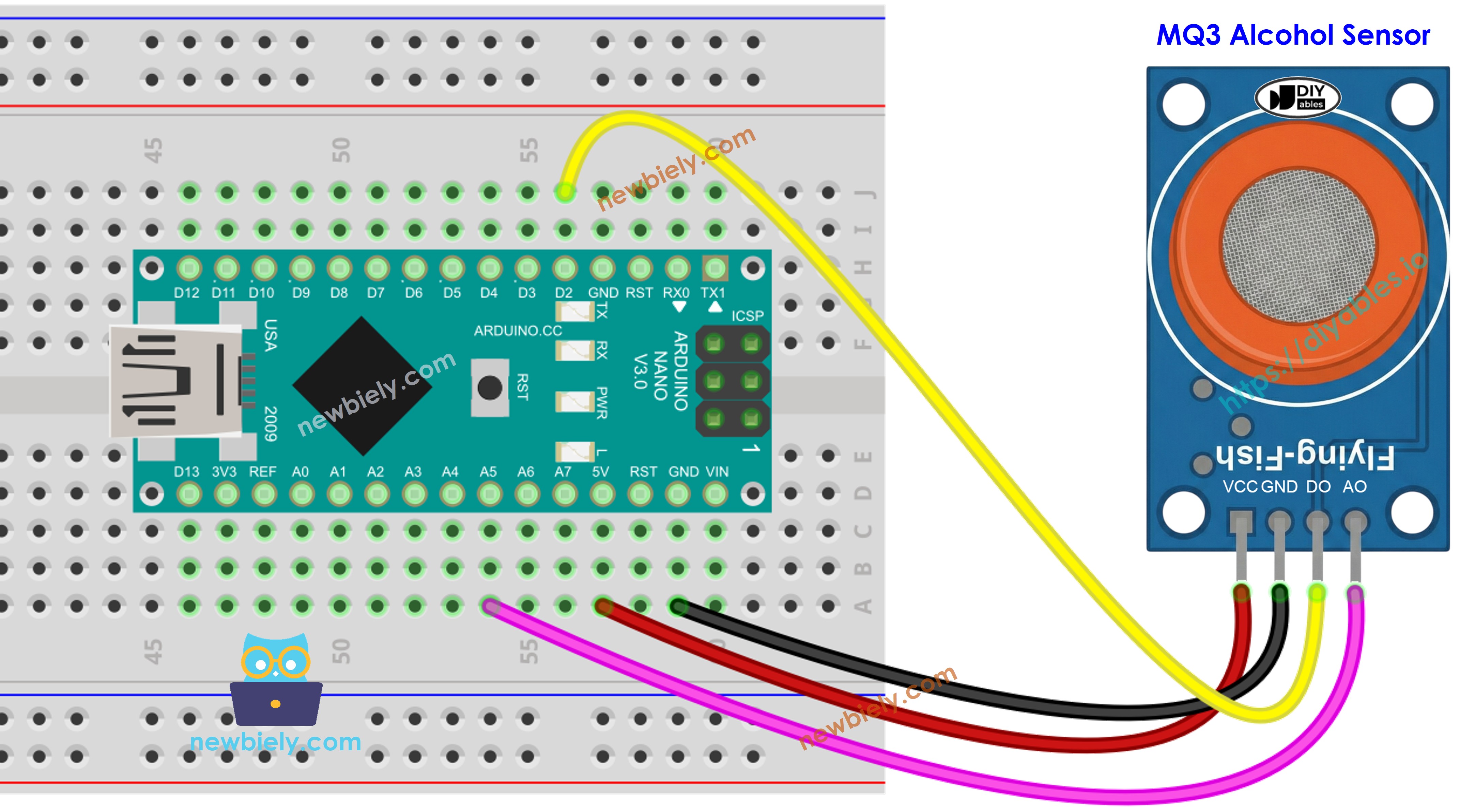
This image is created using Fritzing. Click to enlarge image
See The best way to supply power to the Arduino Nano and other components.
Arduino Nano Code - Digital Output Reading
Detailed Instructions
- Copy the code into Arduino IDE
- Click the Upload button to transfer code to Arduino Nano
- Place an alcohol vapor source near the sensor (use hand sanitizer or rubbing alcohol on a cotton swab)
- Check the Serial Monitor for results
Tip: If the detection results don't align with reality (false triggers or missed detections), adjust the potentiometer on the module. Turn clockwise to increase sensitivity or counterclockwise to decrease it until the detection becomes accurate.
Arduino Nano Code - Analog Output Reading
Detailed Instructions
- Paste the code into Arduino IDE
- Click the Upload button to program Arduino Nano
- Expose the sensor to alcohol vapor (hand sanitizer or isopropyl alcohol vapors)
- Monitor the changing values in Serial Monitor
With both digital and analog outputs available, you can implement threshold-based logic to trigger alarms, activate visual indicators, or log data for breathalyzer applications.
Arduino Nano Code - Breathalyzer with Threshold Detection
This example shows how to interpret analog readings using calibrated thresholds to estimate alcohol consumption levels.
Detailed Instructions
- Important: Calibrate your sensor first using the analog reading example to determine proper threshold values for your specific sensor.
- Modify the SOBER_THRESHOLD and DRUNK_THRESHOLD constants in the code with your calibrated values.
- Upload the updated code to Arduino Nano
- Test by introducing alcohol vapor (isopropyl alcohol or hand sanitizer vapor)
- Watch the status updates in Serial Monitor
Disclaimer: This is an educational project only. Do not use this device as an official breathalyzer or for determining driving safety.