
Arduino Nano ESP32 - GUVA-S12SD UV Sensor
In this guide, we will learn how to use the GUVA-S12SD UV sensor with the Arduino Nano ESP32. Your eyes cannot see ultraviolet light, but your skin feels it a few hours later. This small module gives the Nano ESP32 a way to "see" it, and because the board has WiFi, the number can later go to your phone or a web page. In detail, we will learn:
- How to wire the three pins of the module (SIG, GND, VCC) to the A0, GND and 3V3 pins of the Nano ESP32.
- How to print the 12-bit ADC value next to the real SIG voltage, taken with analogReadMilliVolts().
- How to turn that voltage into an approximate UV index and give it a name, from Low to Extreme.
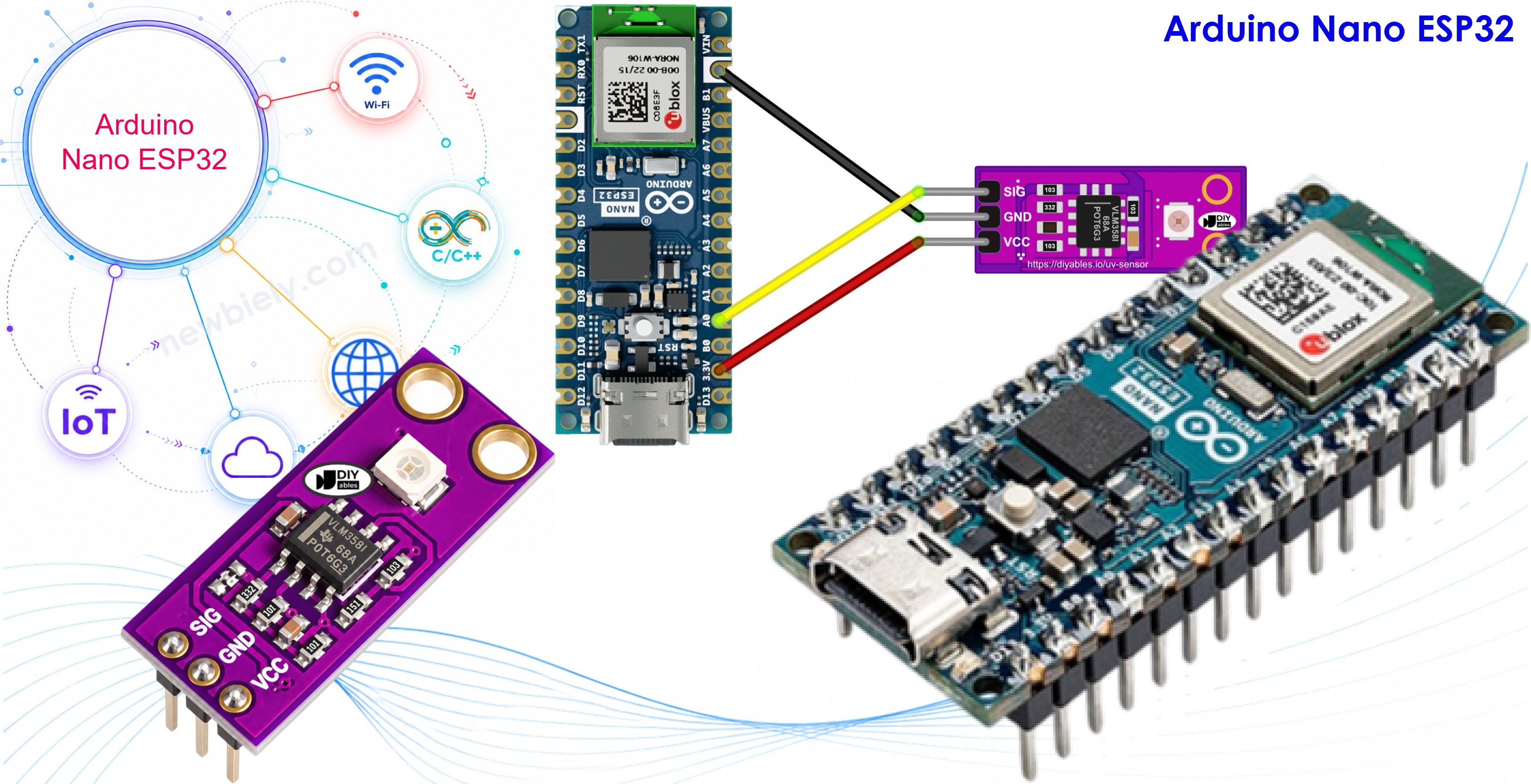
Hardware Preparation
Or you can buy the following kits:
| 1 | × | DIYables Sensor Kit (18 sensors/displays) |
Additionally, some of these links are for products from our own brand, DIYables .
Overview of GUVA-S12SD UV Sensor
The module is a tiny purple board, about 11mm x 27mm, with a mounting hole at each end. The part that does the work is the little white square: a GUVA-S12SD UV photodiode. Next to it sits a VLM358 op-amp chip. The DIYables version comes in a pack of two, with the pin header already soldered.
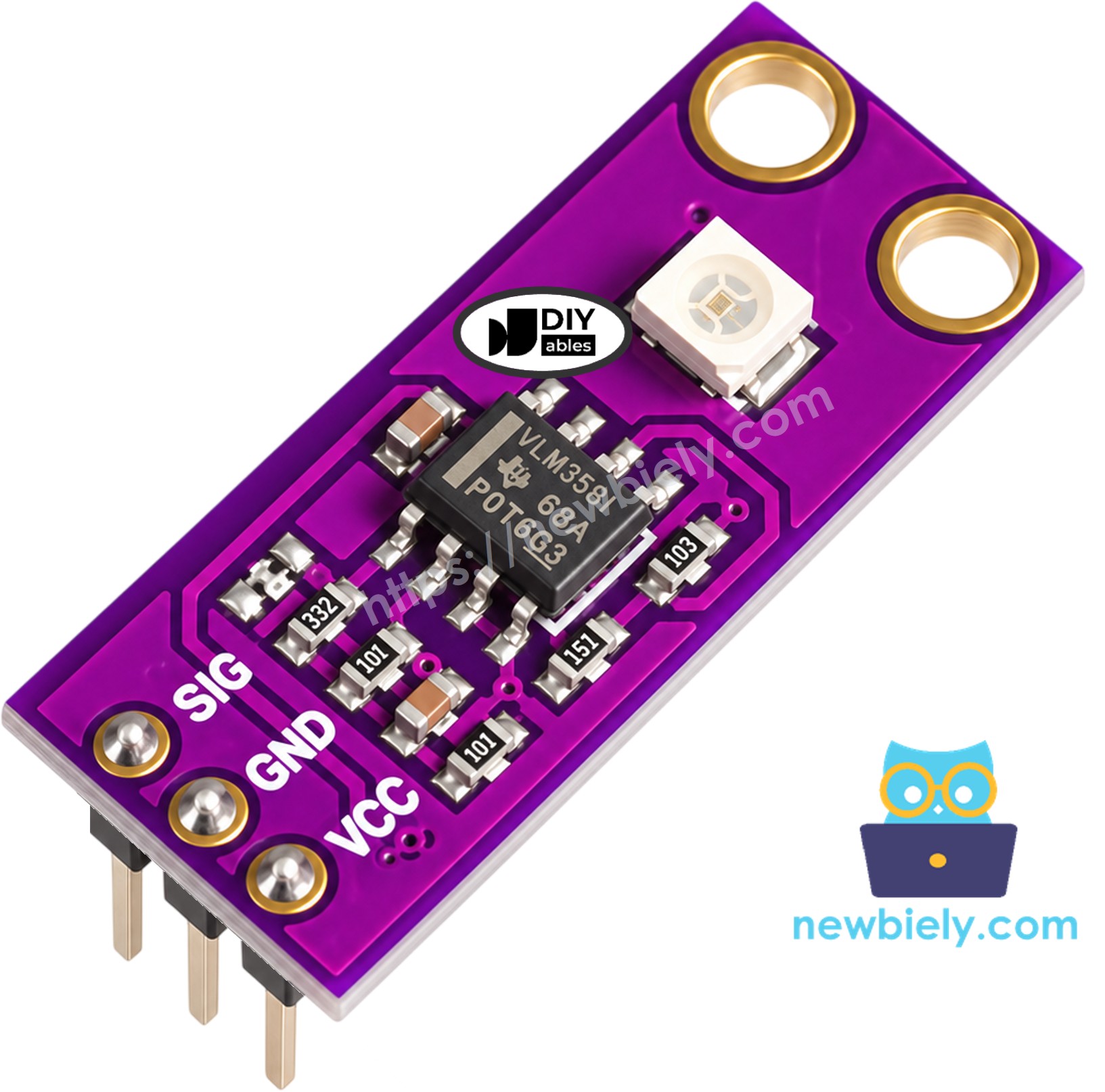
How does it work? When UV light lands on the photodiode, it lets a very small current flow. That current is far too weak to measure directly, so the op-amp turns it into a voltage on the SIG pin. More UV gives a higher voltage. The Nano ESP32 then only has to read that voltage on an analog pin.
Main facts:
- Light it reacts to: UV-A and UV-B, 240nm to 370nm
- Viewing angle: 130 degrees
- Supply: 2.5V to 5V DC
- Output: analog voltage, near 0V with no UV, around 1V or a bit more in strong summer sun
The header has three pins. Read them on the board from one side: SIG, GND, VCC.
- SIG pin: the analog output. Connect it to A0 of the Nano ESP32.
- GND pin: connect to GND (0V).
- VCC pin: connect to the 3V3 pin. The module accepts up to 5V, but the Nano ESP32 is a 3.3V board, so keep the sensor at 3.3V too.
A good thing to know before you start: room lights, phone screens and even a bright window give almost no UV. So indoors the module reads close to 0, and that is normal, not a fault. Take it outside into the sun, or shine a UV flashlight on it, to see real numbers.
From voltage to UV index
The UV index is the number you see in weather apps. A simple rule used by many makers is:
UV index ≈ SIG voltage (V) / 0.1
So every 0.1V on SIG counts as about one UV index point. For example, 0.45V means a UV index of about 4.5. This is a rough value for hobby projects, not a calibrated UV meter. The World Health Organization groups the UV index like this:
| UV Index | Level | What it means for you |
|---|---|---|
| 0 - 2 | Low | Safe for most people |
| 3 - 5 | Moderate | Wear a hat and sunscreen at midday |
| 6 - 7 | High | Cover up and look for shade |
| 8 - 10 | Very High | Stay out of the midday sun |
| 11+ | Extreme | Avoid the sun when you can |
Some ideas for this module with the Nano ESP32: a sunscreen reminder that sends a message to your phone, a small UV index station on the balcony, a tester that tells you whether a UV lamp or UV LED still works, a weather station on the roof, or a smart blind that closes when the sun gets too strong.
Wiring Diagram
Three wires are enough, no resistor and no breadboard: SIG to A0, GND to GND, and VCC to 3V3. A0 is a good choice on this board. Pins A0 to A3 belong to ADC1 of the ESP32-S3 chip, and ADC1 keeps working while WiFi is on, so you can add WiFi to this project later without moving the wire.
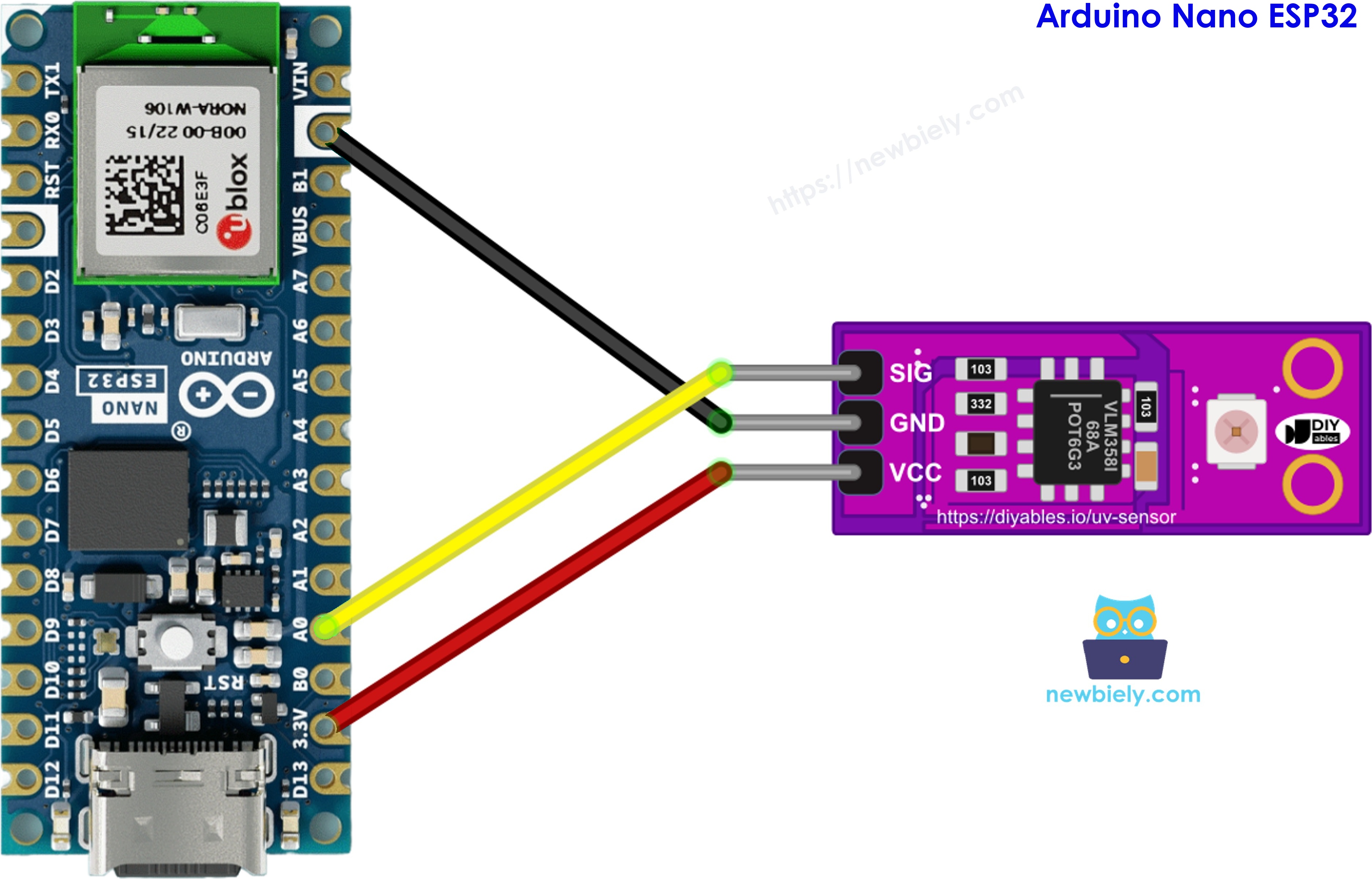
This image is created using Fritzing. Click to enlarge image
Wiring table of GUVA-S12SD UV Sensor and Arduino Nano ESP32
| GUVA-S12SD UV Sensor | Arduino Nano ESP32 |
|---|---|
| SIG | → A0 |
| GND | → GND |
| VCC | → 3V3 (not VBUS) |
How To Program For GUVA-S12SD UV Sensor
No library is needed. Everything comes with the Arduino core for the Nano ESP32.
- Give the analog pin a name:
- In setup(), set the input range of the ADC to about 0V - 3.1V:
- Read the raw ADC number. On the Nano ESP32 it goes from 0 to 4095 (12 bits):
- Read the voltage in millivolts. analogReadMilliVolts() uses the calibration data stored inside the ESP32-S3 chip, so it is more correct than doing the math on the raw number yourself:
- Get the approximate UV index:
Arduino Nano ESP32 Code - Raw ADC Value and SIG Voltage
This first sketch is a check that the sensor is alive. Once per second it prints the raw ADC number and, next to it, the calibrated voltage in millivolts and volts. Seeing both side by side shows you why the calibrated value is the one to trust.
Detailed Instructions
Follow these instructions step by step:
- If this is the first time you use Arduino Nano ESP32, see how to setup environment for Arduino Nano ESP32 on Arduino IDE.
- Connect SIG, GND and VCC as listed in the wiring table. VCC goes to 3V3.
- Plug the Arduino Nano ESP32 into your computer with a USB Type-C cable.
- Launch the Arduino IDE on your computer.
- Select the appropriate Arduino Nano ESP32 board (e.g., Arduino Nano ESP32) and COM port.
- Paste the code above into a new sketch and click Upload.
- Open the Serial Monitor at 9600 baud.
- Look at the numbers on your desk first. Then carry the laptop and board to a sunny window that is open, or outside, and point the white sensor at the sky.
The first lines come from indoors: a few millivolts and nothing more. The jump happens when the board meets real sunlight. Notice that the raw number is not simply the voltage times a fixed factor. The ESP32-S3 ADC is not perfectly straight, which is why this tutorial uses analogReadMilliVolts() for every calculation.
※ NOTE THAT:
Closed glass windows block most UV-B and part of UV-A. If the reading stays low behind a window on a sunny day, open it or go outside.
Arduino Nano ESP32 Code - UV Index and Level
Now let's make the number useful. This sketch takes 16 calibrated readings, averages them so the value does not jump around, divides the voltage by 0.1 to get the UV index with one decimal, and adds the WHO level name.
Detailed Instructions
- Keep the same wiring.
- Paste the code above into the Arduino IDE and click Upload.
- Open the Serial Monitor at 9600 baud.
- Start in the shade, then move the sensor into direct sun around midday.
Compare the result with the UV index in a weather app for your city. If your module always reads a little higher or lower, change VOLT_PER_UVI in the code (for example 0.11 or 0.09) until the two match. A small step further: use the WiFi of the Nano ESP32 to send a warning when the level reaches High.
※ NOTE THAT:
The Arduino Nano ESP32's ADC is fine for a hobby UV meter, but it is not a lab tool. Very small voltages (below about 50mV) are the least exact part of its range. If you need better precision, use an external ADC such as the ADS1115 module.