
Arduino Nano ESP32 - Bluetooth and Bluetooth Low Energy
Overview
This tutorial explains how to use Bluetooth Low Energy (BLE) on the Arduino Nano ESP32 with the DIYables Bluetooth App. No additional Bluetooth hardware is needed — BLE is built directly into the board.
The Arduino Nano ESP32 includes built-in BLE support, enabling a direct connection to the DIYables Bluetooth App on both Android and iOS.
Note: The Arduino Nano ESP32 supports BLE only — Classic Bluetooth is not available. The DIYables Bluetooth App supports BLE and Classic Bluetooth on Android, and BLE on iOS, making it compatible with both platforms.
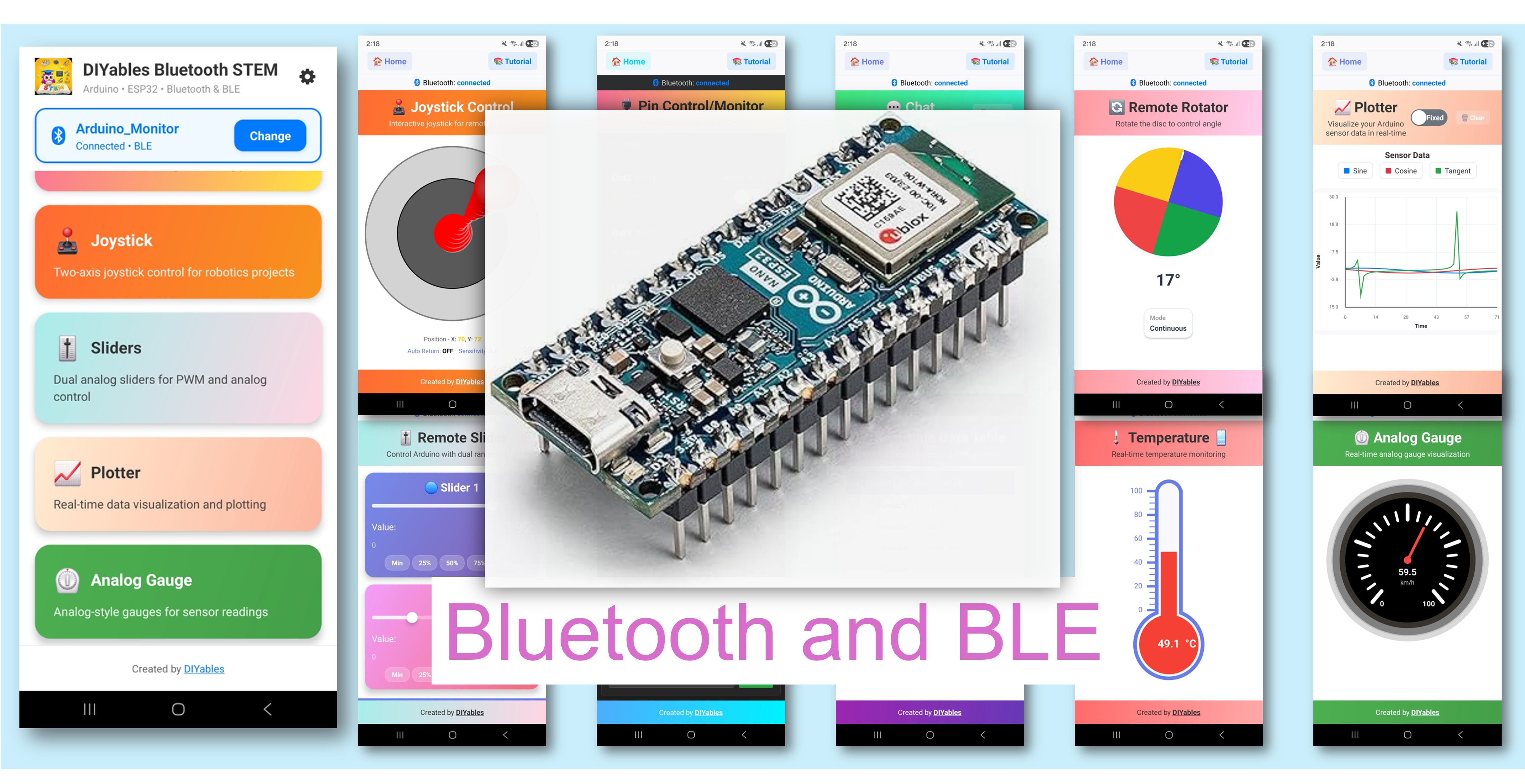
Features
- Wireless Range: Control your Arduino from up to 10 metres away
- Cross-Platform: Compatible with both Android and iOS
- Auto-Connect: BLE connects without manual pairing
- Rich Widget Set: Sliders, joystick, monitor, plotter, gauge, temperature, chat, table, rotator, and more
- Low Power: BLE consumes significantly less power than Classic Bluetooth
- Simple Setup: A single library installation handles all communication
Hardware Preparation
Or you can buy the following kits:
| 1 | × | DIYables Sensor Kit (18 sensors/displays) |
Additionally, some of these links are for products from our own brand, DIYables .
Firmware Requirement
> Recommended: Update to the latest firmware for the WiFi module on your Arduino Nano ESP32. See: How to Upgrade the Firmware on Arduino Nano ESP32
Software Setup
Detailed Instructions
- New to the Arduino Nano ESP32? Start with the Arduino Nano ESP32 getting started guide.
- Connect the Arduino Nano ESP32 to your computer using a USB cable.
- Open Arduino IDE.
- Select the Arduino Nano ESP32 board and the correct COM port.
Install Board Core
- Open Tools Board Boards Manager...
- Search for "Arduino SAMD Boards"
- Install version 1.8.13 or newer
Install DIYables Bluetooth Library
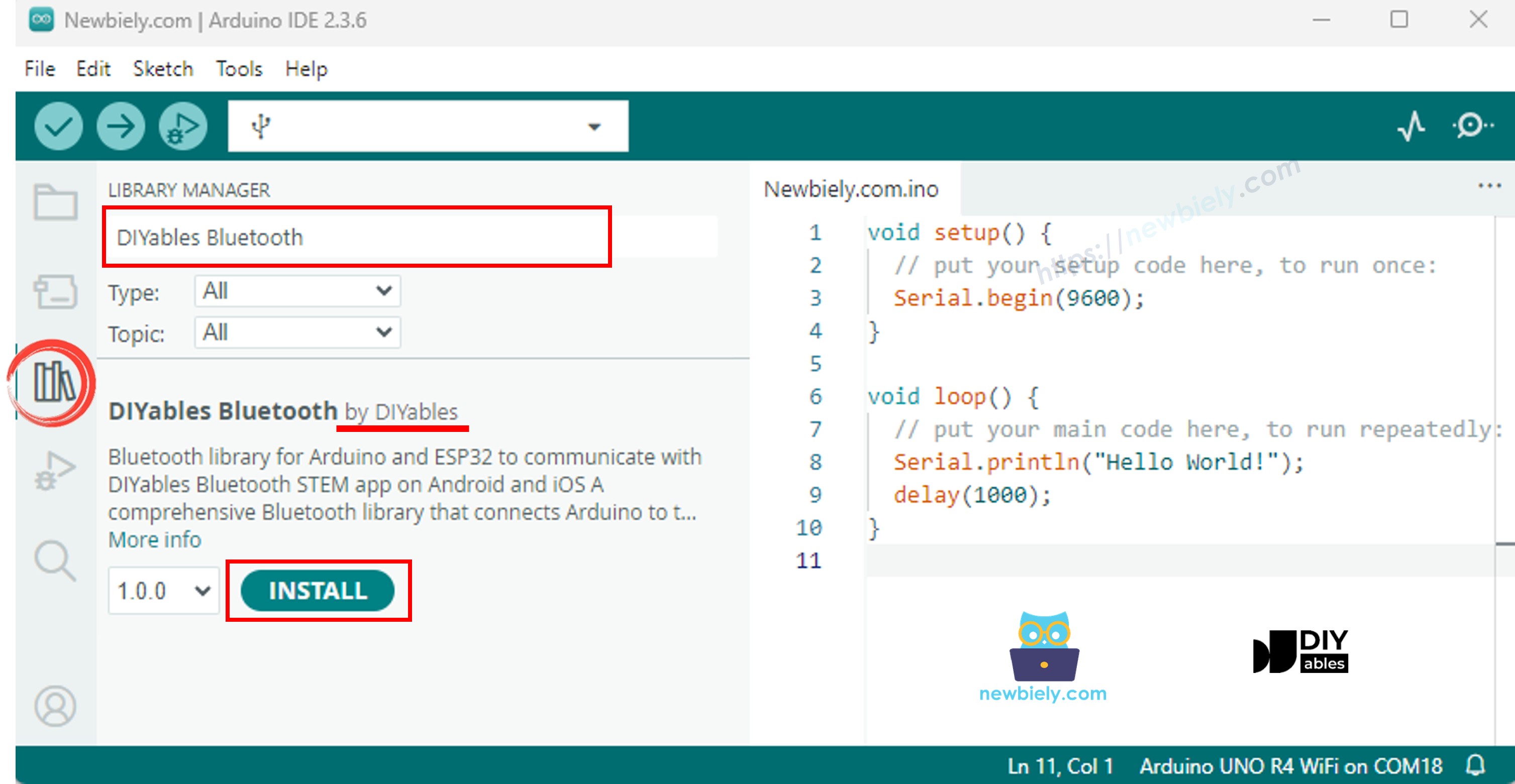
- Click the Libraries icon in the left sidebar of Arduino IDE.
- Search for "DIYables Bluetooth" and find the DIYables Bluetooth library by DIYables.
- Click Install.
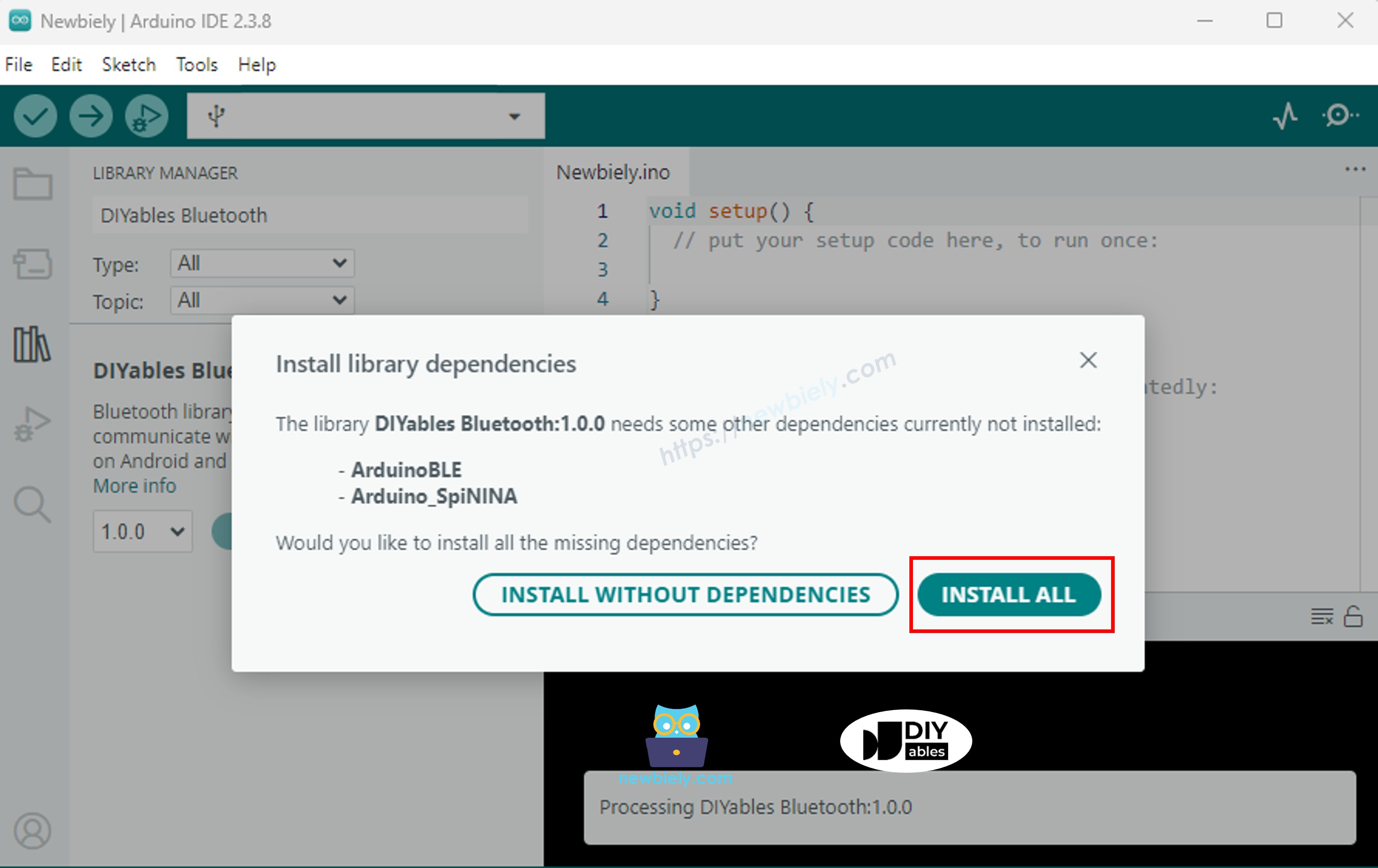
- When prompted to install dependencies, click Install All (includes ArduinoBLE 1.3.6 or newer).
Mobile App
Note: The DIYables Bluetooth App supports both BLE and Classic Bluetooth on Android, and BLE on iOS. The Arduino Nano ESP32 uses BLE, so the app is compatible with both Android and iOS. BLE does not require manual pairing — scan and connect directly.
- Launch the DIYables Bluetooth App.
- On first launch, grant the following permissions:
- Nearby Devices (Android 12+) / Bluetooth (iOS) — required to scan and connect to Bluetooth devices
- Location (Android 11 and below only) — required to scan for BLE devices on older Android versions
- Ensure Bluetooth is enabled on your device.
- Tap the Connect button on the home screen. The app will scan for nearby BLE devices.
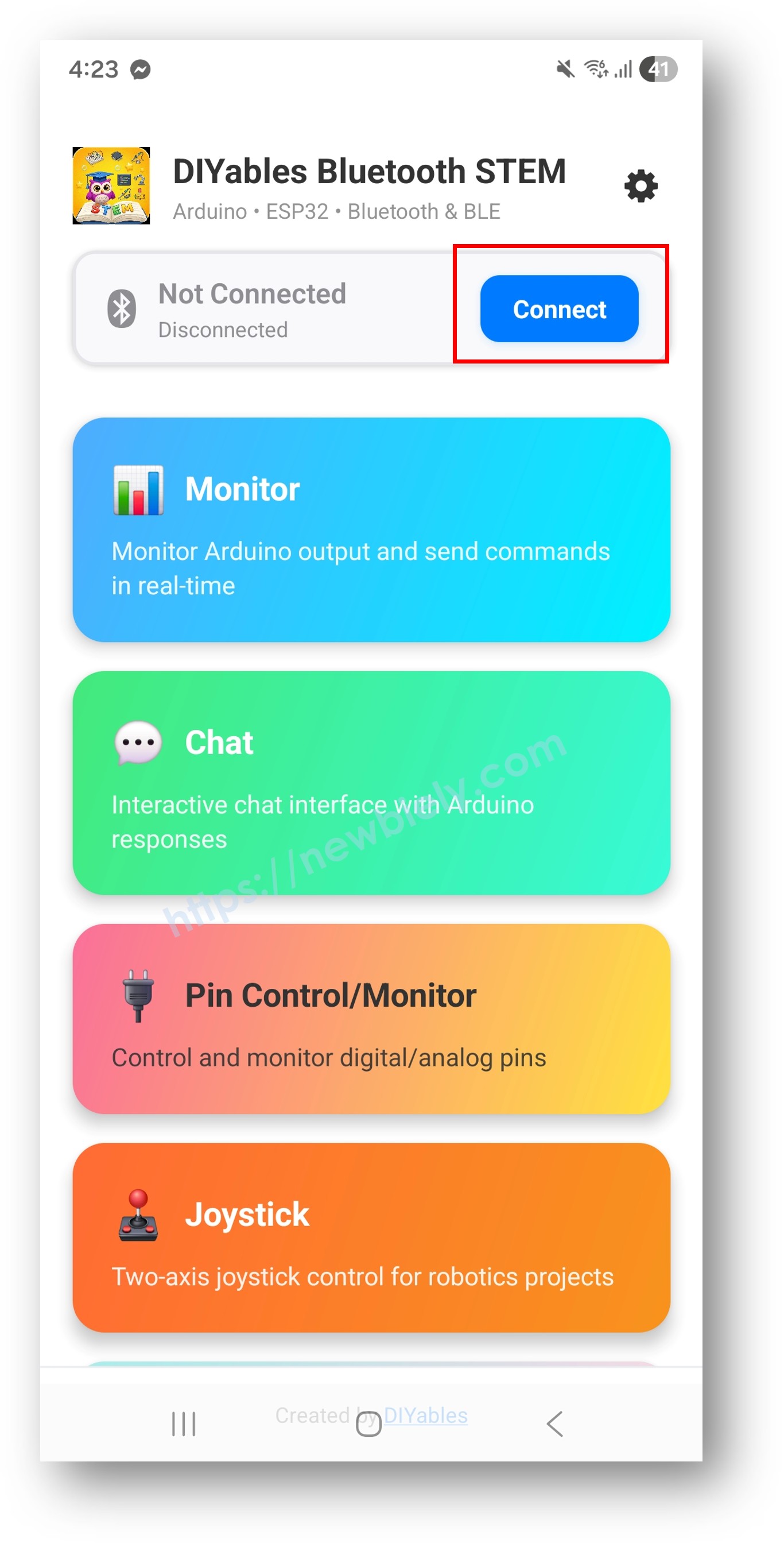
- Select your Arduino Nano ESP32 from the list of discovered devices.
Examples
The following examples use the ArduinoBLE platform (BLE-only), compatible with the Arduino Nano ESP32.
- Arduino Nano ESP32 - Bluetooth Slider - Adjust values using one or two sliders
- Arduino Nano ESP32 - Bluetooth Pin Control - Switch digital output pins on and off
- Arduino Nano ESP32 - Bluetooth Monitor - Get a wireless serial monitor — send and receive text over the air
- Arduino Nano ESP32 - Bluetooth Plotter - Visualize sensor data as live charts
- Arduino Nano ESP32 - Bluetooth Analog Gauge - Show values on analog-style gauge dials
- Arduino Nano ESP32 - Bluetooth Temperature - View temperature and humidity data
- Arduino Nano ESP32 - Bluetooth Joystick - Capture 2D joystick input straight from the app
- Arduino Nano ESP32 - Bluetooth Rotator - Adjust rotary or dial values using the app
- Arduino Nano ESP32 - Bluetooth Chat - Exchange text messages back and forth
- Arduino Nano ESP32 - Bluetooth Table - Organize and display data in neat table layouts
- Arduino Nano ESP32 - Bluetooth RTC - Keep your real-time clock in sync using the app
- Arduino Nano ESP32 - Bluetooth Multiple Apps - Combine multiple app widgets in a single sketch
Troubleshooting
| What's Happening | Why It's Happening | How to Fix It | |
|---|---|---|---|
| Device not visible in the app scan | Bluetooth firmware is outdated | Update firmware to version 1.4.8 or newer via Tools → Firmware Updater | |
| BLE.begin() returns false | Outdated firmware or wrong board core | Update the Bluetooth firmware and Arduino SAMD core | |
| Connection established but no data received | ArduinoBLE library is outdated | Upgrade ArduinoBLE to version 1.3.6 or later via Library Manager | |
| Compile error | ArduinoBLE.h not found | ArduinoBLE library not installed | Install ArduinoBLE via Library Manager |
| Compile errors related to the board | Wrong board core installed | Install Arduino SAMD Boards version 1.8.13 or newer | |
| App connects then immediately disconnects | Interference or unstable power | Use stable USB power and keep the device within 5 metres |
Notes
- Use the ArduinoBLE_ examples. Do not use Esp32BLE_ or Esp32Bluetooth_ — those are designed for different hardware.
- Keep the board powered via USB or an external source to maintain active BLE advertisement.