
ESP32 S3 - GUVA-S12SD UV Sensor
Sunburn does not wait for a hot day. A cool, bright morning can carry a high UV dose that you cannot see or feel. With a GUVA-S12SD module on one analog pin, your ESP32 S3 can watch that invisible light for you and say how strong it is right now.
What you'll build in this tutorial:
- A look at the purple GUVA-S12SD board, its three pins and the UV index scale
- Three short wires from SIG, GND and VCC to GPIO8, GND and 3V3
- A first sketch that prints the raw ADC count next to the calibrated SIG voltage
- A second sketch that averages the input, works out an approximate UV index and names the risk level
- A simple way to test it, because a desk lamp is not enough
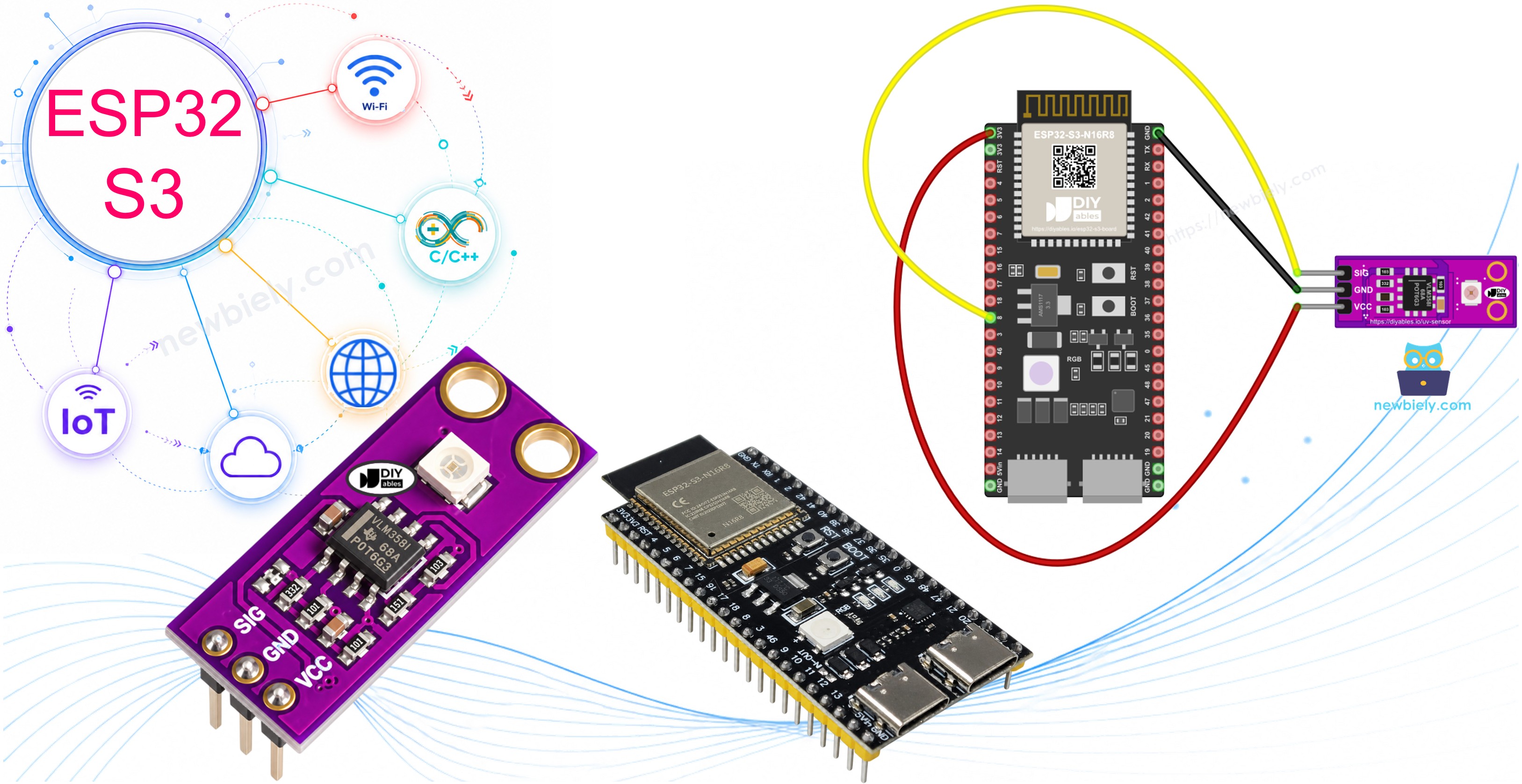
Hardware Preparation
Or you can buy the following kits:
| 1 | × | DIYables ESP32 S3 Starter Kit (ESP32 S3 included) | |
| 1 | × | DIYables Sensor Kit (18 sensors/displays) |
Additionally, some of these links are for products from our own brand, DIYables .
Overview of GUVA-S12SD UV Sensor
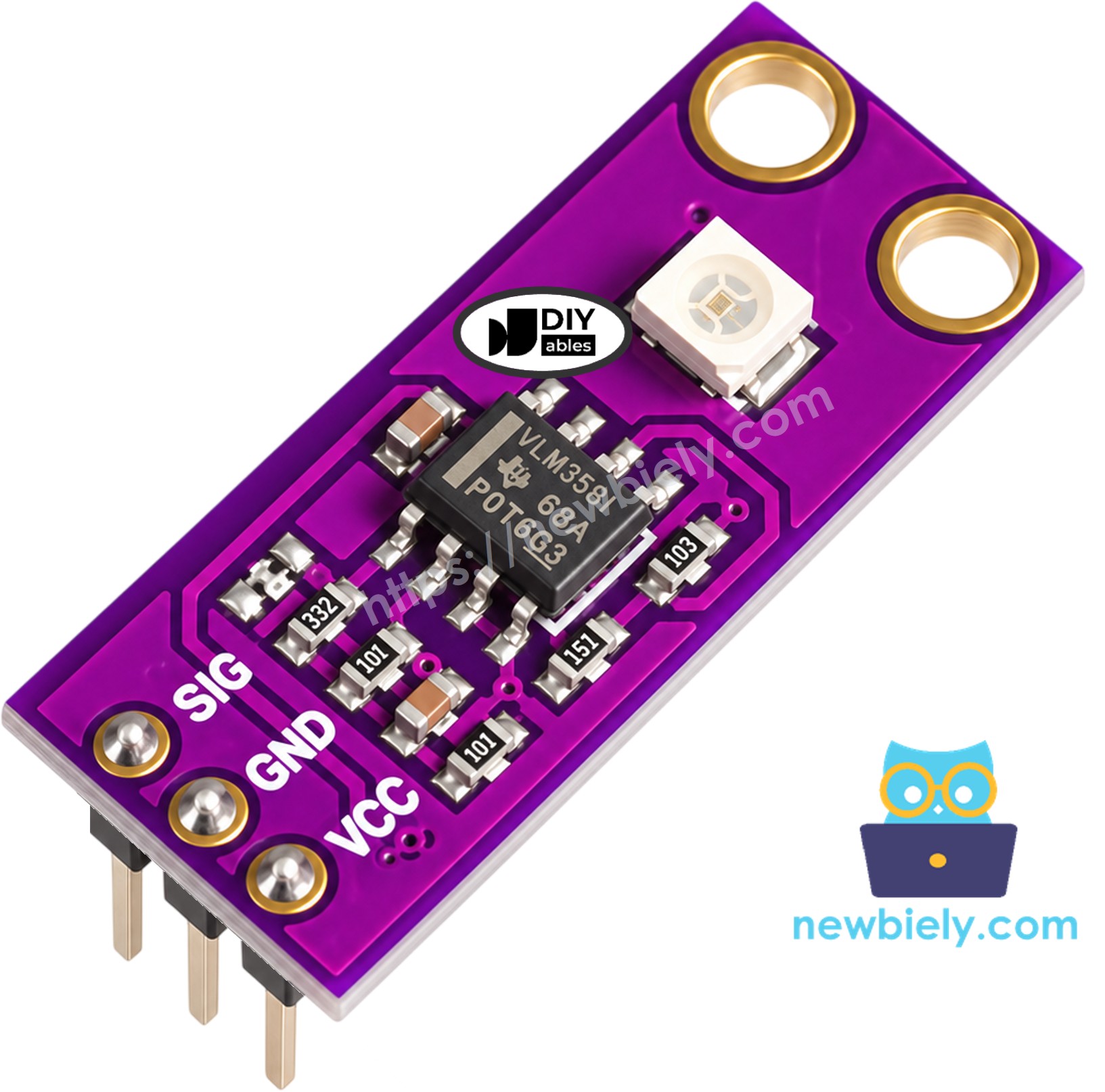
Look for the tiny white square on the purple board: that is the GUVA-S12SD photodiode, and it only cares about ultraviolet light. When UV rays land on it, it lets through a very small current. That current is far too weak for a microcontroller, so a VLM358 op-amp next to it scales it up into a voltage on the SIG pin. More UV means a higher voltage, and the ESP32 S3 simply measures that voltage with its ADC.
Key Specifications
The board is about 11mm x 27mm with two mounting holes, and the header comes already soldered. It responds to UV-A and UV-B between 240nm and 370nm over a wide 130 degree view, and it runs from 2.5V to 5V DC. SIG sits near 0V when there is no UV and climbs to roughly 1V or a bit more in strong summer sun. DIYables sells it in a pack of two.
A common hobby rule turns that voltage into a UV index: divide the SIG voltage by 0.1, so each 0.1V is about one UV index point. Treat the result as a good guide, not as a lab meter. The table shows how the WHO groups the index:
| UV Index | Level | What it means |
|---|---|---|
| 0 to 2 | Low | Little risk for most people |
| 3 to 5 | Moderate | Use shade and sunscreen around midday |
| 6 to 7 | High | Cover up, hat and sunglasses |
| 8 to 10 | Very High | Stay out of direct sun at noon |
| 11 and above | Extreme | Unprotected skin burns in minutes |
GUVA-S12SD UV Sensor Pinout
The module has three pins. Read the labels on the board; from one side they are:
- SIG — the analog output voltage that rises with UV strength (to GPIO8 in this guide)
- GND — the 0V return, joined to a GND pin of the ESP32 S3
- VCC — power for the photodiode and the op-amp; use the 3V3 pin on the ESP32 S3
One surprise for new users: indoors the module reads almost zero. Room LEDs and normal bulbs give off nearly no UV, and window glass blocks much of the sun's UV-B. So a value close to 0V on your desk is correct, not a fault. Carry the board outside into daylight, or shine a UV flashlight on it, to see real numbers.
Wiring Diagram
The GUVA-S12SD needs no extra parts, so the whole circuit is three jumper wires. SIG goes to GPIO8, which belongs to ADC1 on the ESP32 S3, while GND goes to GND and VCC goes to the 3V3 pin.
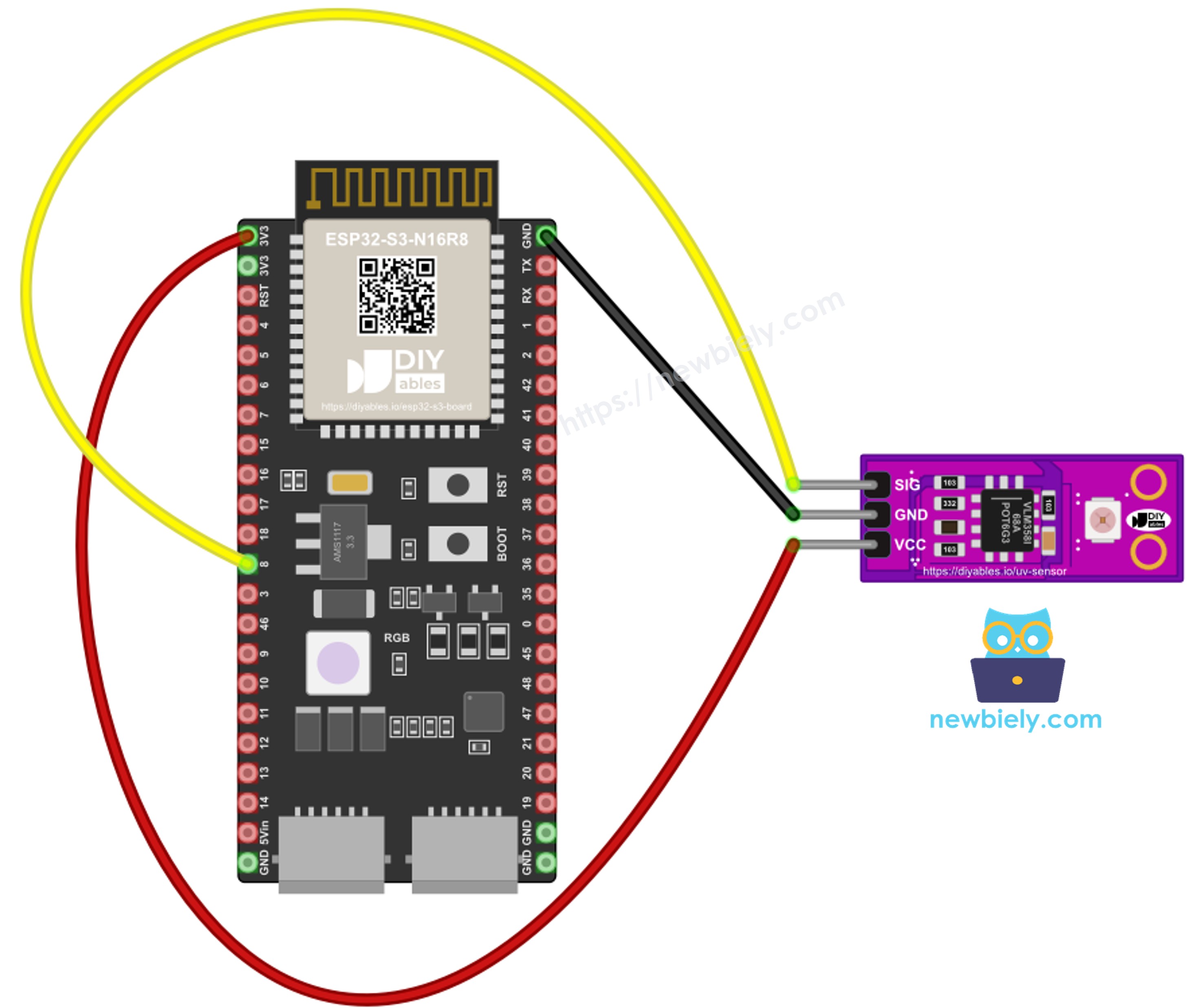
This image is created using Fritzing. Click to enlarge image
| GUVA-S12SD Pin | ESP32 S3 Pin |
|---|---|
| SIG | GPIO8 (ADC1) |
| GND | GND |
| VCC | 3V3 |
Safety Notes
Feed the module from 3V3 and not from 5V. The SIG voltage stays low in normal use, but keeping the supply at the board's own 3.3V level means the analog pin can never see more than it is built for. We picked GPIO8 on purpose: ADC1 pins keep working when WiFi is turned on, while ADC2 pins do not, so you can add a web page or cloud upload later without moving the wire. When you take the sensor outdoors, keep the board and its wires dry and out of rain.
How To Program For GUVA-S12SD UV Sensor
There is no library to install, because the sensor is just an analog voltage. In setup(), analogSetAttenuation(ADC_11db) opens the ADC to its full input range. In loop(), analogRead(8) gives the raw 12-bit count from 0 to 4095, and analogReadMilliVolts(8) gives the same input as millivolts, using the chip's factory calibration. We use the millivolt value for every calculation, because it is more accurate than scaling the raw count by hand.
ESP32 S3 Code - Raw ADC Value and SIG Voltage
Start with this sketch to prove that the wiring works. Once per second it reads GPIO8 both ways and prints the raw count and the voltage on one line, so you can compare the two.
Detailed Instructions
- New to ESP32 S3? Complete our Getting Started with ESP32 S3 guide first.
- Place the module on the breadboard and run the wires from the table: SIG to GPIO8, GND to GND, VCC to 3V3.
- Plug the ESP32 S3 into your computer with the Type-C cable.
- Open the Arduino IDE, then pick the ESP32 S3 board under Tools > Board and its port under Tools > Port.
- Copy the sketch into a new window and click Upload.
- Open the Serial Monitor and set it to 9600 baud.
- Note the numbers on your desk, then take the laptop and board to a sunny window that is open, or step outside.
- Pro Tip: Point the white sensor square straight at the sky, not at the sun's reflection on a wall; the angle changes the reading a lot.
The first lines were taken indoors, so they sit near zero. The jump happens when the board moves into direct sun.
ESP32 S3 Code - UV Index and Risk Level
Now the voltage becomes something people understand. This sketch takes 16 quick millivolt readings and averages them, because the ADC and moving clouds both make the value jump a little. It then divides the average voltage by 0.1 to get the UV index, prints it with one decimal, and adds the WHO level name from the table above.
Detailed Instructions
- Keep the same three wires in place.
- Open the UV index sketch and click Upload.
- With the Serial Monitor at 9600 baud, take the sensor from the shade into full sunlight.
- Watch the UV index and the level name change as you move.
- Pro Tip: If you have a weather app with a UV forecast, compare it at noon on a clear day. If your number is always a little high or low, multiply uvIndex by a small correction factor in the code.
※ NOTE THAT:
The GUVA-S12SD with the voltage / 0.1 rule gives an estimate, good for hobby projects and for spotting when the sun gets strong. It is not a calibrated UV meter, so do not use it alone for medical or safety decisions.
Application and Project Ideas
Knowing the UV level opens up many outdoor and health projects on the ESP32 S3.
- Sunscreen reminder: Beep a buzzer every two hours while the UV index stays at 3 or more.
- Balcony UV station: Show the current UV index and level on an OLED or a small web page over WiFi.
- UV lamp checker: Test whether a UV curing lamp or a UV LED strip still gives off real ultraviolet light.
- Smart blind: Close a window blind with a servo when strong UV starts to hit your plants or furniture.
- Weather station add-on: Log UV next to temperature and humidity to see how they change through the day.
Challenge Yourself
- Beginner: Turn on an LED on GPIO7 whenever the UV index reaches 6 (High) or more.
- Intermediate: Keep the highest UV index of the day in a variable and print it every minute along with the current value.
- Advanced: Serve the UV index and level on a web page from the ESP32 S3 over WiFi, and color the page from green (Low) to purple (Extreme).
Video Tutorial
The video for this ESP32 S3 UV sensor lesson will appear here.